
KitSync
KitSync is a client-side utility mod that automatically snaps your items back into your preferred hotbar slots the moment you open your inventory. It allows you to save custom layouts for different game modes.
截图
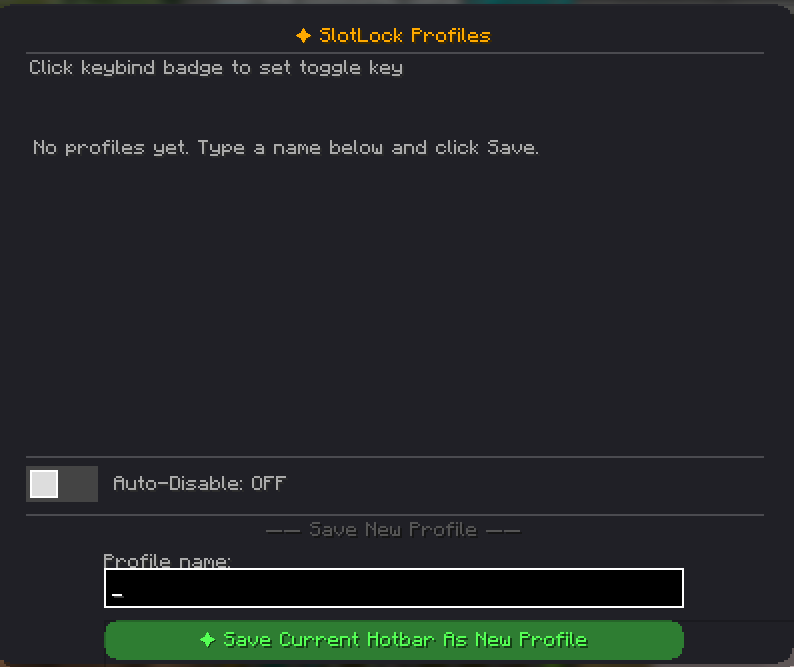
介绍
KitSync
KitSync is a lightweight, client-side Fabric utility mod that keeps your hotbar organized exactly the way you want it. Save multiple custom hotbar layouts and automatically restore your preferred arrangement whenever you open your inventory, so you can spend less time organizing items and more time playing.
Whether you’re playing PvP, minigames, or survival, KitSync helps maintain consistent muscle memory by keeping your essential items in their preferred hotbar slots.
Features
- Save multiple named hotbar layouts.
- Automatically restore your selected layout.
- Quickly switch between different layouts.
- Lightweight client-side implementation.
- Simple command-based interface.
- No server installation required.
Commands
| Command | Description |
| ———————– | ———————————————————– |
| /layout save <name> | Saves your current hotbar (slots 1–9) as a named layout. |
| /layout select <name> | Selects the layout that KitSync will restore automatically. |
| /layout list | Lists all saved layouts and highlights the active layout. |
Usage
Save
Arrange your hotbar exactly how you want it, then save the layout.
Example:
/layout save bedwarsPlay
Play normally by collecting resources, looting chests, or purchasing items. As your inventory changes, your hotbar may become disorganized.
Restore
Open your inventory, and KitSync automatically restores your selected layout by moving matching items back into their preferred hotbar slots.
Switch
Create multiple layouts for different game modes and switch between them whenever you like.
Example:
/layout save skywars
/layout save survival

/layout select skywars
The selected layout becomes active immediately without restarting the game.
Requirements
- Fabric Loader
- Minecraft version supported by this release
- Fabric API (if required)
Notes
- Client-side only.
- No server installation is required.
- Does not add items or modify gameplay mechanics.
- Simply restores your saved hotbar layout whenever you open your inventory.
常见问题
KitSync 支持哪些 Minecraft 版本?
KitSync 支持 Minecraft Java 版 26.1–26.1.2,共 3 个版本,可用的加载器:Fabric。下载时注意选择和你游戏版本一致的文件。
KitSync 怎么安装?
先用 PCL2 或 HMCL 启动器安装对应版本的 Fabric,再把下载的 .jar 文件放进游戏目录的 mods 文件夹,重新启动游戏即可。开启了版本隔离的,mods 文件夹在 versions/版本名 下面。运行环境:仅客户端。
评论
登录后评论和评分