Kingdom of Symet – CementUI
Client-side mod that works with BetonQuest 3.x plugin on a server as a Conversation I/O (ie fancy way for npc dialogues).
介绍
Immersive, cinematic dialogue screens for BetonQuest conversations.
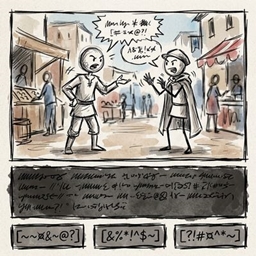
CementUI replaces BetonQuest’s chat-based conversations with a dedicated dialogue panel at the bottom of the screen, similar to dialogue in RPGs. The world stays visible behind it, the NPC appears as a live 3D portrait, and the conversation reads like a story instead of scrolling past in chat.
Features
- Dialogue panel. A clean, semi-transparent panel shows the NPC’s name, their line and your reply options. Click an option to answer.
- Live NPC portrait. The speaking NPC is rendered as a 3D model next to the text. If no NPC is set, your own character is shown.
- Scrollable conversation history. Earlier lines from the current conversation stay in the panel. Scroll back with the mouse wheel or the arrow buttons.
- Smart closing. When BetonQuest ends a conversation, the panel closes on its own after 5 seconds, with a countdown bar above the panel. Scroll the history to cancel the countdown and close it yourself when you’re done reading.
- Locked conversations. Conversations that block movement can’t be closed early with ESC.
- Works with shops and GUIs. If a conversation opens a chest or shop GUI, the dialogue waits underneath and comes back when you close that GUI. If the conversation ended in the meantime, it isn’t brought back.
- Conversation journal:
/dialogs. Every conversation is saved on your computer. Type/dialogsto browse past conversations, grouped by NPC and sorted by date, with the full transcript. - Graceful fallback. Players without the mod still get BetonQuest’s standard
menuconversation style, so the mod is never required to play on the server.
Requirements
| Side | Requirement |
|---|---|
| Client | NeoForge for Minecraft 1.21.11 + CementUI mod |
| Server | Paper 1.21 + BetonQuest + CementUI companion plugin |
This mod does nothing on its own. The server must run the CementUI plugin, which talks to the client through a custom plugin channel.
For server owners
Set the conversation IO to cementui in your BetonQuest conversations:
conversationIO: cementui
To choose which entity appears in the portrait, use the bundled action with the entity’s numeric ID:
actions:
  showGuard: "cementuiDisplayEntity 1234"
Players who don’t have the mod installed automatically get the menu conversation style.
Notes
- Conversation history is stored on the client in the
conversations/folder in your game directory, one folder per NPC. - Client-side command:
/dialogsworks on any server running the plugin and needs no server permissions.
常见问题
Kingdom of Symet – CementUI 支持哪些 Minecraft 版本?
Kingdom of Symet – CementUI 支持 Minecraft Java 版 1.21.11,可用的加载器:NeoForge。下载时注意选择和你游戏版本一致的文件。
Kingdom of Symet – CementUI 怎么安装?
先用 PCL2 或 HMCL 启动器安装对应版本的 NeoForge,再把下载的 .jar 文件放进游戏目录的 mods 文件夹,重新启动游戏即可。开启了版本隔离的,mods 文件夹在 versions/版本名 下面。
GThoro 的其他作品
查看全部 →
Roleplay: New Era
专为服务器打造的整合包,包含任务、探索、NPC 和活动。

Kingdom of Symet
A custom modpack offering smooth gameplay and QoL features for the Kingdom of Symet world

Gauganland
Farming, logistics, factories, dungeon and space exploration with custom configs for relaxed gameplay

Gauganland 2
Exploration and boss fights along with some tech and magic support
评论
登录后评论和评分