
KillStats
Tracks your entity kills during gameplay sessions and displays live statistics via a configurable in-game HUD overlay.
截图
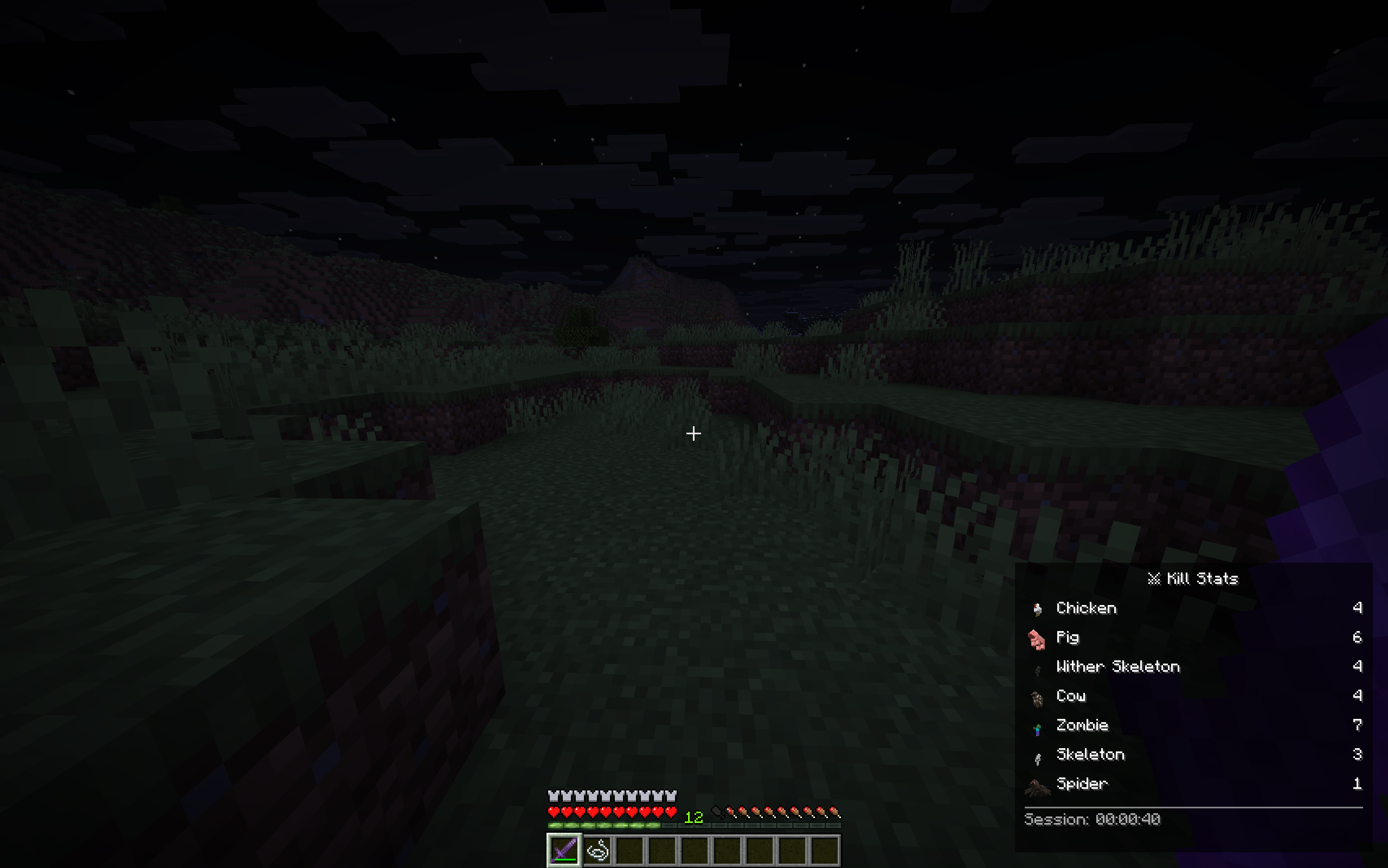
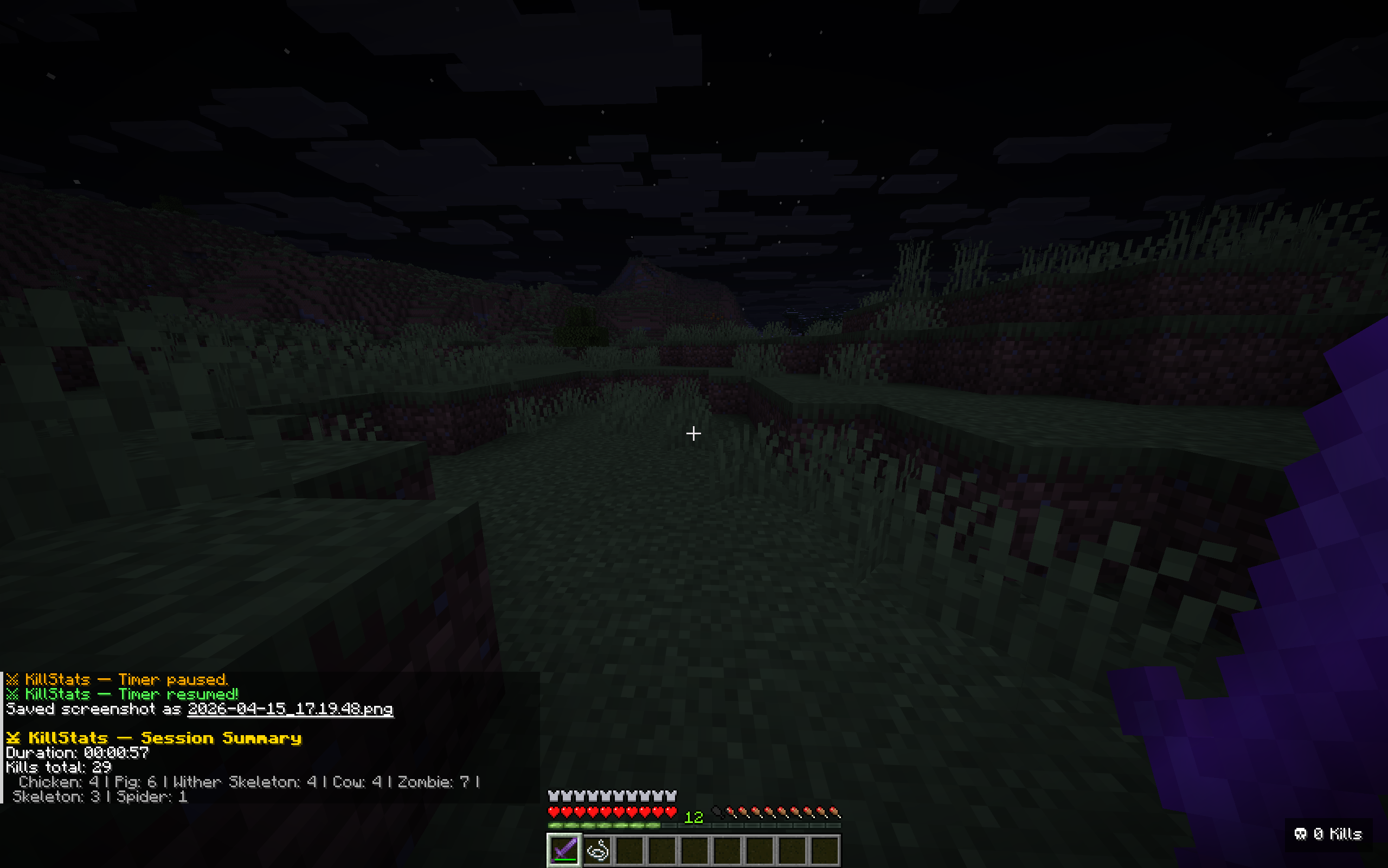
介绍
KillStats
Track every kill, estimate your loot, and dominate the battlefield!
This lightweight client-side Fabric mod tracks your entity kills during gameplay sessions and displays live statistics via a configurable in-game HUD overlay.
Features
Kill Tracking
- Per-mob breakdown – See exactly how many of each mob type you’ve killed
- Multiple kill methods – Tracks melee, projectile, and splash potion kills
- 40+ mob types – Covers hostile, passive, nether, end mobs, and bosses
HUD Display
- Full mode – Detailed per-mob breakdown with drop icons and kill counts
- Compact mode – Minimal single-line display for less screen clutter
- Configurable position – Place the HUD in any corner of the screen
- Adjustable opacity and scale – Fine-tune the look to your preference
- Smart visibility – Show only when holding weapons, or keep always visible
Session Management
- Session timer – Track how long you’ve been hunting with start/pause/resume
- Auto-pause – Timer pauses automatically when opening menus
- Session summary – Detailed breakdown in chat when leaving a world or resetting
- Persistent sessions – Optionally save session data across world exits
Milestones & Alerts
- Kill milestones – Chat notifications every X total kills (configurable)
- Per-mob milestones – Notifications every 50 kills of the same mob type
- Boss kill effects – Gold flash and sound when defeating bosses
- Sound alerts – Optional audio feedback on milestones
Customization
Configure everything in-game via ModMenu:
HUD Settings
- HUD position (top-left, top-right, bottom-left, bottom-right)
- Always visible toggle
- Background opacity (0-100%)
- HUD scale (0.5x-2.0x)
Keybinds (Controls > KillStats)
K– Start/Pause/Resume timerL– Reset sessionJ– Toggle compact mode
Session Settings
- Show session summary on exit
- Auto-pause timer in menus
- Persistent session storage
Milestones
- Milestone sound toggle
- Milestone interval (0 = disabled)
Requirements
- Minecraft: 26.1+
- Fabric Loader: 0.18.4 or higher
- Fabric API: Required
- Java: 25 or higher
- ModMenu + YACL: Optional (for in-game config screen)
Perfect For
- Grinders – Track your mob farm efficiency with kill counts and drop value estimates
- Speedrunners – Monitor kills and session time in a clean overlay
- Adventurers – See your combat stats at a glance while exploring
- Everyone – Anyone who wants to know their kill stats in Minecraft!
Links
- Issues & Bugs: GitHub Issues
- Source Code: GitHub Repository
License
This mod is open-source and licensed under the MIT License.
Made with love by DennisTheGamer
常见问题
KillStats 支持哪些 Minecraft 版本?
KillStats 支持 Minecraft Java 版 26.1–26.3,共 5 个版本,可用的加载器:Fabric。下载时注意选择和你游戏版本一致的文件。
KillStats 怎么安装?
先用 PCL2 或 HMCL 启动器安装对应版本的 Fabric,再把下载的 .jar 文件放进游戏目录的 mods 文件夹,重新启动游戏即可。开启了版本隔离的,mods 文件夹在 versions/版本名 下面。运行环境:仅客户端。
dennis.thegamer96 的其他作品
查看全部 →
BreedTimer
BreedTimer shows countdown timers above animals and villagers so you know when they can breed again.

Auto Shulker Inventory Loader
A Minecraft mod that automatically stores items in shulker boxes within your inventory when the main inventory becomes full.
Auto Shulker Inventory Loader
A Minecraft mod that automatically stores items in shulker boxes within your inventory when the main inventory becomes full.

MiningStats
MiningStats tracks ore mining statistics in real-time, counting mined ores and calculating Fortune enchantment bonuses via an on-screen HUD overlay.
评论
登录后评论和评分