
截图
介绍
KillsMoreSize
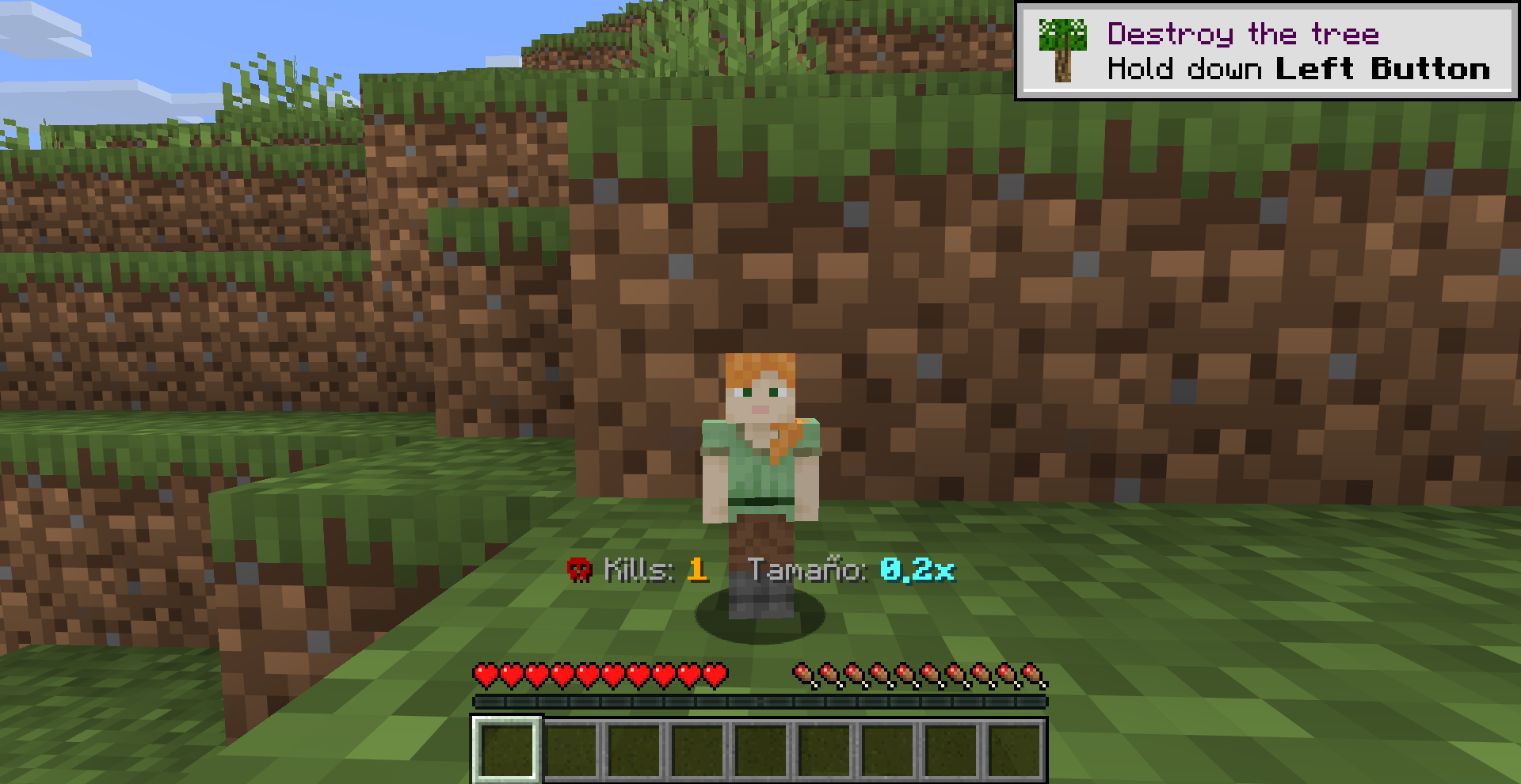
Kill something, get bigger. All connected players start out tiny — and every kill someone lands makes the whole group grow together, up to 100x their original size.
Inspired by this video’s concept: the more mobs you kill, the bigger you become.
✨ Features
- Shared growth: kills aren’t tracked per player — the whole world shares one counter. Kill a mob and everyone currently connected grows together. Built for playing co-op with friends.
- Starts tiny: every player begins at 0.1x scale.
- Grows with every kill: +0.1x per kill (any living entity, killed by any player), up to a maximum of 10.0x.
- Fragile when small — be careful! Below 0.5x scale, even a 1-block fall can hurt you:
| Scale | Damage from a 1-block fall |
|—|—|
| 0.1x | 3 hearts |
| 0.2x | 2.5 hearts |
| 0.3x – 0.4x | 2 hearts |
| 0.5x+ | Normal (no extra damage) |
- Colorful action bar HUD: shows the current kill count and size at a glance.
- Chat announcements: every kill is announced to the whole server, e.g. “Steve eliminó un mob y aumentó de tamaño. Nuevo tamaño: 1.3x”.
- Persistent: growth and HUD preference survive relogging and death/respawn.
✅ Requirements
- Fabric Loader
- Fabric API
- Minecraft 26.2
📦 Installation
- Download KillsMoreSize and Fabric API.
- Place both
.jarfiles in themods/folder (singleplayer or server). - Launch — no extra configuration needed.
📜 Commands
/hud onEnables a small action bar HUD showing the current kill count and your size. This is a personal preference and only affects your own screen.
/hud offDisables the HUD.
👨💻 Authors & Credits
- Developer:
srmast3r_(SrMaster) - Twitter/X: @_SrMaster_
- Idea/Inspiration: concept based on this YouTube video
常见问题
KillsMoreSize 支持哪些 Minecraft 版本?
KillsMoreSize 支持 Minecraft Java 版 26.2,可用的加载器:Fabric。下载时注意选择和你游戏版本一致的文件。
KillsMoreSize 怎么安装?
先用 PCL2 或 HMCL 启动器安装对应版本的 Fabric,再把下载的 .jar 文件放进游戏目录的 mods 文件夹,重新启动游戏即可。开启了版本隔离的,mods 文件夹在 versions/版本名 下面。运行环境:客户端和服务端都要装。
SrMaster 的其他作品
查看全部 →
Leaderboard
Create leaderboards for any data

Spawn Utility
Manage multiple spawnpoints on your server.

InfiniteItems
Two items will give you one upgraded item.

Reality SWAP
a mod that allows you to change the relities in minecraft every 5 minutes
评论
登录后评论和评分