
KillClipper
Automatically saves OBS replay buffer clips and sort them per player when you kill them.
截图
介绍
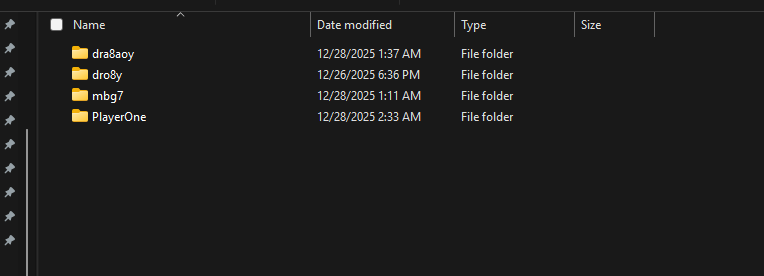
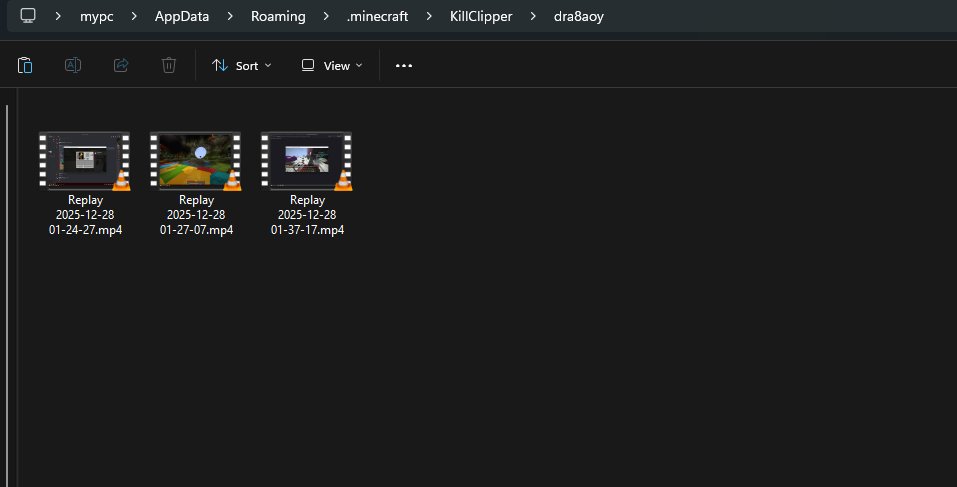
This mod connects Minecraft directly to OBS Studio using the OBS WebSocket plugin, allowing the mod to automatically capture almost every kill using the Replay Buffer. The mod organizes all clips in player-specific folders and sorts them.


Kill detection works in two modes:
- Packet Mode listens directly to Minecraft network packets to detect when a player dies, but it depends on the server sending complete data. If the damage source or attacker entity is missing, the mod will not function
- Chat Mode watches the Minecraft chat for specific kill messages sent by the server.
Dependencies
- Cloth Config API
- Fabric api
- Mod Menu
Setup
OBS Studio
- Open OBS Studio.
- Go to Tools → WebSocket Server Settings.
- Make sure the following are set:
- Enable WebSocket Server is checked.
- Enable Authentication is checked.
- Copy the Server Port and Server Password. Press Show Connect Info to view them.
4. Go to Settings → Output → Replay Buffer:
- Make sure Enable Replay Buffer is checked.
- Set the Maximum Replay Time to your desired length.
- Copy the Recording Path
- Click Start Replay Buffer to make it active.
Minecraft
Make sure Cloth Config and Mod Menu are installed
Open the config screen through mod menu and enter your OBS WebSocket server information (port/password) and Recording Path.
Video Tutorial
Check this video out for a step-by-step tutorial
常见问题
KillClipper 支持哪些 Minecraft 版本?
KillClipper 支持 Minecraft Java 版 1.19–1.21.11,共 24 个版本,可用的加载器:Fabric。下载时注意选择和你游戏版本一致的文件。
KillClipper 怎么安装?
先用 PCL2 或 HMCL 启动器安装对应版本的 Fabric,再把下载的 .jar 文件放进游戏目录的 mods 文件夹,重新启动游戏即可。开启了版本隔离的,mods 文件夹在 versions/版本名 下面。运行环境:仅客户端。
dro8y 的其他作品
查看全部 →
Fireworkey
FireRocketKey is a mod that lets you launch a firework rocket with a single key press, with full configuration for delay and cooldown.

TNTCartAlert
TNTCartAlert is a simple mod made for BoxPvP. It warns you when TNT minecarts are placed and tells you how many have been placed and who placed them.
评论
登录后评论和评分