
KeyStrokes Overlay With Lua
作者:AltRossell
A highly customizable keystrokes overlay for Fabric that uses Lua scripts for dynamic visual themes and real-time design editing
截图
介绍
中文介绍正在准备中,下面暂时显示原文。
⌨️ KeyStrokes Overlay With Lua
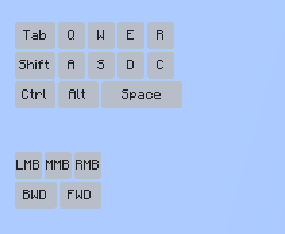
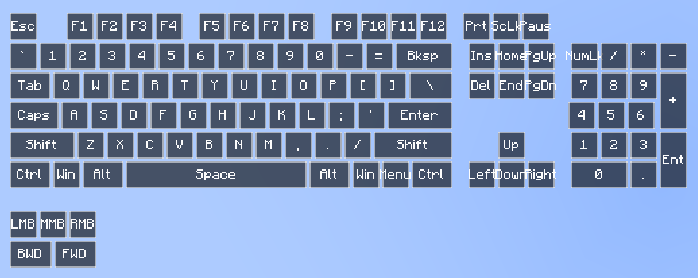
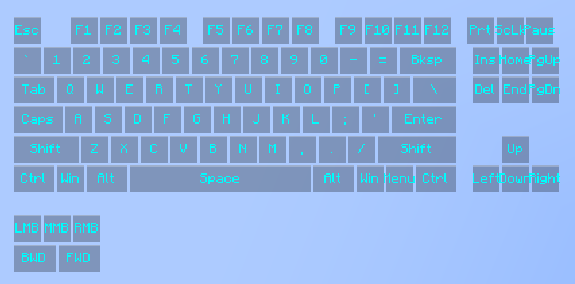
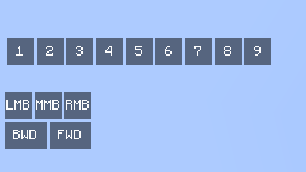
A powerful and flexible keystrokes display mod for Minecraft Fabric, featuring a unique Lua-based engine for deep visual customization.
✨ Key Features:
- Lua-Powered Themes: All visual styles (Classic, Modern, Apple, and Lunar) are handled via external Lua scripts. Create your own unique look by adding
.luafiles toconfig/keystrokes/ThemeManager/. - Live Hot-Reloading: Modify your theme scripts while the game is running and see the changes instantly using the “Reload Lua” button in the settings menu.
- Intuitive In-Game Menu: Press the ‘K’ key to open the settings interface.
- Full RGB Customization: Real-time color sliders that sync directly with your Lua scripts for ultimate control.
- Flexible UI: Independently drag and reposition the keyboard and mouse overlays. Support for custom scaling (Auto, Fixed, or Slider-based).
🚀 Installation:
- Ensure you have Fabric Loader installed for Minecraft 1.20 or higher.
- Download the mod and place the
.jarfile into yourmodsfolder. - Launch Minecraft and press ‘K’ to open the settings.
- Explore the
config/keystrokes/ThemeManager/folder to tweak the default scripts or add new ones.
📜 Scripting Guide: Create Your Own Theme
Creating a theme is easy. Just create a .lua file in the config/keystrokes/ThemeManager/ folder. Here is a starter template:
-- Save this as "my_custom_theme.lua" in config/keystrokes/ThemeManager/

-- Optional: This runs once when the theme is loaded or selected
function onThemeLoad()
    -- Sets the default color of the menu sliders (R, G, B, A)
    setMenuColor(255, 165, 0, 255) -- Default to Orange
end

-- This runs every frame for every key and mouse button
-- Parameters: label (String), isPressed (Boolean), x, y, w, h (Position/Size), r, g, b, a (Menu Colors)
function renderKey(label, isPressed, x, y, w, h, r, g, b, a)
    -- Combine the R, G, B, A values from the menu into a single color
    local menuColor = bit.bor(bit.lshift(a, 24), bit.lshift(r, 16), bit.lshift(g, 8), b)

    if isPressed then
        -- Draw a solid background using the menu color
        fill(x, y, w, h, menuColor)
        -- Tell the mod to draw the text in Black
        setTextColor(0xFF000000)
    else
        -- Draw a semi-transparent black background when not pressed
        fill(x, y, w, h, 0x80000000)
        -- Tell the mod to draw the text in White
        setTextColor(0xFFFFFFFF)
    end
end
常见问题
KeyStrokes Overlay With Lua 支持哪些 Minecraft 版本?
KeyStrokes Overlay With Lua 支持 Minecraft Java 版 1.20–1.21.11,共 19 个版本,可用的加载器:Fabric。下载时注意选择和你游戏版本一致的文件。
KeyStrokes Overlay With Lua 怎么安装?
先用 PCL2 或 HMCL 启动器安装对应版本的 Fabric,再把下载的 .jar 文件放进游戏目录的 mods 文件夹,重新启动游戏即可。开启了版本隔离的,mods 文件夹在 versions/版本名 下面。运行环境:仅客户端。
评论
登录后评论和评分