
Keystrokes HUD
A lightweight client-side HUD overlay that shows your keyboard and mouse inputs in real time, automatically reflecting your actual keybinds if you rebind any keys.
截图
介绍
Keystrokes HUD
A lightweight, client-side HUD overlay that displays your keyboard and mouse inputs live on-screen — perfect for recording gameplay, streaming, or just seeing your inputs at a glance.
Features
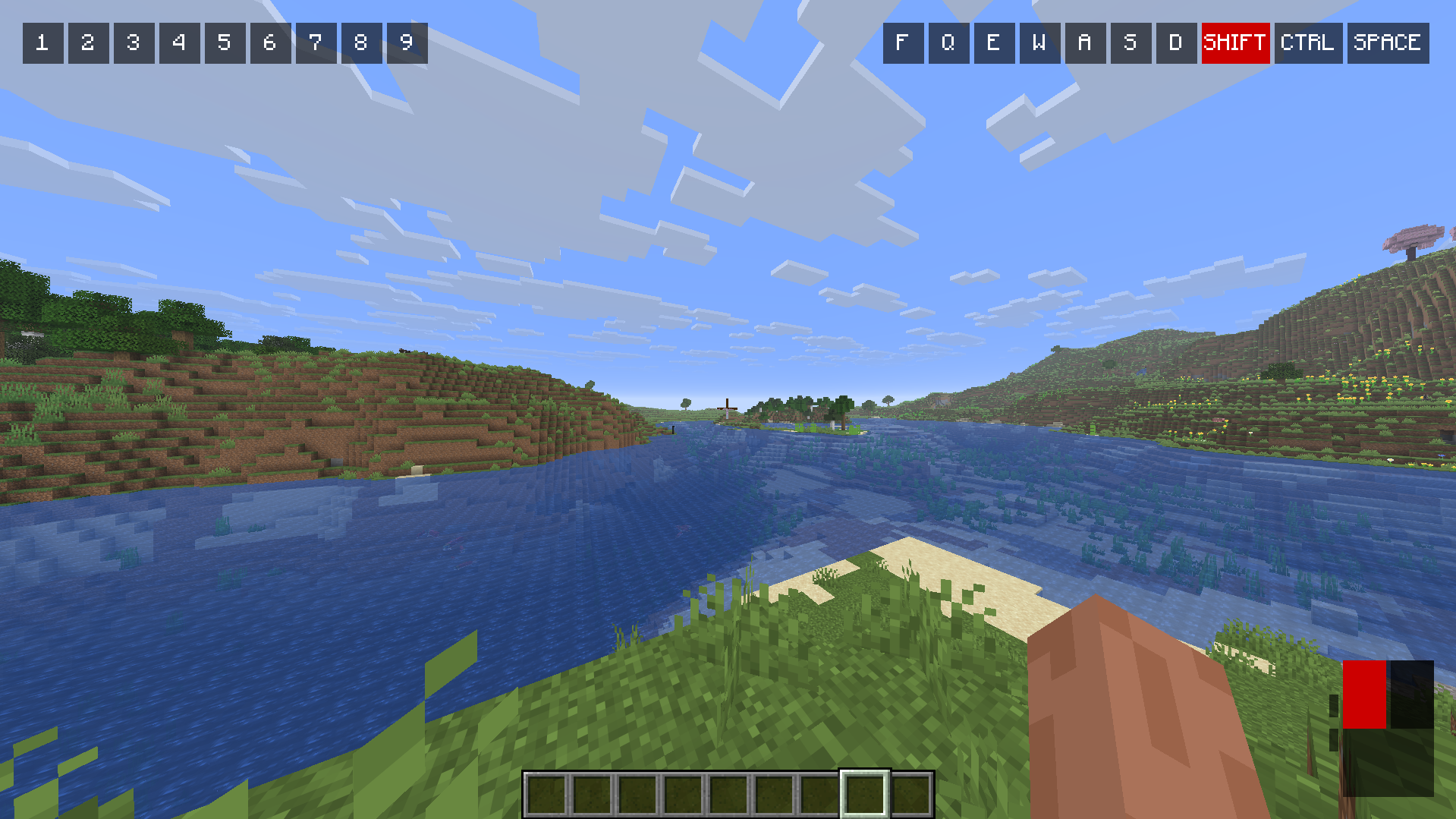
- Hotbar row (top-left) — shows slots 1–9. If you’ve rebound any hotbar slot to a different key, the overlay automatically updates to show your actual bound key instead of the default number.
- Action keys row (top-right) — displays your currently bound keys for Swap Offhand, Drop, Inventory, Forward, Left, Back, Right, Sneak, Sprint, and Jump. Keys highlight in red when pressed, and labels update automatically if you rebind any of these actions.
- Mouse indicator (bottom-right) — shows left-click and right-click, plus side buttons (mouse 4/5) if your mouse has them. Highlights whichever action is currently bound to each physical mouse button — so if you’ve swapped Attack and Jump around, the overlay reflects your actual setup, not just the vanilla defaults.
Why this mod?
Unlike simple “keystrokes” overlays that just show hardcoded key labels, Keystrokes HUD reads your actual keybinds in real time. If you rebind Attack to Space and Jump to left-click (looking at you, DrDonut), the overlay updates to match — no manual configuration needed.
Requirements
- Minecraft 26.2
- Fabric Loader 0.19.3+
- Fabric API
Status
This is an early Beta release. Core functionality (hotbar, keyboard row, mouse buttons) is fully working. Planned for future updates:
- Custom pixel-art icons for actions (replacing the current text-based labels on mouse buttons)
- Scroll wheel detection for hotbar switching
Development note
This mod was built with AI assistance (Claude) for code generation and debugging support, alongside significant manual design decisions, testing, and iteration by the developer. See the AI-generated content disclosure on this project page for details.
常见问题
Keystrokes HUD 支持哪些 Minecraft 版本?
Keystrokes HUD 支持 Minecraft Java 版 26.2,可用的加载器:Fabric。下载时注意选择和你游戏版本一致的文件。
Keystrokes HUD 怎么安装?
先用 PCL2 或 HMCL 启动器安装对应版本的 Fabric,再把下载的 .jar 文件放进游戏目录的 mods 文件夹,重新启动游戏即可。开启了版本隔离的,mods 文件夹在 versions/版本名 下面。运行环境:仅客户端。
评论
登录后评论和评分