截图

介绍
 Assign keys to commands
Features :
– Define a key to execute a command or send chat message (called a macro)
– Mod need to be installed on client only
– Work fine in multiplayer. When you press the key, the command is sent as a chat message and proceeded by the server like if you had typed it.
– Create as many macros as you want
– Macro can have some variable (changing part like a player name)
– Server admins can now force macros for players with the mod
– Create macros for a specific world / server (called location)
– Edit macro in your default text editor
– Execute mutiple command in one macro (use \n to separate 2 commands)
Create a macro :
To open the macro configuration screen :
– While in-game : press key K (configurable with other minecraft key)
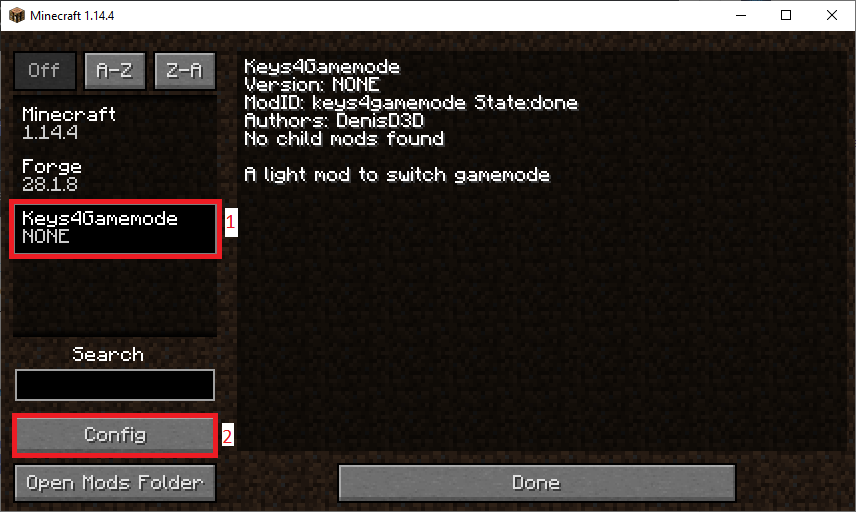
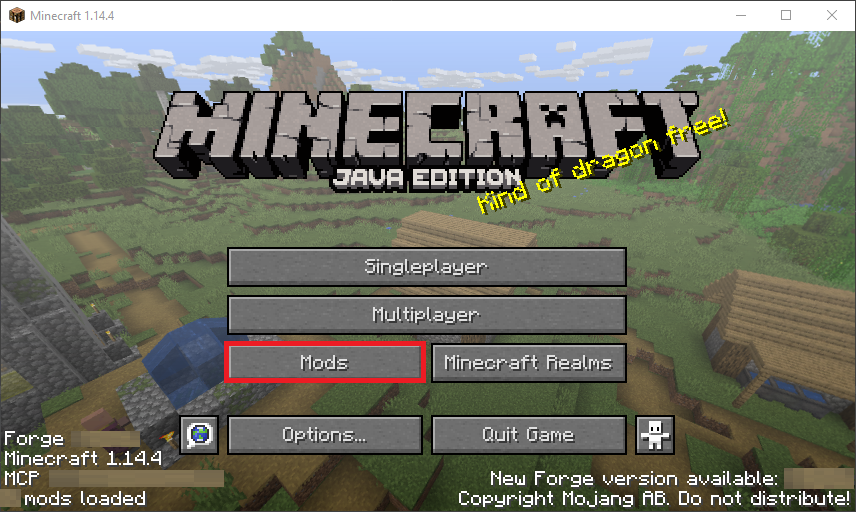
– While on main menu : Go to mods, then select Keys4Macros and finally Config
To define a new Macro, hit the New Macro button
Then fill the text box with the text that will be sent in chat (Start with a / for a command)
Then next button define the key for the macro
Next button switch between SEND (directly send the value of the text box) & WRITE (prefill the chat with the content of the text box)
Last button allow you to delete the macro
You can create as much macro as you want, it come in addition of Minecraft keybindings
Screenshots :


Discord :
Feel free to join my discord if you need help or fi you have any issue, any questions or any suggestions :

Misc :
Can I use this mod in multiplayer?
– Yes technically the mod work fine on server. However, it can be against some server rules, be sure to check them out. I won’t handle any responsibility for a sanction due to this mod.
Can I use this mod in my mod pack / make a video on or with this mod ?
– Yes, you can use this mod freely, and put it in every modpack you want. Just remember to give credit and link back to the official download page, it’s the only links that are SAFE.
常见问题
Keys4Macros 支持哪些 Minecraft 版本?
Keys4Macros 支持 Minecraft Java 版 1.14.4–1.19.3,共 16 个版本,可用的加载器:Forge。下载时注意选择和你游戏版本一致的文件。
Keys4Macros 怎么安装?
先用 PCL2 或 HMCL 启动器安装对应版本的 Forge,再把下载的 .jar 文件放进游戏目录的 mods 文件夹,重新启动游戏即可。开启了版本隔离的,mods 文件夹在 versions/版本名 下面。


评论
登录后评论和评分