
Keybind Settings GUI
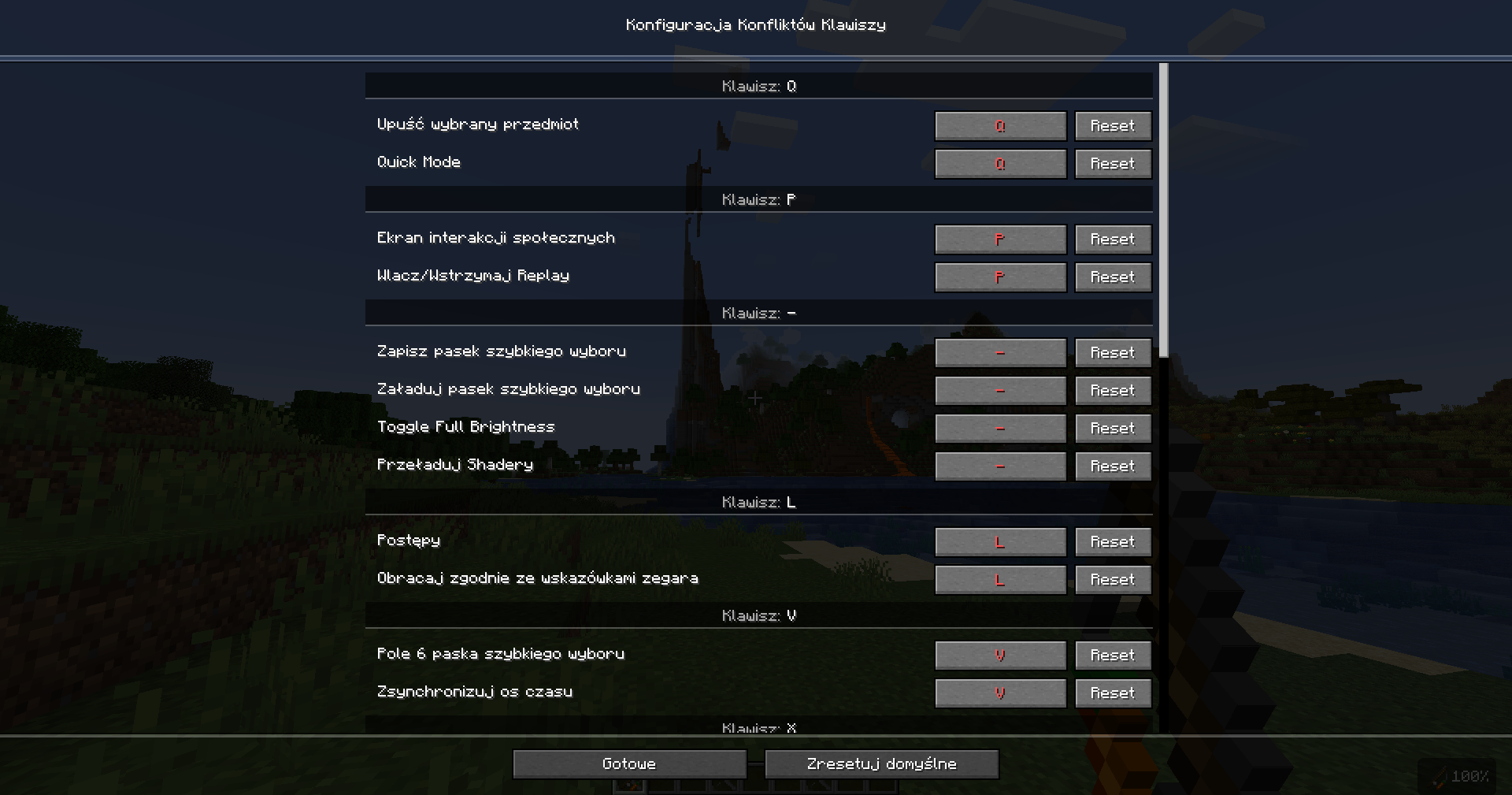
Keybinds Setting is a mod that, when you press a key (e.g. B), opens a simple GUI allowing you to quickly change assigned keybinds (such as movement or jumping) without going into the game settings.
截图
介绍
Keybinds Setting is a lightweight, quality-of-life mod designed to streamline how you manage your controls in-game. Instead of navigating through multiple menus in the standard settings interface, the mod lets you press a designated key (for example, B) to instantly open a clean, minimalistic GUI overlay. From there, you can quickly view and reassign keybinds for various actions such as movement, jumping, sprinting, or interacting.
The interface is built to be intuitive and fast, making it especially useful during gameplay when you need to adjust controls on the fly without interrupting your flow. Whether you’re experimenting with new key layouts, fixing conflicts between mods, or simply optimizing your setup for comfort, everything can be done in a few clicks directly from this popup.
Additionally, the mod often includes features like:
- Real-time key reassignment without restarting or leaving the game
- Clear indication of conflicting keybinds
- Support for modded actions alongside default controls
- A compact and responsive design that doesn’t clutter the screen
Overall, Keybinds Setting enhances convenience and accessibility, saving time and making control customization much more seamless, especially for players who frequently tweak their key setups.
常见问题
Keybind Settings GUI 支持哪些 Minecraft 版本?
Keybind Settings GUI 支持 Minecraft Java 版 1.21–1.21.5,共 6 个版本,可用的加载器:Fabric。下载时注意选择和你游戏版本一致的文件。
Keybind Settings GUI 怎么安装?
先用 PCL2 或 HMCL 启动器安装对应版本的 Fabric,再把下载的 .jar 文件放进游戏目录的 mods 文件夹,重新启动游戏即可。开启了版本隔离的,mods 文件夹在 versions/版本名 下面。运行环境:仅客户端。
wikaczekk 的其他作品
查看全部 →
Player HP Display
A simple mod that shows the nickname and HP of the player you're looking at requires Fabric API.

Inventory Saverr
Inventory Saver is a Minecraft mod that lets you save your inventory layout and restore it with a single key. After saving, you can automatically reorganize your inventory back to the saved arrangement.

Pack Sync
This mod lets you quickly download the server’s texture pack. Press H, click “Download texture pack,” then “Open folder” to access the downloaded file.
评论
登录后评论和评分