
截图
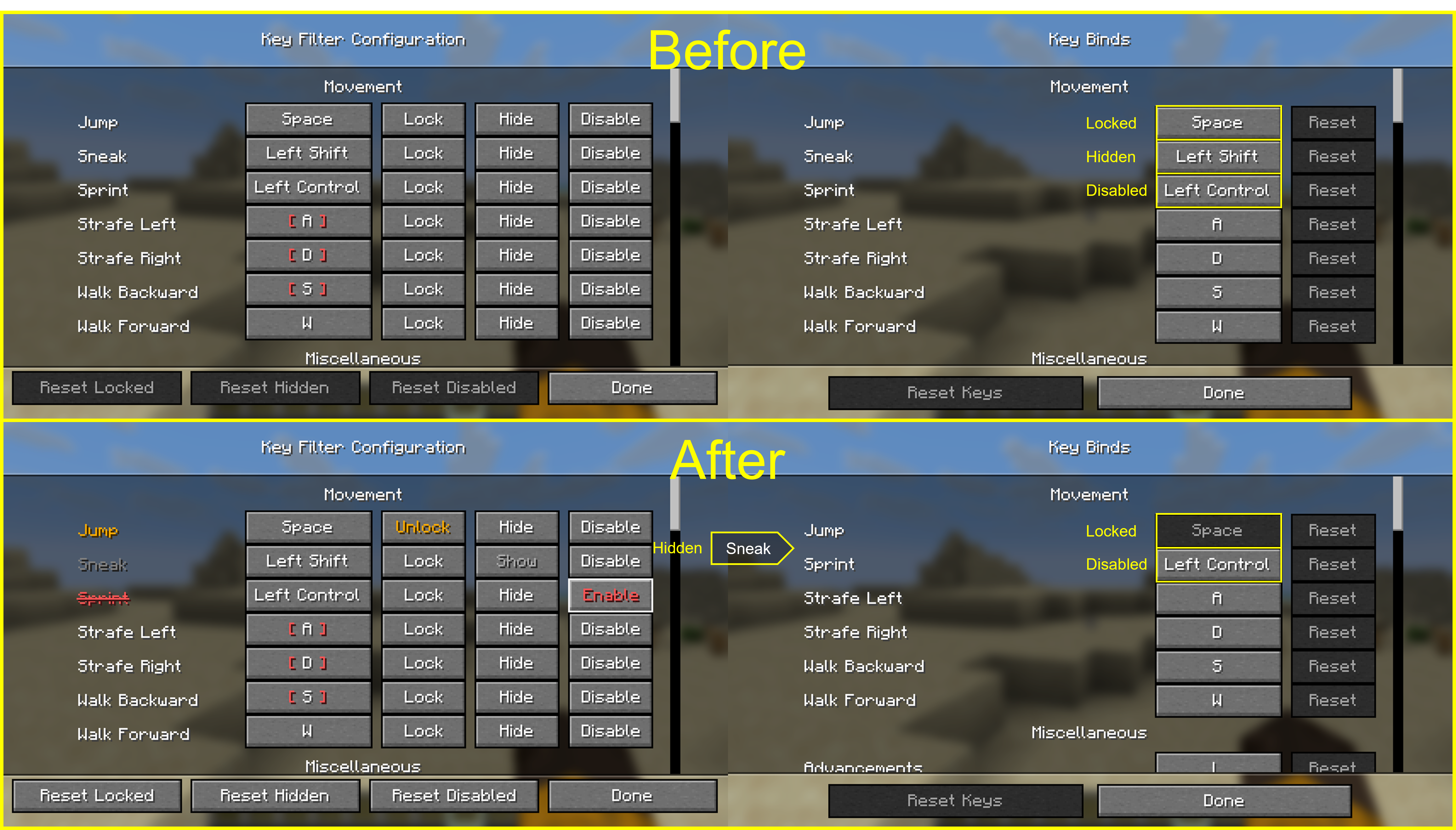
介绍
中文介绍正在准备中,下面暂时显示原文。
Key Filter
A client-side Minecraft mod that lets you lock, hide, and disable key bindings.
Supports both Fabric and NeoForge.
Features
For every key binding you can toggle three independent states:
- Lock — prevents the binding from being changed, so you don’t overwrite it by accident.
- Hide — hides the entry from the vanilla Controls screen to keep the list clean.
- Disable — makes the game ignore the key entirely, even if another mod or feature would normally consume it.
Usage
- Press F8 in-game to open the Key Filter config screen. (Default binding — it can be rebound from the vanilla Controls menu.)
- In the list, use the buttons next to each binding to toggle its state:
Lock/UnlockHide/ShowDisable/Enable
Settings are stored in config/keyfilter.json.
常见问题
Key Filter 支持哪些 Minecraft 版本?
Key Filter 支持 Minecraft Java 版 26.1–26.3,共 5 个版本,可用的加载器:Fabric / NeoForge / Quilt。下载时注意选择和你游戏版本一致的文件。
Key Filter 怎么安装?
先用 PCL2 或 HMCL 启动器安装对应版本的 Fabric / NeoForge / Quilt,再把下载的 .jar 文件放进游戏目录的 mods 文件夹,重新启动游戏即可。开启了版本隔离的,mods 文件夹在 versions/版本名 下面。运行环境:仅客户端。
shihyeon 的其他作品
查看全部 →
Koreanify
by shihyeon
Improves Korean chat and IME compatibility as a client-side utility. (mc26.1+)
2.4万
1 个月前
Modrinth

Koreanify
by shihyeon
Improves Korean chat and IME compatibility as a client-side utility. (mc26.1+)
8,664
1 个月前
CurseForge

Blur Server Address
by shihyeon
Blurred Server Address. replace address to *
7,035
1 个月前
Modrinth

Tab Name Tag
by shihyeon
A client-side mod that replaces player name tags with their tab list names.
6,582
7 个月前
Modrinth
评论
登录后评论和评分