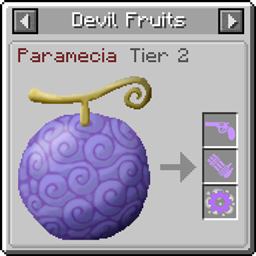
Just Enough Devil Fruits (Mine Mine no Mi)
这是一款客户端模组,可将 Mine Mine no Mi 的恶魔果实整合到 JEI物品管理器中,方便你查看恶魔果实信息。
截图
介绍
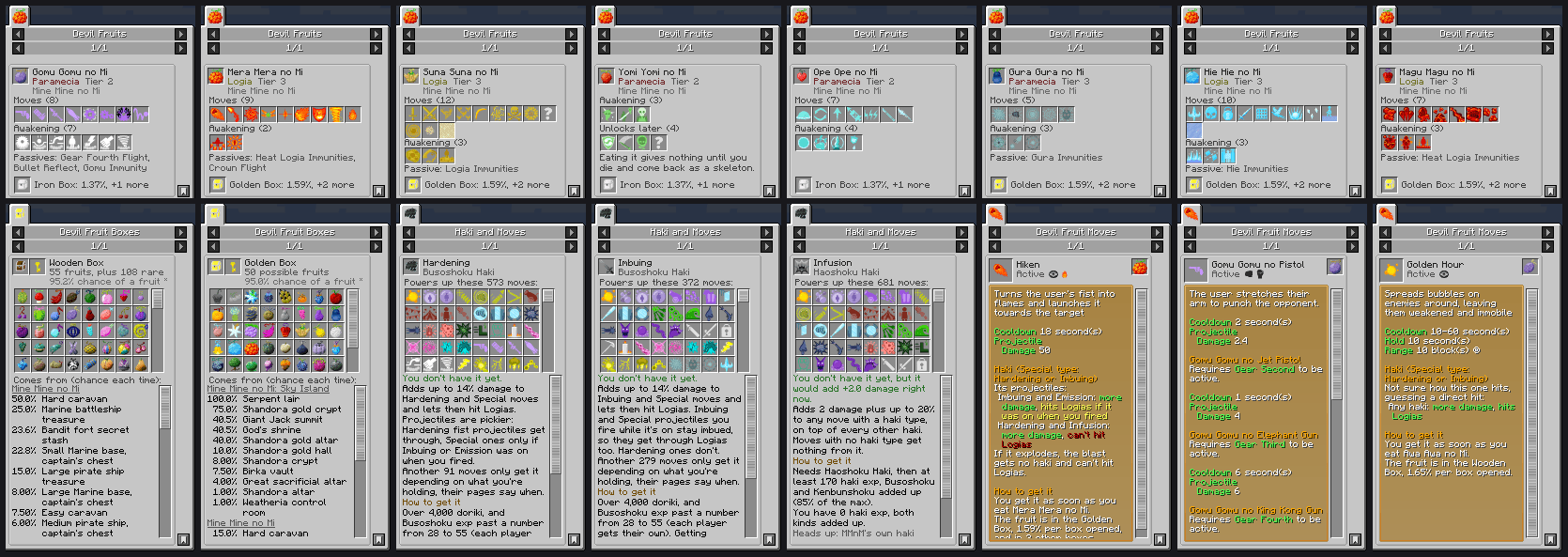
This mod puts every devil fruit from Mine Mine no Mi into JEI. Click a fruit (or hover it and press R) and you see all its moves, what unlocks after awakening (if compatible), and which box you can get it from. Click any move and you get the full description, cooldown, damage, which haki works with it, and how to unlock it.
It’s client side only. Doesn’t need to be on the server, works fine on servers that don’t have it.
What’s in it
- Devil Fruits – a page for every fruit, addon ones too. Moves you get when you eat it, awakening moves, stuff that unlocks later, plus the hidden passives MMnM doesn’t show you. Bottom of the page tells you what box drops it and the odds.
- Moves – every move gets its own page with MMnM’s actual description and stats (numbers are for your character). Moves with multiple modes like Pistol / Jet Pistol show all of them. It also tells you which haki actually does something with that move, which is way more confusing than it should be in this mod.
- Haki – what each haki adds for you right now (the real number, MMnM’s tooltip shows a bigger one than what you actually get), every move it buffs, and what you need to unlock it next to your own doriki/haki exp.
- Boxes – every fruit a box can drop with the chance per box, which key it needs, and what chests it spawns in.
If a server bans a move it shows crossed out. If the server has Randomized Fruits on, the fruit and box pages hide themselves so nothing gets spoiled.
Works with
None of these are needed, but if you have them their fruits/moves/boxes show up too:
- Missing Missing no Mi
- Cart’s mmnm Addon
- AkumaLib (box odds include its changes)
- Akuma no Mi
- Blitz Utility (Golden Box swap is counted)
- Awaken Awaken no Mi
- Mine Mine no Mi: Awaken Path
- Cruise Cruise no Mi (arena prizes show up as box sources)
- Mine Mine no Mi: Sky Island
comment any addons u want compatibilities with and it’ll happen 🙂
常见问题
Just Enough Devil Fruits (Mine Mine no Mi) 支持哪些 Minecraft 版本?
Just Enough Devil Fruits (Mine Mine no Mi) 支持 Minecraft Java 版 1.20.1,可用的加载器:Forge。下载时注意选择和你游戏版本一致的文件。
Just Enough Devil Fruits (Mine Mine no Mi) 怎么安装?
先用 PCL2 或 HMCL 启动器安装对应版本的 Forge,再把下载的 .jar 文件放进游戏目录的 mods 文件夹,重新启动游戏即可。开启了版本隔离的,mods 文件夹在 versions/版本名 下面。
评论
登录后评论和评分