
Just Enough Cobblemon
A Cobblemon utility providing detailed insights into Pokémon locations & Pokémon drops.
截图
介绍
Just Enough Cobblemon
A lightweight utility addon for Cobblemon. It surfaces two things the base mod keeps hidden: what every Pokémon drops, through JEI or EMI, and where every Pokémon spawns, through a new tab inside the Pokédex. Server installation is optional, but required if you want to access spawn data on a multiplayer server.
The Pokédex tab works on its own. JEI or EMI is only needed for the loot side.




Features
Spawn tab in the Pokédex
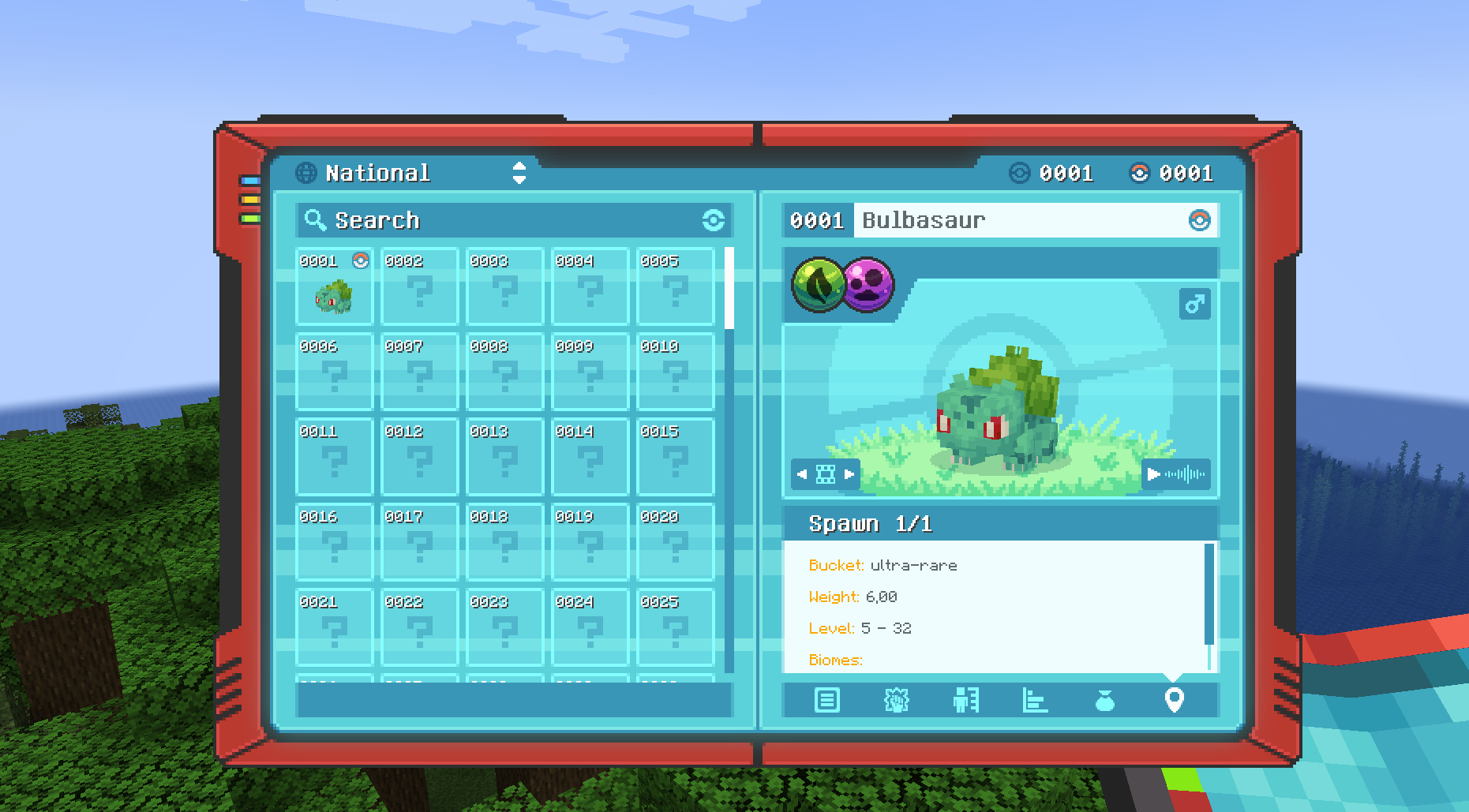
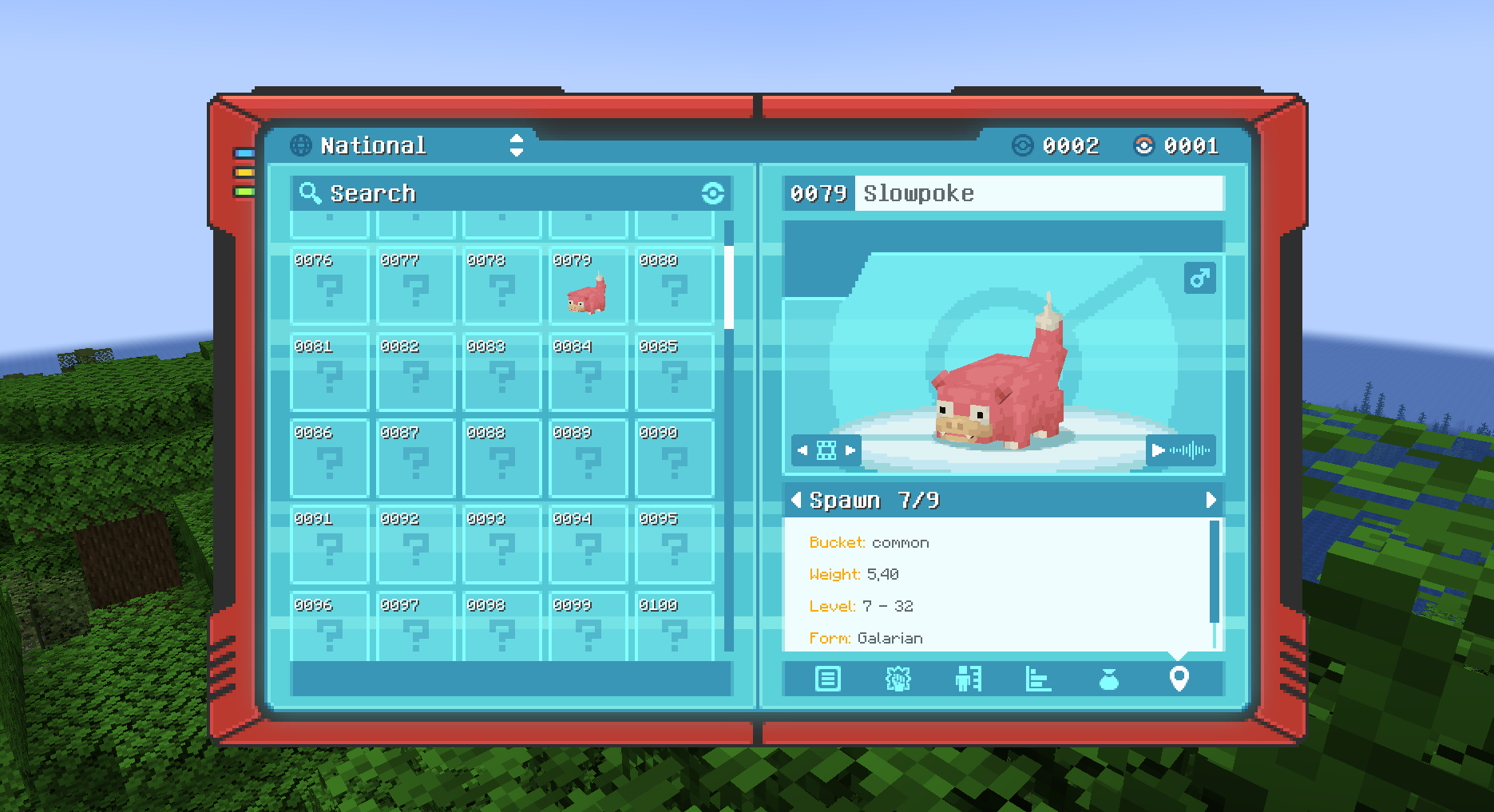
A new tab on the Pokédex info panel shows exactly where and when a Pokémon appears — spawn bucket, weight, level range, biomes, structures, Y range, light level, time of day, moon phase, weather, and every other condition Cobblemon supports.
Entries distinguish between forms, so Galarian and Hisuian variants show their own conditions rather than being lumped in with the base species.
Spawn data unlocks per species once you have encountered it, so it follows your progress instead of handing you the whole world map on day one.
Loot tables in JEI / EMI
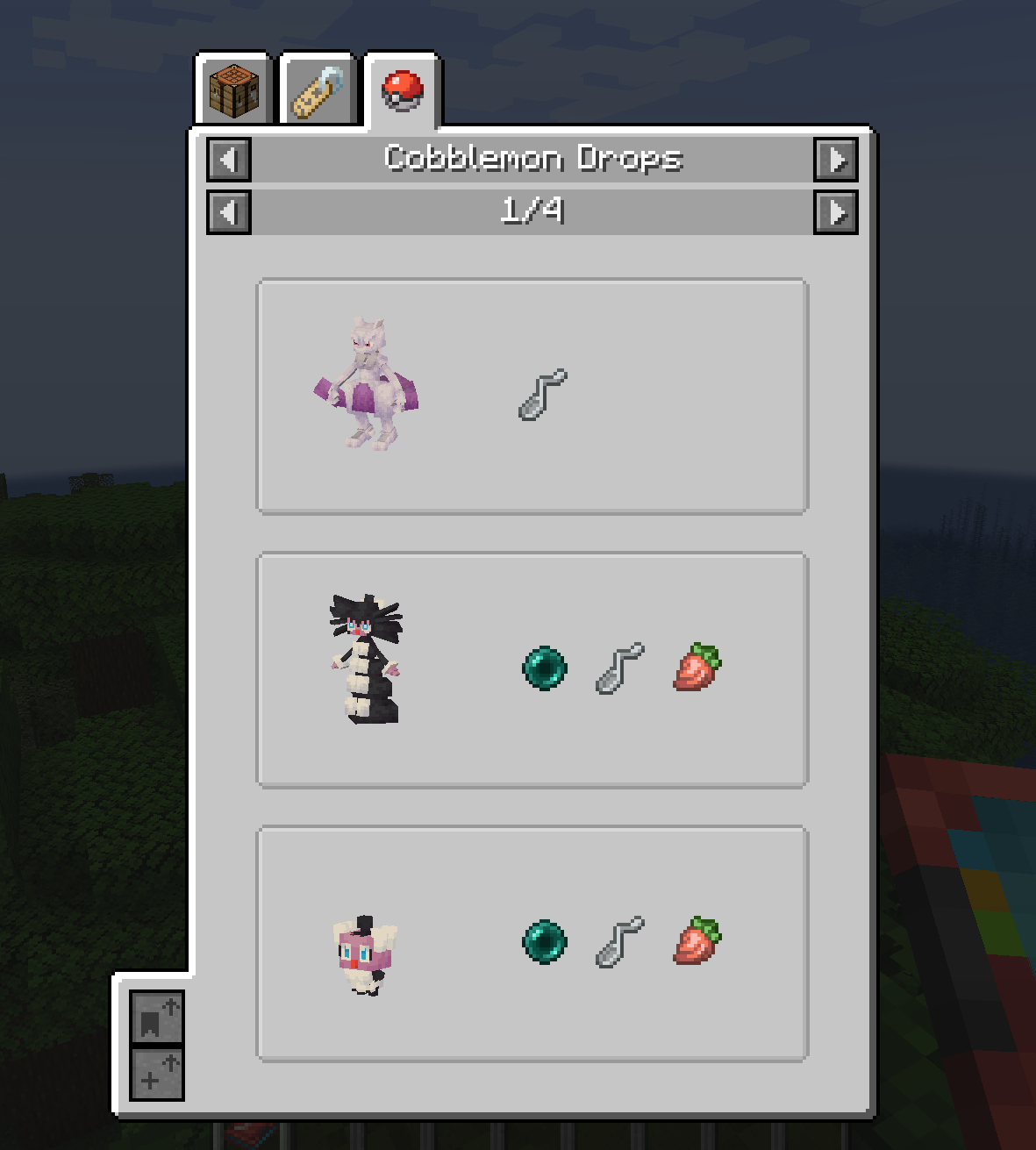
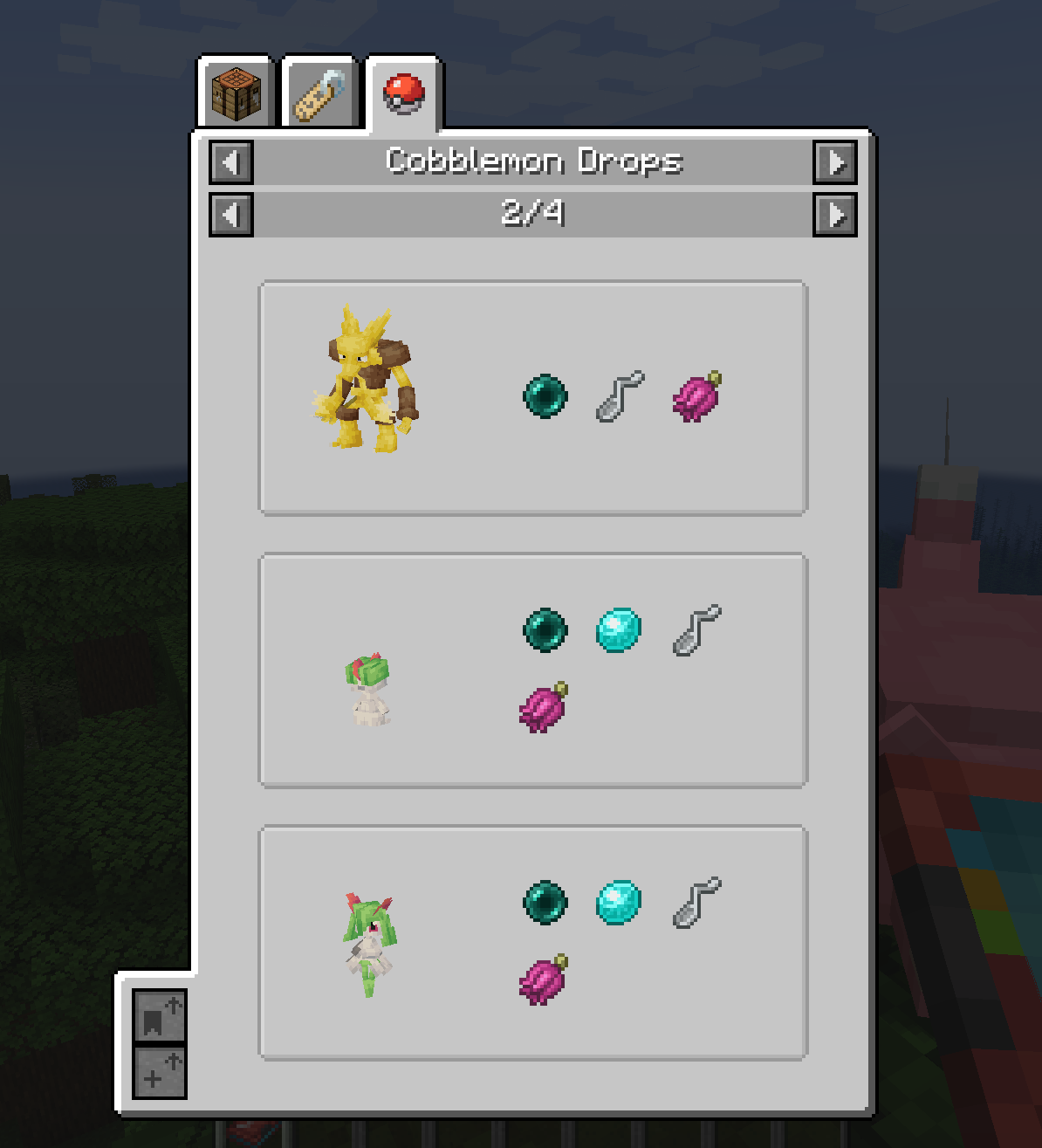
Every Pokémon’s drop table, with the exact percentage chance for each item. Works both ways: look up an item to see which Pokémon drops it, or look up a Pokémon to see everything it can give you.
Everywhere else
- Works on Fabric and NeoForge
- Translated into English, French, German, Spanish, Portuguese (BR), Simplified Chinese and Japanese
How to use
The Spawn tab
- Open your Pokédex and pick a Pokémon you’ve already encountered.
- Click the Spawn tab — the location pin at the bottom of the info panel.
- Use the arrows to page through each spawn entry.
Each entry lists the full set of conditions for that one location.
JEI / EMI
Hover an item and press R to see which Pokémon drop it, or hover a Pokémon and press U to see its complete loot table.
Installation
- Install Cobblemon 1.8.4 for Minecraft 1.21.1. Other Cobblemon versions are not supported.
- Install the Kotlin bridge for your loader — Fabric Language Kotlin on Fabric, Kotlin for Forge on NeoForge. Cobblemon needs it.
- Drop the Just Enough Cobblemon jar matching your loader into
mods/. - Optionally add JEI or EMI for the loot lookups.
Dependencies
| | Required | Version |
|—|—|—|
| Minecraft | yes | 1.21.1 |
| Cobblemon | yes | 1.8.4 exactly |
| Fabric API + Fabric Language Kotlin | yes, on Fabric | — |
| Kotlin for Forge | yes, on NeoForge | — |
| JEI or EMI | optional | JEI 19.0+ |
Without JEI or EMI the mod still loads and the Pokédex Spawn tab still works — you simply lose the loot lookups.
Client or server?
Install it on the client to get everything in single-player.
On a multiplayer server, the client-side install gives you the Pokédex tab and the loot lookups for everything shipped in the pack. Installing it server-side as well is what lets spawn data reflect the server’s own configuration — custom spawn files, datapack changes, anything the server has altered. Without it, you’ll see the defaults rather than what that server actually does.
Credits & License
- Developer: Darcosse
- License: MIT — include it in your modpacks freely, no need to ask
Bug reports and suggestions go to the issue tracker.
常见问题
Just Enough Cobblemon 支持哪些 Minecraft 版本?
Just Enough Cobblemon 支持 Minecraft Java 版 1.21.1,可用的加载器:Fabric / NeoForge。下载时注意选择和你游戏版本一致的文件。
Just Enough Cobblemon 怎么安装?
先用 PCL2 或 HMCL 启动器安装对应版本的 Fabric / NeoForge,再把下载的 .jar 文件放进游戏目录的 mods 文件夹,重新启动游戏即可。开启了版本隔离的,mods 文件夹在 versions/版本名 下面。运行环境:客户端 / 服务端。

评论
登录后评论和评分