
截图
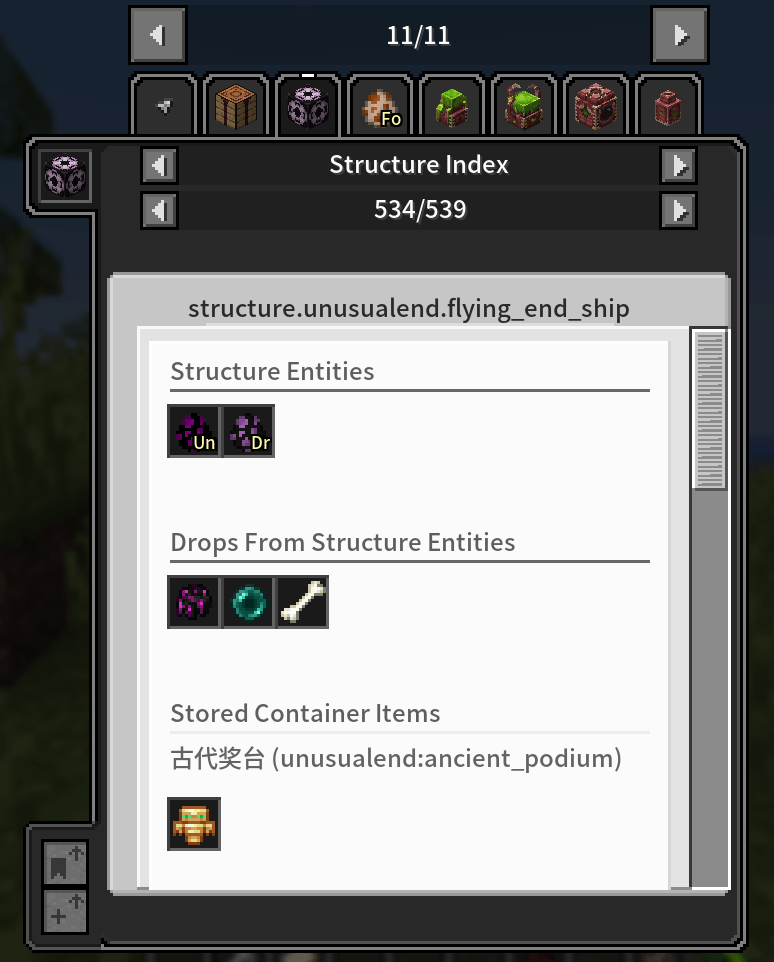
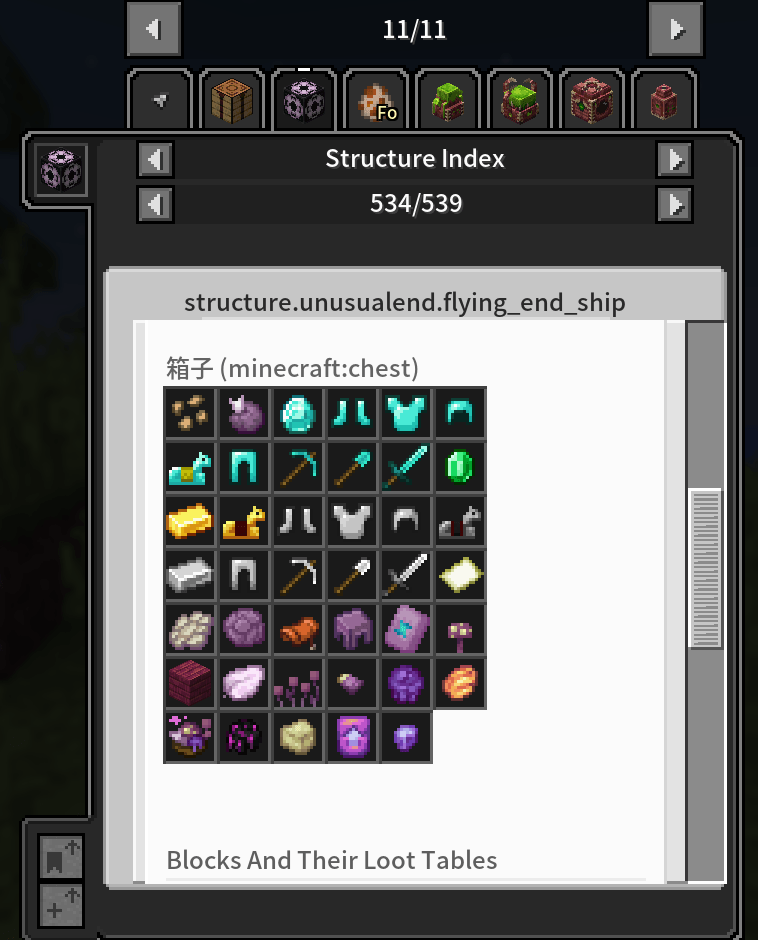
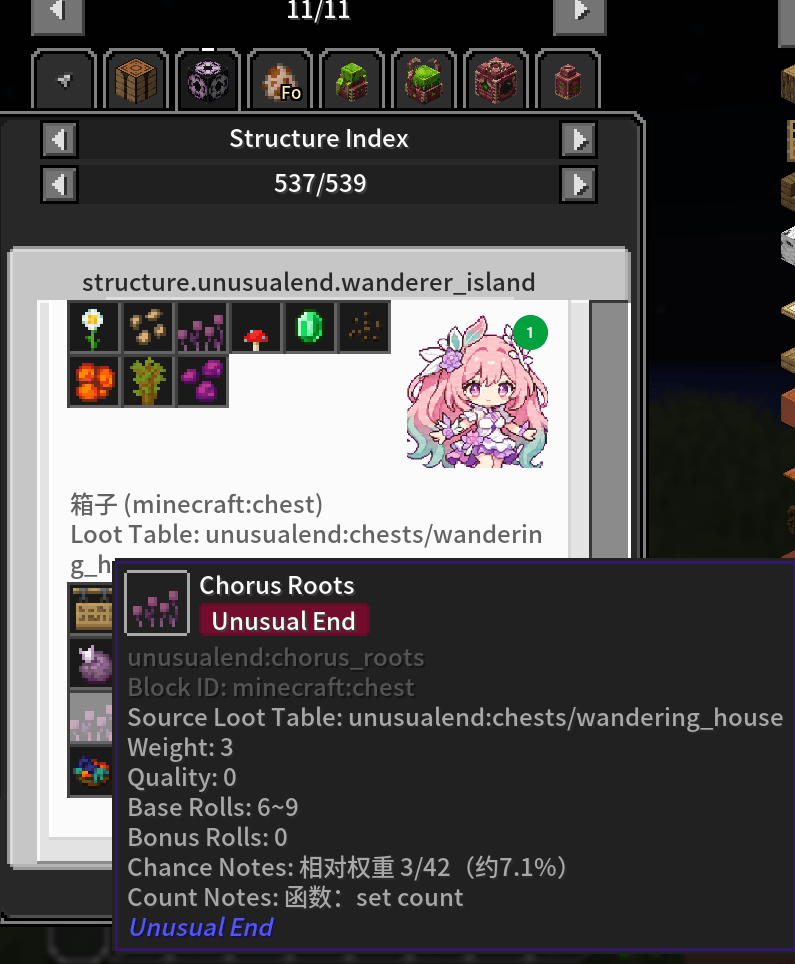
介绍
JEI Structures is a mod that adds structure information browsing to JEI.
It lets you directly view the mobs, loot items, container stored items, and the corresponding block loot table information contained in various buildings and structures in JEI, helping you quickly understand what a structure will generate, what it may drop, and what special content it has.
Main features:
- View structure mobs and drops in JEI
- View the items actually stored in containers
- View detailed loot table information for corresponding blocks
- Support special block and special mob information markers
- When you enter a structure, a notification appears in the top-right corner showing the structure’s name. Press K to open the corresponding JEI page.
How to use the mod
/jei_structures export can collect and provide a certain amount of information. This is enough for normal players, but it cannot collect hardcoded mob and loot information.
/jei_structures debug_capture_quick can find almost all mob and loot information, but the collection process can take a long time. Please check the project introduction below for full usage.
Where are the files, and how do I use them?
-
Run the capture (it actually locates and teleports to structures and generates chunks, so a test world or a backup is recommended):
/jei_structures debug_capture_quick all
You can also usemod <modid>,structure <id>,dimension <id>,remaining,status,stop. -
Raw results are saved here (one folder per capture run):
config/jei_structures/reports/<run_id>/
These are raw results only. They are NOT used by export directly. -
To use them, copy the whole run folder into the exports directory:
config/jei_structures/reports/<run_id>/→config/jei_structures/exports/<run_id>/ -
After copying, you must run export again:
/jei_structures export
This merges everything into the index file JEI actually reads:
config/jei_structures/structure_index.cache
Restart the client to see the new information (JEI and EMI share the same cache).
For modpack authors: you only need to ship config/jei_structures/structure_index.cache with your pack. Players don’t need to run the capture themselves. You only need to capture and export again after the mod list, worldgen, data packs, configs, or loot tables change.
JEI Structures 是一个为 JEI 添加结构信息浏览的模组。
可以在 JEI 中直接查看各种建筑、结构里包含的生物、战利品、容器内实际存放的物品,以及对应方块的战利品表信息,帮助你快速了解一个结构会生成什么、可能掉落什么、有哪些特殊内容。
主要功能:
- 在 JEI 中查看结构的生物与掉落
- 查看容器中实际存放的物品
- 查看对应方块的详细战利品表信息
- 支持特殊方块、特殊生物信息标记
- 进入结构时右上角会弹出提示,显示结构名称,按 K 键打开对应的 JEI 页面
模组使用方法
/jei_structures export 能搜集并提供一定信息,普通玩家用这个就行,但是无法搜集硬编码相关的生物、战利品信息。
/jei_structures debug_capture_quick 几乎能搜寻所有生物、战利品信息,但是收集需要花费很长时间,完整用法请查看下面的项目介绍。
生成的文件在哪?怎么用?
-
执行采集(会实际定位、传送到结构并生成区块,建议用测试存档或先备份):
/jei_structures debug_capture_quick all
也可以用mod <模组ID>、structure <结构ID>、dimension <维度ID>、remaining、status、stop。 -
原始结果保存在(每次采集一个批次文件夹):
config/jei_structures/reports/<批次ID>/
这里只是原始收集结果,不会被 export 直接使用。 -
要让结果生效,把整个批次文件夹复制过去:
config/jei_structures/reports/<批次ID>/→config/jei_structures/exports/<批次ID>/ -
复制完后必须再执行一次导出:
/jei_structures export
它会把所有内容合并成 JEI 实际读取的索引文件:
config/jei_structures/structure_index.cache
重启客户端后即可看到新增信息(JEI 和 EMI 共用同一份缓存)。
整合包作者: 只需要把 config/jei_structures/structure_index.cache 随整合包分发,玩家不需要自己采集。只有模组列表、结构生成、数据包、配置或战利品表变化后,才需要重新采集并导出。


常见问题
JEI Structures(EMI/JEI) 支持哪些 Minecraft 版本?
JEI Structures(EMI/JEI) 支持 Minecraft Java 版 1.19.2–26.1.2,共 4 个版本,可用的加载器:Forge / NeoForge。下载时注意选择和你游戏版本一致的文件。
JEI Structures(EMI/JEI) 怎么安装?
先用 PCL2 或 HMCL 启动器安装对应版本的 Forge / NeoForge,再把下载的 .jar 文件放进游戏目录的 mods 文件夹,重新启动游戏即可。开启了版本隔离的,mods 文件夹在 versions/版本名 下面。
hp12138 的其他作品
查看全部 →
Thunder Relics
新增雷霆之王 Boss、富有动感的皇家长戟战斗、风暴仪式,以及一整套皇家盔甲。

gatewaysjs
A KubeJS addon for GatewaysToEternity mod that provides event integration and API for customizing gateway gameplay in Minecraft.

tetrawhetstone
Accelerate tetra tool honing progression.

FTB Quest Enhance
Enhances FTB Quests editing with clipboard image pasting, chapter canvas text, and entity model previews for quests and kill tasks.
评论
登录后评论和评分