
Mod Toggler
A mod that allows enabling and disabling mods without removing their JAR files manually.
截图
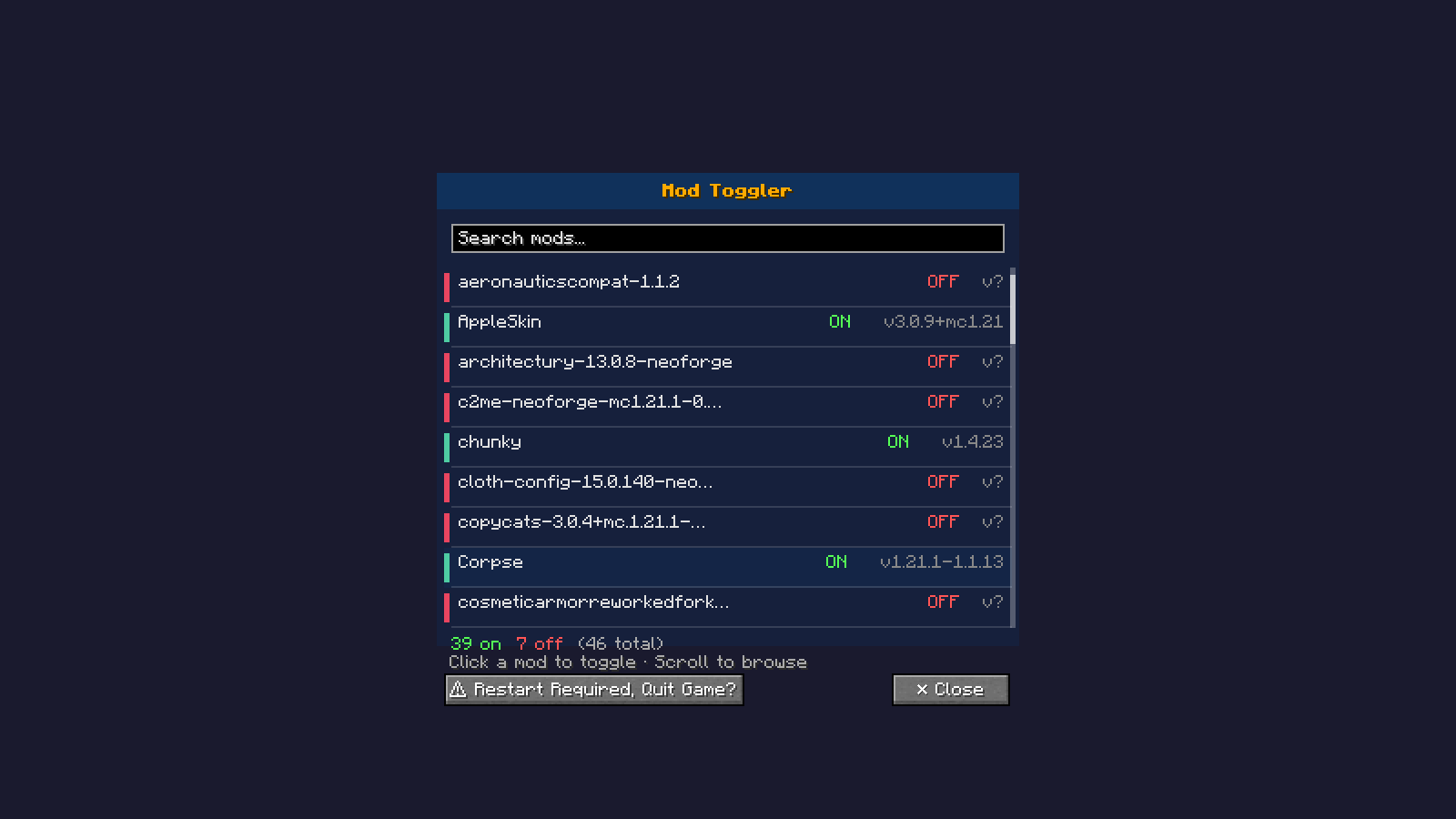
介绍
❕️About this mod
This mod allows enabling and disabling mods without removing their JAR files manually. Currently supports 🦊️Neoforge 1.21.x
⚙️How it works
Mods are moved to/from a ‘disabled’ subfolder inside your mods directory.
Changes take effect after restarting Minecraft.
Open the GUI with the Mod Toggler button in the main menu.
🛠️Usage
- Enter the mod toggler menu using the Mod Toggler button in the game’s main menu
- All mods in the mods folder will appear in the menu with their names and versions
- If it can’t detect the mod’s name it will show the mod’s file name
- If it can’t detect the mod’s version it will show v?
- Click unwanted/wanted mods to toggle them
- Restart is required for changes to take affect
⚠️Note
This mod isn’t finished yet, but more updates and Minecraft version support are coming soon.
Please help us by reporting bugs on the Report issues link
常见问题
Mod Toggler 支持哪些 Minecraft 版本?
Mod Toggler 支持 Minecraft Java 版 1.21.1–1.21.11,共 7 个版本,可用的加载器:NeoForge。下载时注意选择和你游戏版本一致的文件。
Mod Toggler 怎么安装?
先用 PCL2 或 HMCL 启动器安装对应版本的 NeoForge,再把下载的 .jar 文件放进游戏目录的 mods 文件夹,重新启动游戏即可。开启了版本隔离的,mods 文件夹在 versions/版本名 下面。运行环境:仅客户端。
评论
登录后评论和评分