
TESP – TheExpandedSignsPack [IV/MTS]
A Immersive Vehicles Pack/Mod that adds mostly road signs
截图
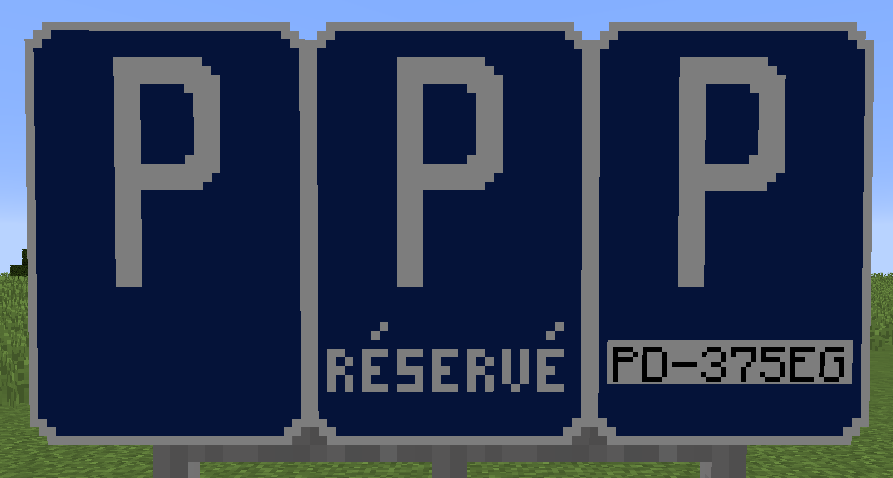
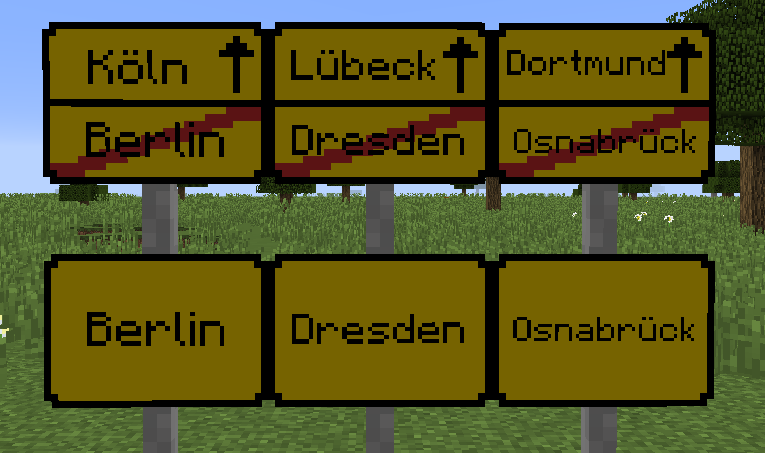
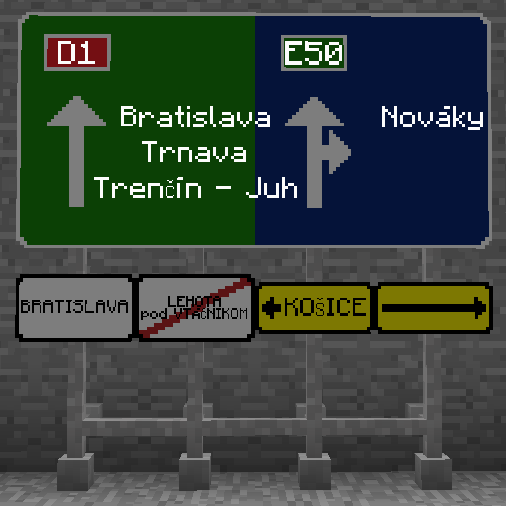
介绍
IMPORTANT – NO UPDATES !
I didn’t worked on the mod for a long time and don’t know when, if ever, I will again. Please don’t expect any updates and if the mod breaks, try to find an alternative mod for highway signs.
Thanks everyone for downloading and using my mod! ❤️
TESP (The Expanded Signs Pack, successor of Tim3Game’s European Signs Pack) is a mod/pack that adds new road signs to the Immersive Vehicles (formerly Minecraft Transport Simulator (MTS)) mod. Currently it has only a few signs, but over time there will be probably added more which you can use to build your Minecraft world, so your players know how and where to drive. If you have any ideas on new signs, simply create a new Issue on GitHub, or if you want to do new signs personally, just fork the repository on GitHub, add your changes and create a new Pull Request on the default branch.
To use the signs, you need the Immersive Vehicles and the Official Vehicle Set pack.
TESP 2.0 Trailer:
Moving from TESP 1.0 to TESP 2.0 and higher:
If you have been using TESP 1.0 until now:
1) BACKUP YOUR WORLD !
2) Screenshot every sign you have, because you can’t just simply jump from 1.0 higher, because they work completely different.
3) Remove all the signs, at least the signs, you don’t need to remove empty poles (you probably don’t need to, but they go invisible).
4) Remove TESP 1.0 and add the newest version and start the game.
5) Open up your folder with screenshots and get working on redoing them from scratch.
If you have used TESP 1.0 in the past but removed it because it wasn’t supported
1) probably BACKUP your world, it’s better then be sorry
2) Do your signs as you wont, it’s your world, not mine.
常见问题
TESP – TheExpandedSignsPack [IV/MTS] 支持哪些 Minecraft 版本?
TESP – TheExpandedSignsPack [IV/MTS] 支持 Minecraft Java 版 1.12.2,可用的加载器:Forge。下载时注意选择和你游戏版本一致的文件。
TESP – TheExpandedSignsPack [IV/MTS] 怎么安装?
先用 PCL2 或 HMCL 启动器安装对应版本的 Forge,再把下载的 .jar 文件放进游戏目录的 mods 文件夹,重新启动游戏即可。开启了版本隔离的,mods 文件夹在 versions/版本名 下面。
Tim3Game 的其他作品
查看全部 →
[DEPRECATED] Tim3Game’s European Signs Pack [MTS]
A MTS Pack that adds European road signs and few items

Electrology 2.0
Modded Community 1.7.10 Modpack

TESP
A Immersive Vehicles Pack/Mod that adds mostly road signs

Stopky
Stopky is a Minecraft mod that allows players you create tracks and race on them.
评论
登录后评论和评分