ItemStackExporter
Have you ever needed to extract 500 Blockstates ? Well Why are you doing it by hand? Automate it with the click of a button...
截图

介绍
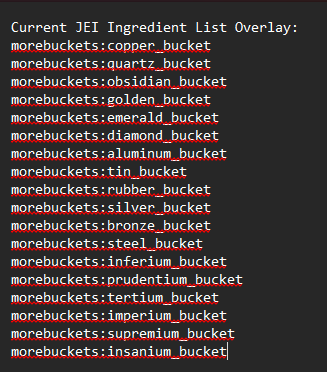
This mod introduces a powerful tool for pack development and shader development, enabling you to save files in the format Modname:blockname within the config directory.
Keybindings
- Output Inventory: Default key is F7, changeable in keybindings.
- Output JEI Page: Default key is Multiply (*) on the keypad.
- Save Block and Item States: Default key is F8.
Saved Files
- Inventory File: config/inventorymod/Inventory.txt
- JEI Page File: config/inventorymod/Jei_page.txt
- Block and Item States File: config/inventorymod/Block_Item_States.txt
Configuration
- Config File: Inventorymod-Client.toml
- Regex Config: Inventorymod.json
Additional Information
Keybindings can be adjusted through the in-game keybind settings.
Be cautious when navigating the GUI menu to avoid unintentional saves.
With these tools, pack and shader developers can streamline their workflow by easily exporting and managing their inventory, JEI pages, and block/item states directly from within the game.
常见问题
ItemStackExporter 支持哪些 Minecraft 版本?
ItemStackExporter 支持 Minecraft Java 版 1.16.5–1.21.1,共 4 个版本,可用的加载器:Fabric / Forge / NeoForge。下载时注意选择和你游戏版本一致的文件。
ItemStackExporter 怎么安装?
先用 PCL2 或 HMCL 启动器安装对应版本的 Fabric / Forge / NeoForge,再把下载的 .jar 文件放进游戏目录的 mods 文件夹,重新启动游戏即可。开启了版本隔离的,mods 文件夹在 versions/版本名 下面。运行环境:仅客户端。
评论
登录后评论和评分