
ItemSigner
Sign items just like signed books in Minecraft. Create signed collectibles, certificates, contracts, rewards, currencies, and many other unique items with your Minecraft username.
截图
介绍
ItemSigner
Sign items just like signed books in Minecraft.
Create signed collectibles, certificates, contracts, rewards, currencies, and many other unique items with your Minecraft username.
Commands
/sign
Signs the item in your main hand.
The item receives a permanent signature containing your Minecraft username and cannot be signed again.
/sign all
Signs all matching item stacks in your inventory.
The item in your main hand is used as the reference item. Only items of the same type will be signed.
Example:
- Hold a Coin Stack.
- Run
/sign all. - All Coin Stacks in your inventory are signed.
- Other items remain unchanged.
Example
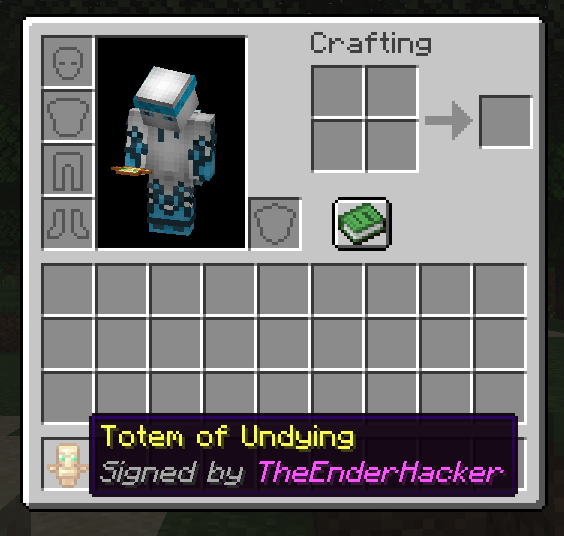
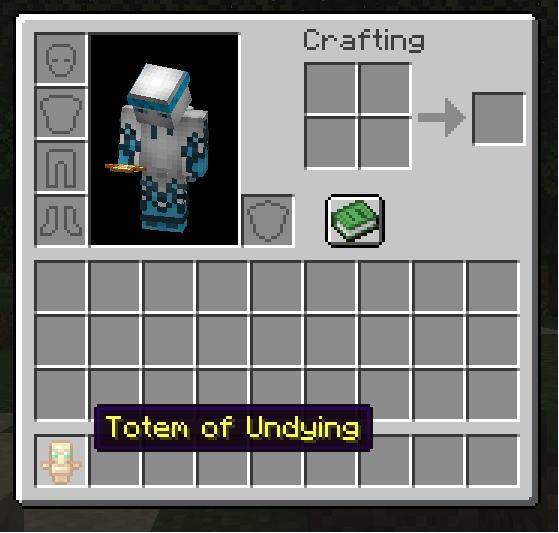
Before:
After:
The signature is displayed directly in the item’s lore:
Signed by StevePerfect For
- Currencies
- Collectibles
- Certificates
- Contracts
- Event Rewards
- Roleplay Servers
- Player Economies
常见问题
ItemSigner 支持哪些 Minecraft 版本?
ItemSigner 支持 Minecraft Java 版 1.21.1,可用的加载器:NeoForge。下载时注意选择和你游戏版本一致的文件。
ItemSigner 怎么安装?
先用 PCL2 或 HMCL 启动器安装对应版本的 NeoForge,再把下载的 .jar 文件放进游戏目录的 mods 文件夹,重新启动游戏即可。开启了版本隔离的,mods 文件夹在 versions/版本名 下面。运行环境:客户端和服务端都要装。

评论
登录后评论和评分