
截图
介绍
Note: This mod is just a way for me to kill time. So with it in the full release now, I probably won’t make many changes or additions unless I need to fix something crucial to the mod, or I get bored again and need something to do.
Item Speedrun is a mod inspired by some of the categories within Speedrun.com’s Category Extensions for Minecraft, namely “All Swords,” “All Logs,” “All Wool,” etc. This mod features different “run” options, ranging from the normal “seek out a random item” to categories near identical to the categories on Speedrun.com.
Standard Run
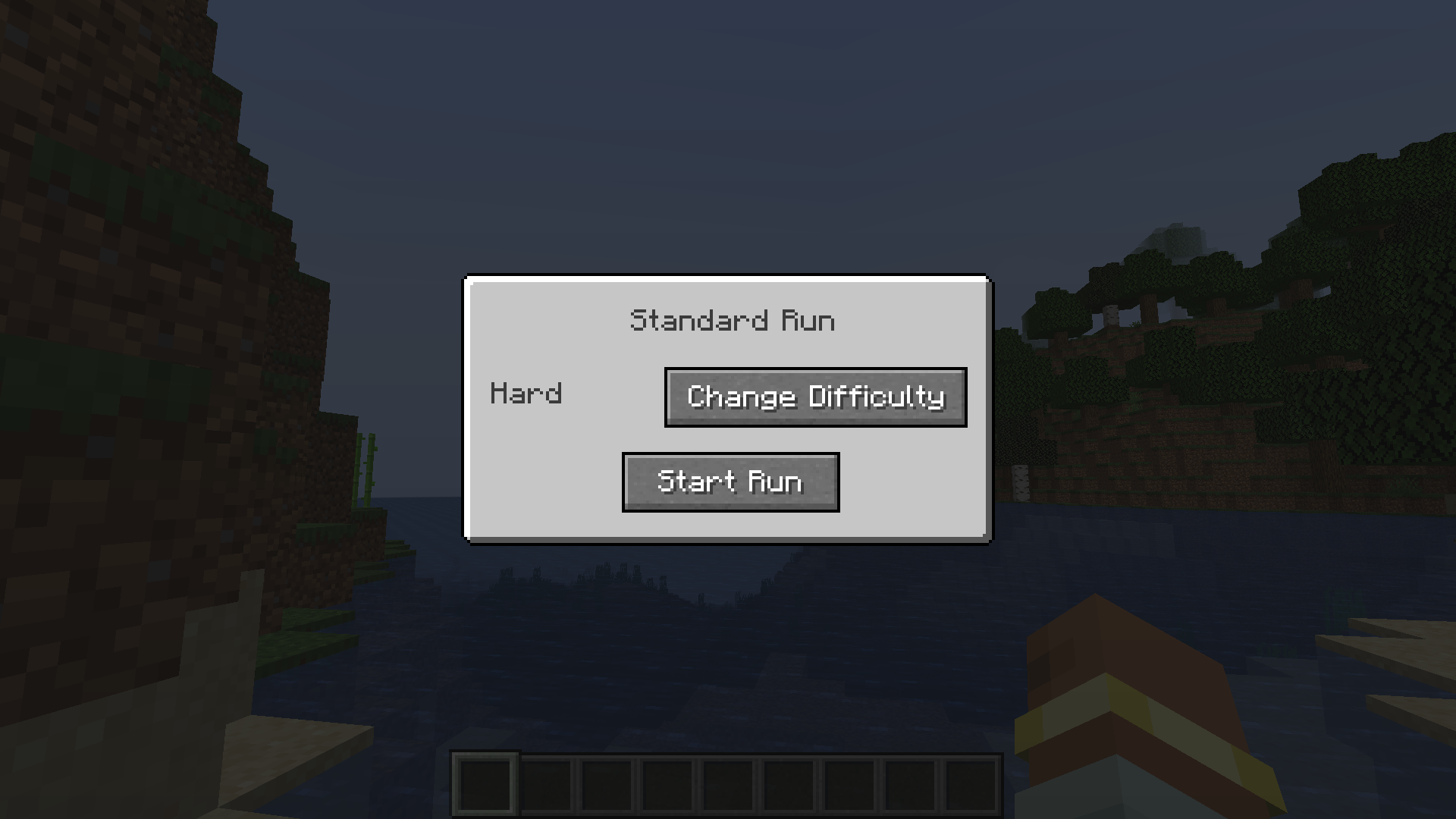
Selects an item at random. The selected difficulty determines the pool of selectable items. The GUI to change difficulties and start a run can be opened with I, (this is the default bind).
Hard:
All items obtainable in Survival can be chosen.
Medium:
All items obtainable in Survival in both the Overworld and Nether.
Easy:
All items obtainable in Survival in the Overworld.
Category Run Options
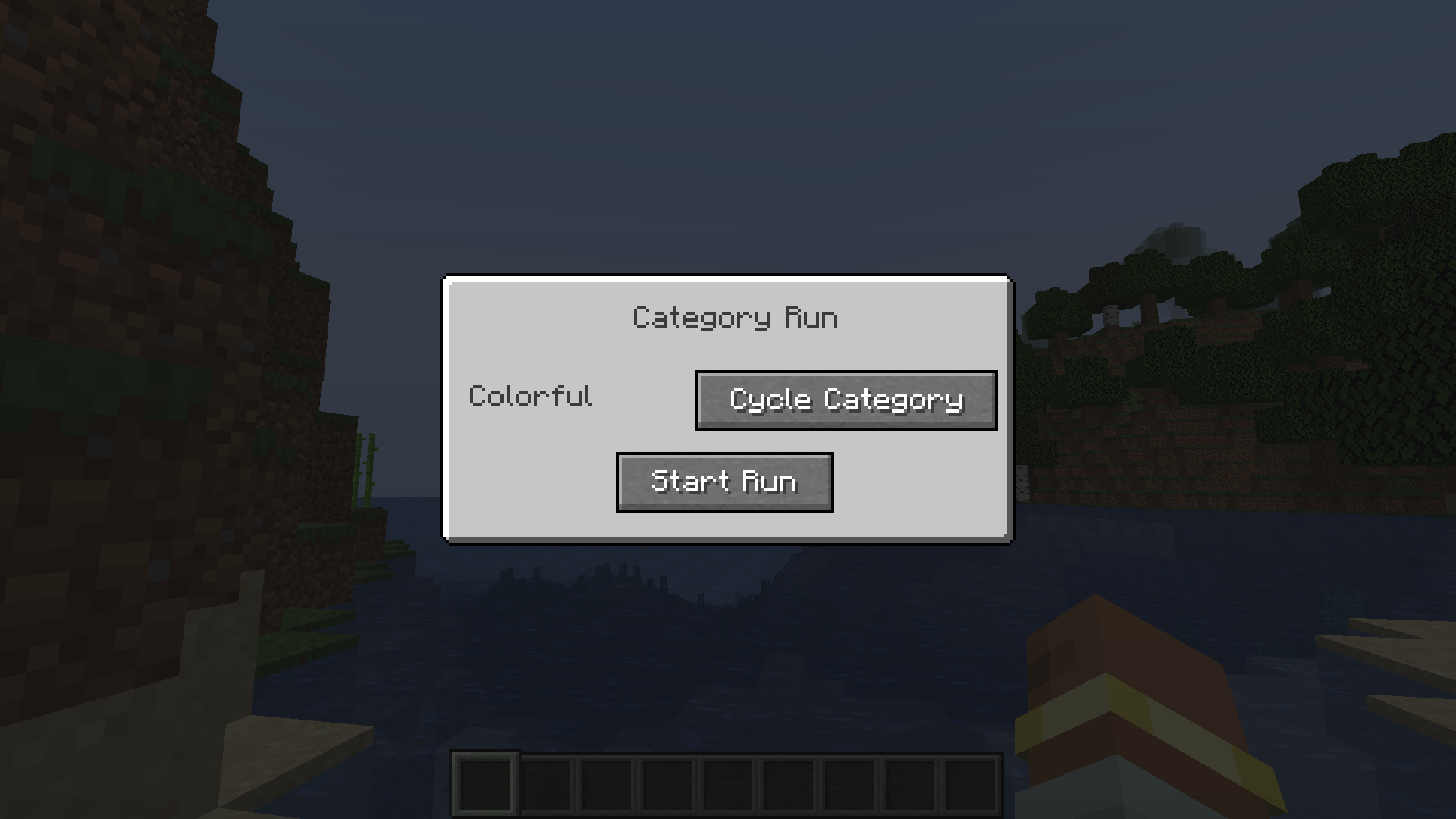
Selects an item at random from a themed category. Each category has a different pool of items relating to a theme or set of items. The GUI to change categories and start a run can be opened with U, (this is the default bind).
Aquatic:
Items relating to, or found in, an ocean setting.
Colorful:
All colorful blocks, one that can be dyed, are dyed, or have color variants.
Food & Crops:
All edible items, from animals or farming. Does not include potions.
End:
Items relating to, or found in, the End.
Farming:
Crops and other food items that can be farmed or used to farm.
Mob Drops:
Items dropped from entities, string, feathers, etc.
Nether:
Items relating to, or found in, the Nether.
Redstone:
All Redstone components, pistons, buttons, etc.
Tools:
Pretty self-explanatory, pickaxes, shovels, etc.
Underground:
Items relating to, or found, underground.
Challenge Run Options
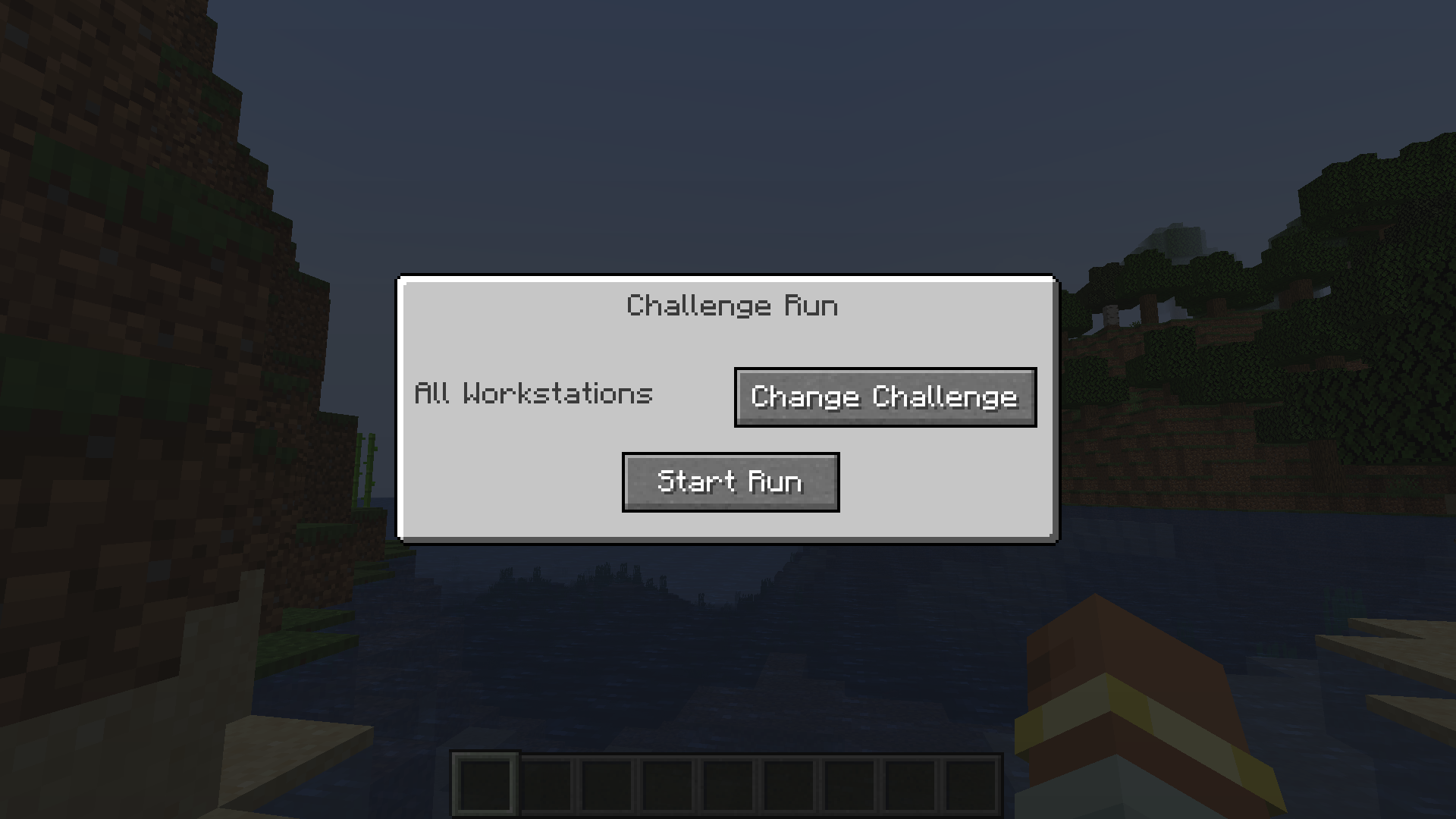
These function almost identically to the same categories in the category extensions for Minecraft Java speedruns. You have to collect multiple items in a set. Some sets here are identical to those found on Speedrun.com, such as “All Swords” and “All Wools.” The GUI to change categories and start a run can be opened with O, (this is the default bind).
All Swords
- Wood
- Stone
- Iron
- Gold
- Diamond
- Netherite
All Wools
- White
- Orange
- Magenta
- Light Blue
- Yellow
- Lime
- Pink
- Gray
- Light Gray
- Cyan
- Purple
- Blue
- Brown
- Green
- Red
- Black
All Minerals
- Coal
- Copper Ingot
- Iron Ingot
- Gold Ingot
- Redstone
- Lapis Lazuli
- Emerald
- Netherite Scrap
- Quartz
- Diamond
- Amethyst Shard
All Logs
- Oak
- Spruce
- Birch
- Jungle
- Acacia
- Dark Oak
- Mangrove
- Cherry
All Workstations
- Blast Furnace
- Smoker
- Cartography Table
- Brewing Stand
- Composter
- Barrel
- Fletching Table
- Cauldron
- Lecturn
- Stonecutter
- Loom
- Smithing Table
- Grindstone
All Seeds
- Wheat
- Pumpkin
- Melon
- Beetroot
All Buckets
- Water
- Pufferfish
- Salmon
- Cod
- Tropical Fish
- Axolotl
- Tadpole
- Lava
- Milk
- Powder Snow
Updates
Updates is a new category for Item Speedrun version 1.2. Updates functions in a similar way to Category runs, except the item pools here are themed around major updates for Minecraft. Each category consists of blocks that were introduced (made available in survival) in their respective versions. Some versions were combined either for the sake of not having two very similar item pools or because some didn’t have many new blocks and items. For a full list of updates, please refer to this list,
- 1.0 (Adventure Update (Part 2))
- 1.2
- 1.3
- 1.4 (Pretty Scary Update)
- 1.5 (Redstone Update)
- 1.6 (Horse Update)
- 1.7 (The Update that Changed the World)
- 1.8 (Bountiful Update)
- 1.9 (Combat Update)
- 1.10 + 1.11 (Frostburn Update + Exploration Update)
- 1.12 (World of Color Update)
- 1.13 (Update Aquatic)
- 1.14 (Village & Pillage)
- 1.15 + 1.16 (Buzzy Bees + Nether Update)
- 1.17 + 1.18 (Caves & Cliffs: Part I + Caves & Cliffs: Part II)
- 1.19 (The Wild Update)
- 1.20 (Trails & Tales + Bats and Pots + Armored Paws)
- 1.21 (Tricky Trials + Bundles of Bravery + The Garden Awakens + Spring to Life + Chase the Skies)
Statistics
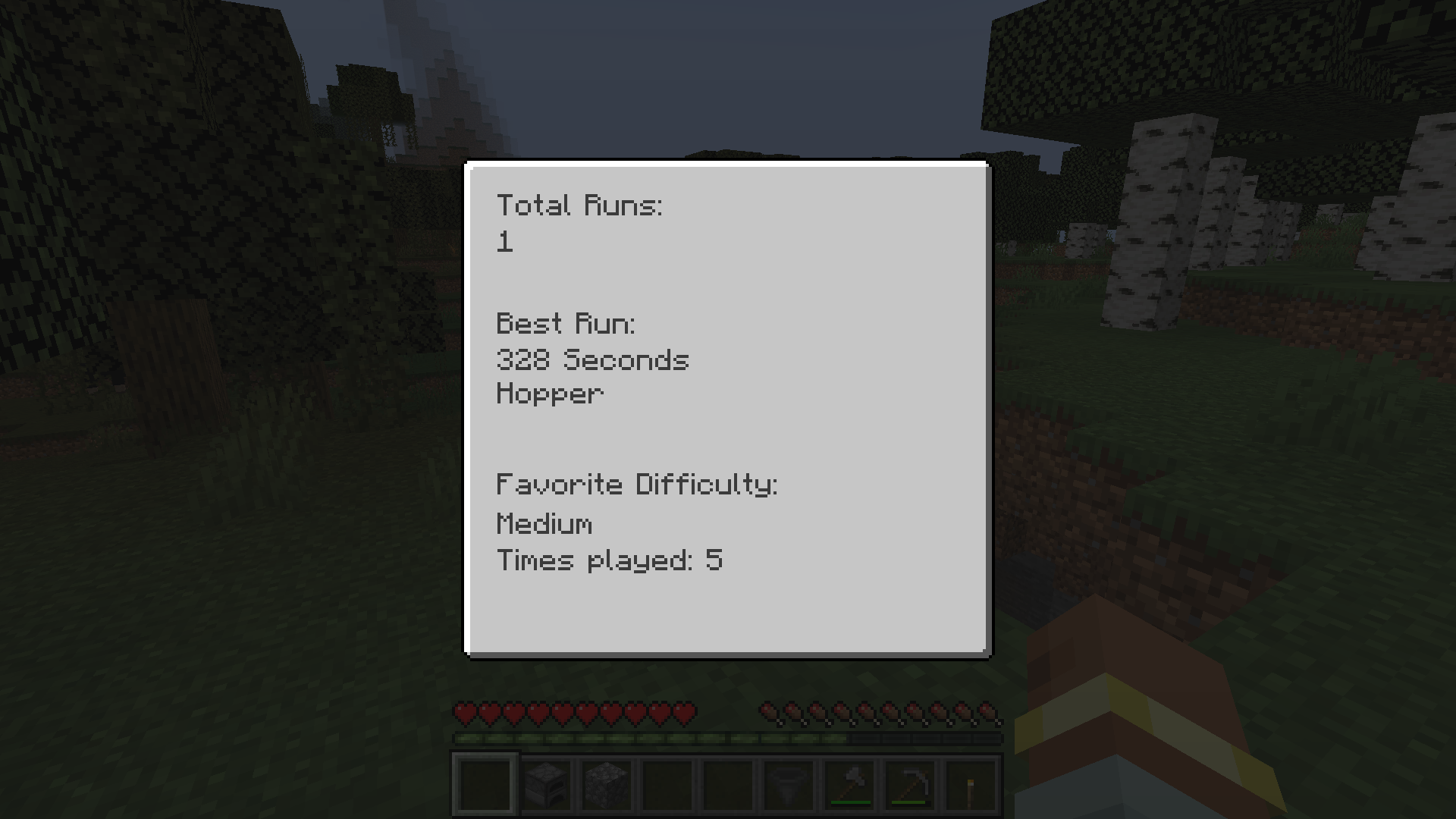
There is also a statistics menu, opened using H (this is the default bind). You can see the total number of runs you’ve started, your best run’s time and item (which only tracks Standard and Category runs), and your favorite difficulty, which shows which difficulty you play the most and how many times you’ve played it (only tracks Standard run difficulties).
Commands
There are also a few commands that exist. However, these exist almost entirely for debug purposes.
- /stop_run stops the currently active run.
- /get_run_item tells you what item you need to get. This is a failsafe in the case that the run UI doesn’t load.
- /clear_statistics resets your statistics.
常见问题
Item Speedrun 支持哪些 Minecraft 版本?
Item Speedrun 支持 Minecraft Java 版 1.20.1–1.21.8,共 2 个版本,可用的加载器:Forge / NeoForge。下载时注意选择和你游戏版本一致的文件。
Item Speedrun 怎么安装?
先用 PCL2 或 HMCL 启动器安装对应版本的 Forge / NeoForge,再把下载的 .jar 文件放进游戏目录的 mods 文件夹,重新启动游戏即可。开启了版本隔离的,mods 文件夹在 versions/版本名 下面。运行环境:客户端和服务端都要装。
TheCrazy_Kitty 的其他作品
查看全部 →
Crazy Kitty’s FNaF Management Wanted Pack
A modpack focused primarily on FNaF: Management Wanted, created by OVDR.

Dealmaker
Create powerful items to be used as tools, or as weapons.

Killers Beware
A mod based on the game Dead by Daylight, designed to add the many weapons, objects, and perks the game offers.

Lamp Profit SMP
The official collection of mods used on the Lamp Profit SMP.
评论
登录后评论和评分