
Item Frame Poser
Allows you to pose items within an item frame. Also allows you to load some items models.
介绍
Item Frame Poser
Pose items in item frames however you like. Rotation on all three axes, offsets, scale, saved presets and frame groups. A frame keeps its normal vanilla look until you open the editor.
How to use
Look at an item frame and press K.
Scroll over a value to change it. Hold Shift for bigger steps and Ctrl for smaller ones. Hold the look key to move the camera while the editor is open.
The keybinds can be changed under Options → Controls → Item Frame Poser.
Item or Model
Model draws the item the way the game draws it in the world. Placeables show their placed model, block entity parts included, so a torch is a torch and a bell hangs from its post.
Groups
Groups edit several frames at once. Pick a number, look at another frame and press K to add or remove it, then turn on Group Edit to apply changes to the whole group. Pose Group copies the current pose to every member. The frame you clicked glows while the group screen is open, so you can spot it.
Map walls scale from the frame you edit, which keeps the tiles lined up.
Toggles
- Invisible hides the frame border and keeps the item.
- Fixed stops the item being taken or turned, so the frame stays exactly as posed.
- Glowing adds the glow frame outline. In survival it costs one glow ink sac per frame.
- Invulnerable stops the frame from breaking.
Multiplayer
Other players with the mod see your poses. When the server also has the mod, the pose is carried by a vanilla item display, so players without the mod see it too.
Invisible, Fixed, Glowing and Invulnerable need the mod installed on the server.
Everyone who wants to see poses should be on the latest version.
Compatible mods
常见问题
Item Frame Poser 支持哪些 Minecraft 版本?
Item Frame Poser 支持 Minecraft Java 版 26.3,可用的加载器:Fabric。下载时注意选择和你游戏版本一致的文件。
Item Frame Poser 怎么安装?
先用 PCL2 或 HMCL 启动器安装对应版本的 Fabric,再把下载的 .jar 文件放进游戏目录的 mods 文件夹,重新启动游戏即可。开启了版本隔离的,mods 文件夹在 versions/版本名 下面。
BLOODWOOF 的其他作品
查看全部 →
Armor Stand Skins
Applies skins to armor stands based on the equipped player head.
Border Cull
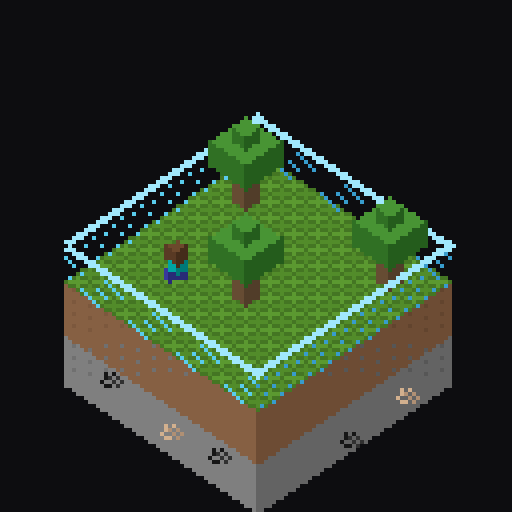
Stops rendering past a configurable distance beyond the world border.

BetterImage2Map
Turn any image into Minecraft maps. Fetch a picture by link or file, has a GUI.
评论
登录后评论和评分