
Item Frame Blocker
作者:Nxkoo
Block specific items from being placed in the Item Frame, through a config.
截图


介绍
中文介绍正在准备中,下面暂时显示原文。
Item Frame Item Blocker (NykooX’s version)
Description:
The Item Frame Item Blocker mod enhances your Minecraft experience by allowing you to control which items can be placed in item frames. This mod is perfect for map makers and players who want to restrict item placement for adventure maps, mini-games, or custom builds.
Showcase
Text for illustrative purposes only
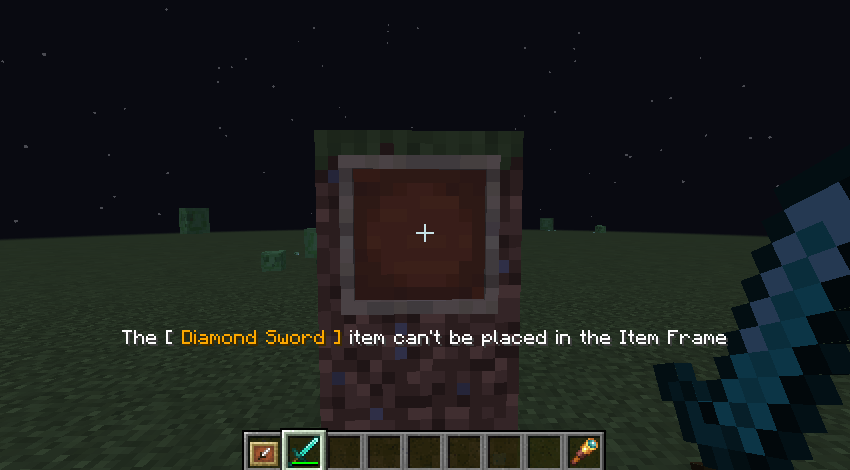
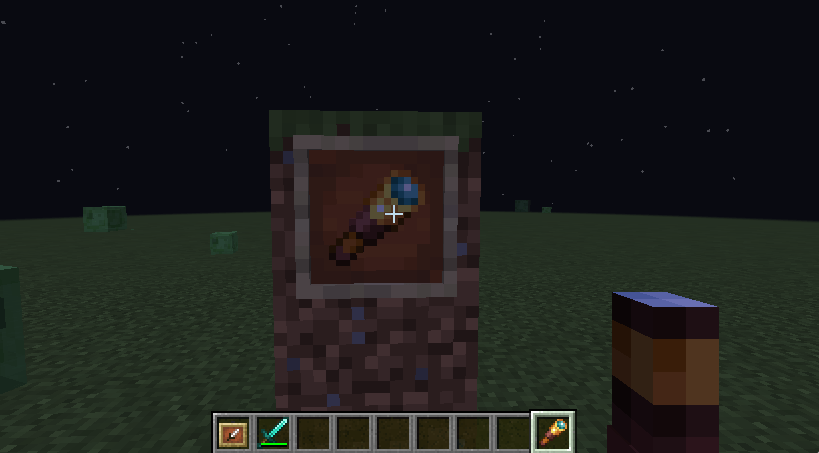
Features:
- Customizable Blocked Items: Easily configure the items that cannot be placed in item frames through a simple configuration file.
- User-Friendly Configuration: Modify the
config.propertiesfile to add or remove items from the block list. Just separate item IDs with commas, like so:blockedItems=iron_sword,diamond_sword.
Installation:
- Download the mod from the CurseForge page.
- Place the mod file into the
modsfolder of your Minecraft installation. - Launch Minecraft with the Fabric loader.
- Edit the
config.propertiesfile to customize your blocked items.
Example Configuration:
# List of blocked items for item frames
# Separate items by comma, no spaces
# Only these items will be accepted
blockedItems=iron_sword,diamond_sword
Compatibility:
- Minecraft Version: 1.20.1
- Fabric Loader: Ensure you have the Fabric API installed for optimal performance.
Support:
For any issues or feature requests, please visit the mod’s GitHub repository or Discord or leave a comment on the CurseForge page.
常见问题
Item Frame Blocker 支持哪些 Minecraft 版本?
Item Frame Blocker 支持 Minecraft Java 版 1.20.1,可用的加载器:Fabric。下载时注意选择和你游戏版本一致的文件。
Item Frame Blocker 怎么安装?
先用 PCL2 或 HMCL 启动器安装对应版本的 Fabric,再把下载的 .jar 文件放进游戏目录的 mods 文件夹,重新启动游戏即可。开启了版本隔离的,mods 文件夹在 versions/版本名 下面。运行环境:客户端和服务端都要装。

评论
登录后评论和评分