
截图
介绍
Real-time item throughput monitoring for Minecraft containers.
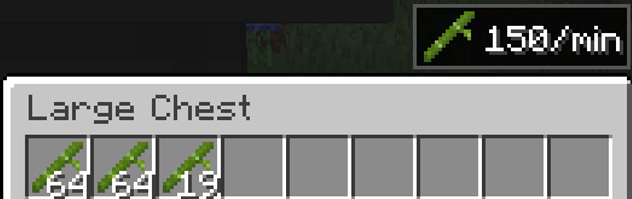
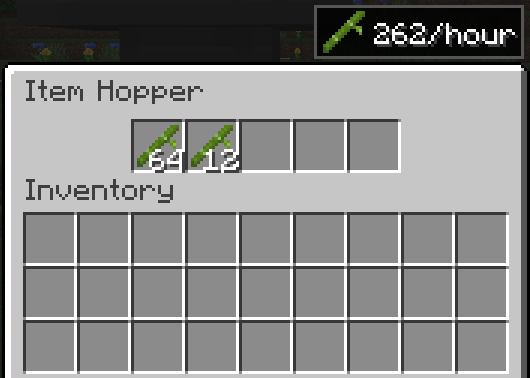
Item Flow Monitor adds an unobtrusive UI overlay to standard containers (chests, hoppers, furnaces, and more) that shows the rate of items flowing through them — in items/min or items/hour. Perfect for players who build farms and want to measure farm efficiency and production rates without manual counting, timers, or extra blocks.
This mod does not add any new blocks or items. It only adds an informational overlay to existing container screens.

Features
- Real-time flow rate — see items/min or items/hour directly in the container UI

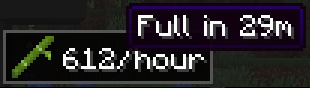
- Time-to-full estimate — hover over the rate to see when the container will be full

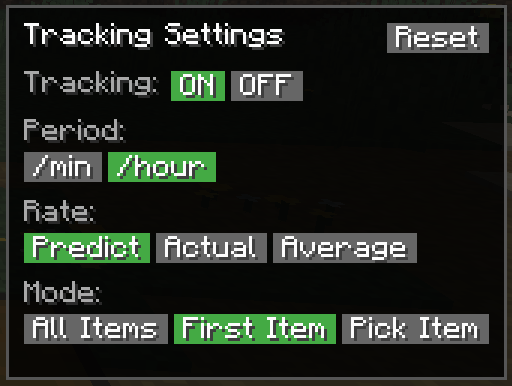
- Three calculation modes — Average (stable long-term), Actual (exact count per window), Predicted (real-time EMA estimate)
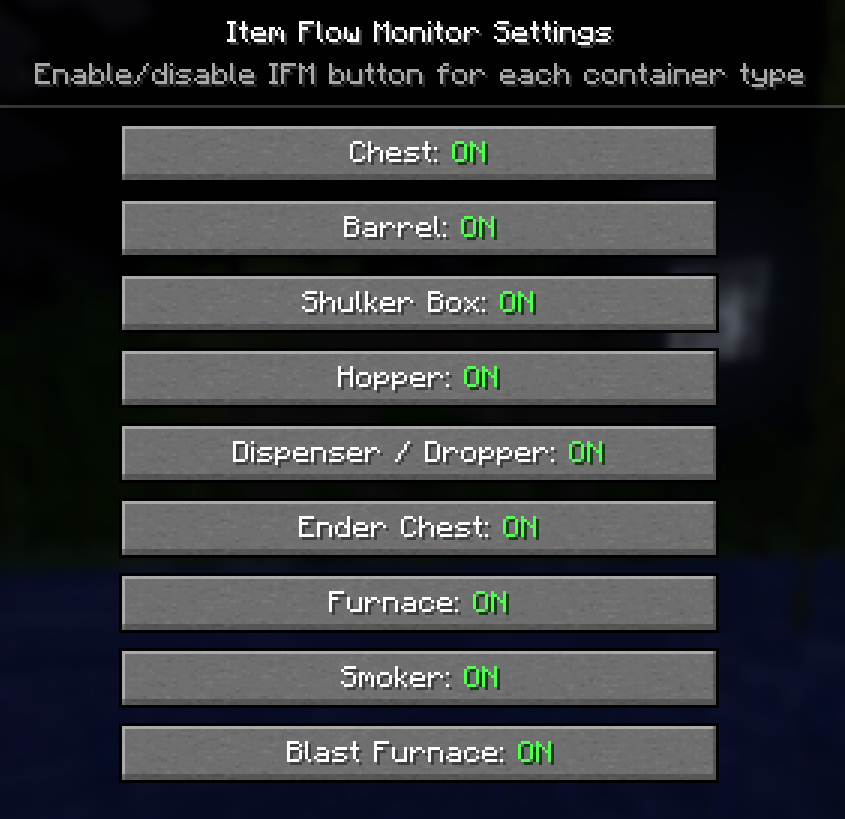
- All standard containers — chests, double chests, hoppers, furnaces, blast furnaces, smokers, barrels, dispensers, droppers, shulker boxes
- Flexible item tracking — track all items, auto-detect the first item, or manually select a specific one
- Configurable via Mod Menu — toggle tracking per container type
- 12 languages — English, Русский, 中文, Español, Deutsch, Français, 日本語, 한국어, Português, Italiano, Polski, Українська
- Lightweight — observer-based architecture, zero overhead without active trackers
How to Use
- Install the mod (requires Fabric API)
- Open any container and click the IFM button
- Toggle tracking ON, choose your period and calculation mode
- The flow rate overlay appears in the corner of the container screen
- Hover over the rate to see estimated time until the container is full

Carpet Hopper Counters vs Item Flow Monitor
If you’ve used Carpet hopper counters to measure farm rates — Item Flow Monitor solves the same problem, but differently:
| | Carpet Hopper Counters | Item Flow Monitor |
|—|—|—|
| Setup | Hopper → wool block + /counter command | Open any container, click one button |
| Where you see results | Chat via command | Directly in the container UI |
| Items | Destroyed by counter | Stay in the container |
| Use case | Technical testing, tick warp | Survival gameplay |
Compatibility
- Client + Server — install on both sides for accurate real-time data
- Lithium compatible — observer-based tracking, no hopper mixin conflicts
- Works with Mod Menu, Sodium, Iris, Fabric API
- Tested on Minecraft 1.21.11
FAQ
Q: Does it work on vanilla servers?
A: The mod requires server-side installation for tracking. Client-only mode is not currently supported.
Q: Does it affect performance?
A: No. The mod only tracks containers with active trackers. Zero overhead without trackers.
Q: Can I hide the overlay for specific container types?
A: Yes — configure through Mod Menu → Item Flow Monitor.
常见问题
Item Flow Monitor 支持哪些 Minecraft 版本?
Item Flow Monitor 支持 Minecraft Java 版 1.21.11,可用的加载器:Fabric。下载时注意选择和你游戏版本一致的文件。
Item Flow Monitor 怎么安装?
先用 PCL2 或 HMCL 启动器安装对应版本的 Fabric,再把下载的 .jar 文件放进游戏目录的 mods 文件夹,重新启动游戏即可。开启了版本隔离的,mods 文件夹在 versions/版本名 下面。运行环境:客户端和服务端都要装。
评论
登录后评论和评分