Iq Vanish
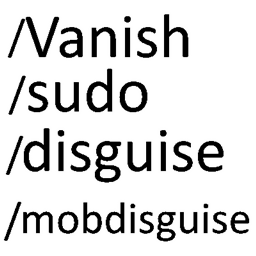
This mod adds various moderation and troll comomands like: /vanish, /sudo, /disguise, /mobdisguise, /skin
介绍
Vanish
A server-side admin and moderation mod for Forge 1.12.2. Players do not need to install it.
Features
– Vanish – disappear completely: hidden from the world, tab list, `/list`, server list, tab completion and join/leave messages. You have no hitbox, mobs ignore you, containers open silently, and your sounds are muted for other players.
– Player disguise – take another player’s name and skin, online or offline.
– Skin – change only a player’s skin and keep their name.
– Mob disguise – appear to others as any vanilla or modded mob, which keeps its own AI and attacks.
– Inventory tools – view and edit any player’s inventory, armour, baubles and ender chest, even while they are offline.
– Warnings – warn players, with automatic kicks and bans at set warning counts and warnings that expire.
– Kick and ban – coloured kick and ban screens, and timed bans that show how long is left.
– Public chat – speak in normal chat while vanished.
– Sudo – make a player say something or run a command, with every use logged.
Commands
/vanish [player], /v | Vanish yourself or a player (online or offline)
/unvanish [player], /uv | Become visible again
/disguise <name>, /dis | Disguise yourself as a player
/disguise <player> <name> | Disguise another player
/disguise clear [player] | Remove a player disguise
/skin <account name> | Give yourself the skin of any Minecraft account
/skin <player> <account name> | Give another online player the skin of any Minecraft account
/skin clear | Get your own skin back
/skin clear <player> | Give another player their own skin back
/mobdisguise <mob> [{nbt}], /mobdis | Disguise yourself as a mob
/mobdisguise <player> <mob> [{nbt}] | Disguise another player as a mob
/mobdisguise clear [player] | Remove a mob disguise
/invsee <player> | View and edit a player’s inventory, armour and baubles (online or offline)
/endersee <player> | View and edit a player’s ender chest (online or offline)
/backsee <player> [page]
/warn <player> “<reason>” “<message>” | Warn a player
Example: /warn Player1 “Was griefing another player” “Griefing”
/warnlist <player> | See a player’s warnings
/unwarn <player> <number> | Remove a warning
/mywarnings | See your own warnings (everyone)
/kick <player> [“reason”] | Kick a player
/ban <player> [“reason”] [time] | Ban a player, optionally for a time like 1d or 2h30min
Example: /ban Player1 “Was griefing another player” 20y 20m 20d 20h 20min 20s
/unban <player> | Lift a ban
/banip <player|ip> [“reason”] [time], /ban-ip
/unbanip <player|ip>, /pardon-ip
/banlist [players|ips] [page]

/fakejoin <player> | Simulate a player joining the server in chat (works with any name)
/fakeleave <player> | Simulate a player leaving the server in chat (works with any name)
/fakeop <player> | Send a fake operator notification to a player or all players (*) without granting permissions
/smite <player> [harm|harmless] | Strike lightning on a player or all online players (*) (harmless by default)
Example: /smite * harm
/mute <player> [“reason”] [time] | Mute a player from public chat and private messages (`/msg`, `/w`, etc.)
Example: /mute Player1 “Spamming chat” 1d 12h
/unmute <player> | Unmute a player
/mutechat | Toggle global public chat muting on or off
/bypasschat [player] | Toggle personal chat bypass, or grant chat bypass to another player
/unbypasschat <player> | Remove chat bypass from a player
/chatspy | Toggle real-time monitoring of private messages between players
/publicchat <message>, /pc | Speak in public chat while vanished
/sudo <player> <message or /command> | Speak or run a command as a player
Example: /sudo Player2 /msg Player1 stop griefin
Wild card supported commands where if you use * it will execute whatever on all players.
/disguise, /skin, /mobdisguise, /fakeop, /sudo, /smite
Permissions
– Level 2 ops: /warn, /warnlist, /unwarn
– Level 3 ops: /kick, /ban, /unban, /invsee, /endersee
– Level 4 ops: vanish, disguise, skin, mob disguise, public chat and sudo
– Everyone: /mywarnings
Configuration
config/iqvanish.cfg
– Automatic punishments at set warning counts, for example `3 kick`, `5 tempban 1d`, `6 tempban 90d`.
– Warning expiry – warnings stop counting after a set time (90 days by default) but stay in `/warnlist`.
– Kick and ban messages for automatic punishments.
Notes
– Ops can still see vanished players, and get a notice when someone vanishes, disguises, is warned, kicked or banned.
– Optional support for Baubles / Bountiful Baubles and Morpheus; none are required.
– Replaces vanilla `/kick` and `/ban`. Vanilla `/pardon` still works.
常见问题
Iq Vanish 支持哪些 Minecraft 版本?
Iq Vanish 支持 Minecraft Java 版 1.12.2,可用的加载器:Forge。下载时注意选择和你游戏版本一致的文件。
Iq Vanish 怎么安装?
先用 PCL2 或 HMCL 启动器安装对应版本的 Forge,再把下载的 .jar 文件放进游戏目录的 mods 文件夹,重新启动游戏即可。开启了版本隔离的,mods 文件夹在 versions/版本名 下面。
Iqury 的其他作品
查看全部 →
I&F Amphithere Mod
为 Amphitheres 添加了新功能:物品栏、盔甲、雌雄 Amphitheres、繁殖逻辑、新变种、新食物、小修复。包含对 Classy Hats 和 SetBonuses 的支持(勉强算吧)

ReplayMod Lock Fix
修复安装 Replay Mod 后无法在 Locks 中撬锁的问题。

Mob Arson
添加多种方式,让生物能够故意或意外地纵火。

RLCraft Dregora SRP Arachnida Tweak
调整 SRParasites 中 Arachnida 的牵引能力,使 Ankh Shield、Ring of Free Action 和 Ankh Charm 可以抵御它。
评论
登录后评论和评分