
InvShots
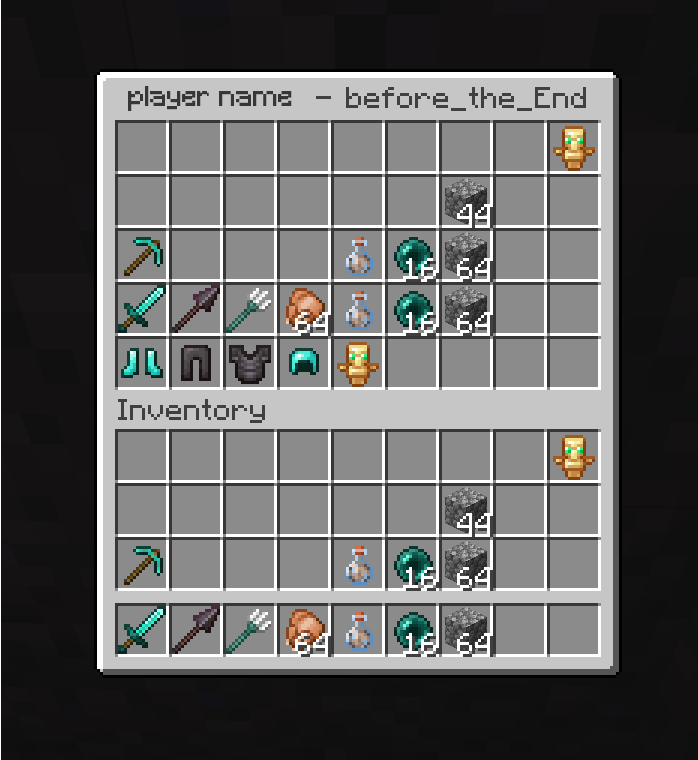
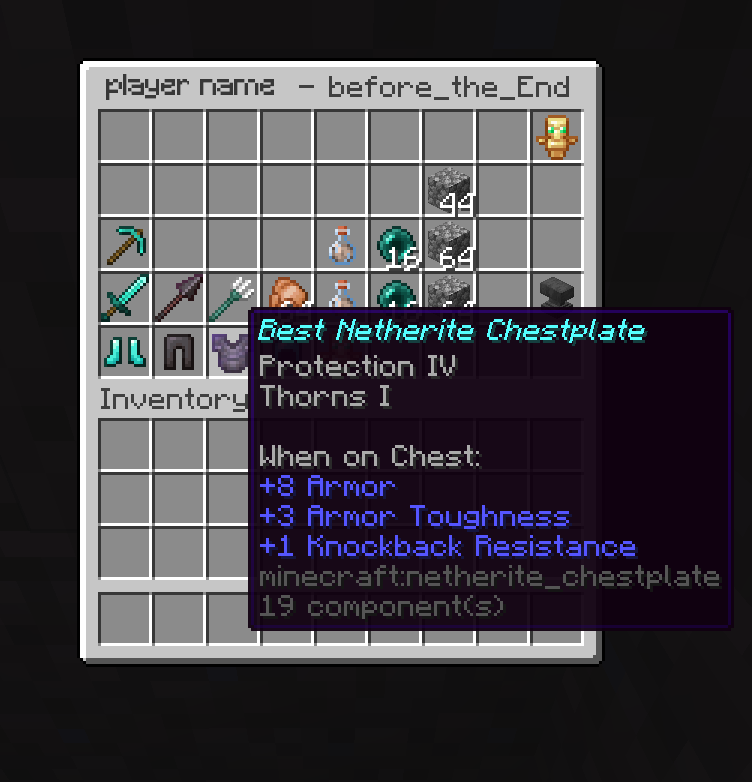
Save interactive snapshots of your inventory and ender chest, revisit them anytime with full item tooltips and enchantment details.
截图

介绍
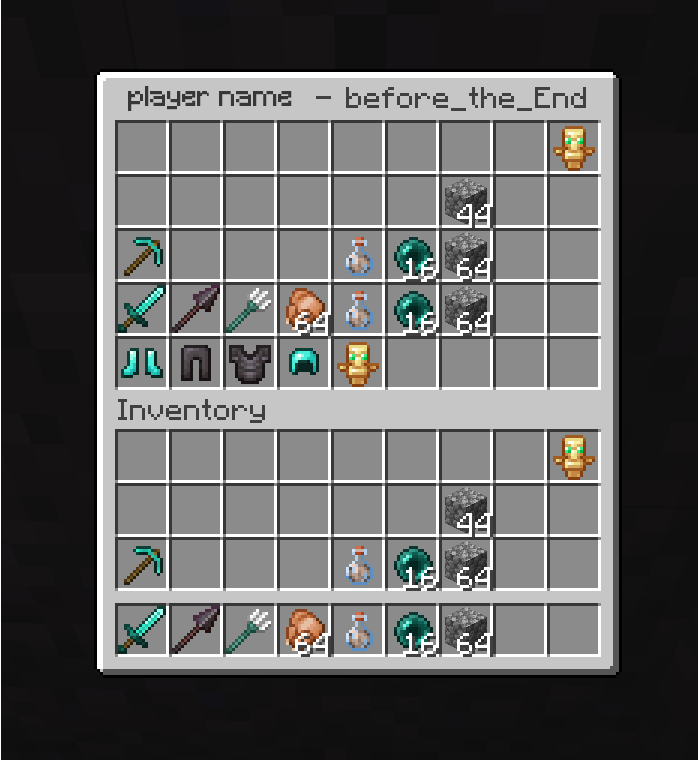
Save interactive snapshots of your inventory and ender chest, then revisit them anytime with full item tooltips and enchantment details — perfect for keeping track of your best gear, or reviewing what you had before a dangerous adventure. For servers each player’s snapshots are private by default; operators can view and manage everyone’s.
Commands:
- /invshots save [name] — Save a snapshot of your inventory and ender chest
- /invshots list — List your saved snapshots
- /invshots view [echest] — View a snapshot interactively
- /invshots delete — Delete a snapshot
Operator only:
- /invshots list — List another player’s snapshots
- /invshots view [echest] — View a player’s snapshot
- /invshots delete — Delete a player’s snapshot
Single player: Works out of the box — commands have no permission requirement, so you can use them directly.
Server: Install the mod on the server only. Clients don’t need anything — the inventory UI displays through vanilla container screens. Each player’s snapshots are stored in config/invshots//.

常见问题
InvShots 支持哪些 Minecraft 版本?
InvShots 支持 Minecraft Java 版 26.2–26.3,共 2 个版本,可用的加载器:Fabric。下载时注意选择和你游戏版本一致的文件。
InvShots 怎么安装?
先用 PCL2 或 HMCL 启动器安装对应版本的 Fabric,再把下载的 .jar 文件放进游戏目录的 mods 文件夹,重新启动游戏即可。开启了版本隔离的,mods 文件夹在 versions/版本名 下面。运行环境:仅服务端。
Finsh 的其他作品
查看全部 →
Simply Optimized 2
Simply Optimized 2, because simply optimized was discontinued. Optimize Minecraft

Feathers are fuel
Feathers can now be used as fuel.

Ledger for singleplayer
Ledger for singleplayer so you can track you singleplayer world modifications
评论
登录后评论和评分