
截图
介绍
📦 InventoryShortcuts
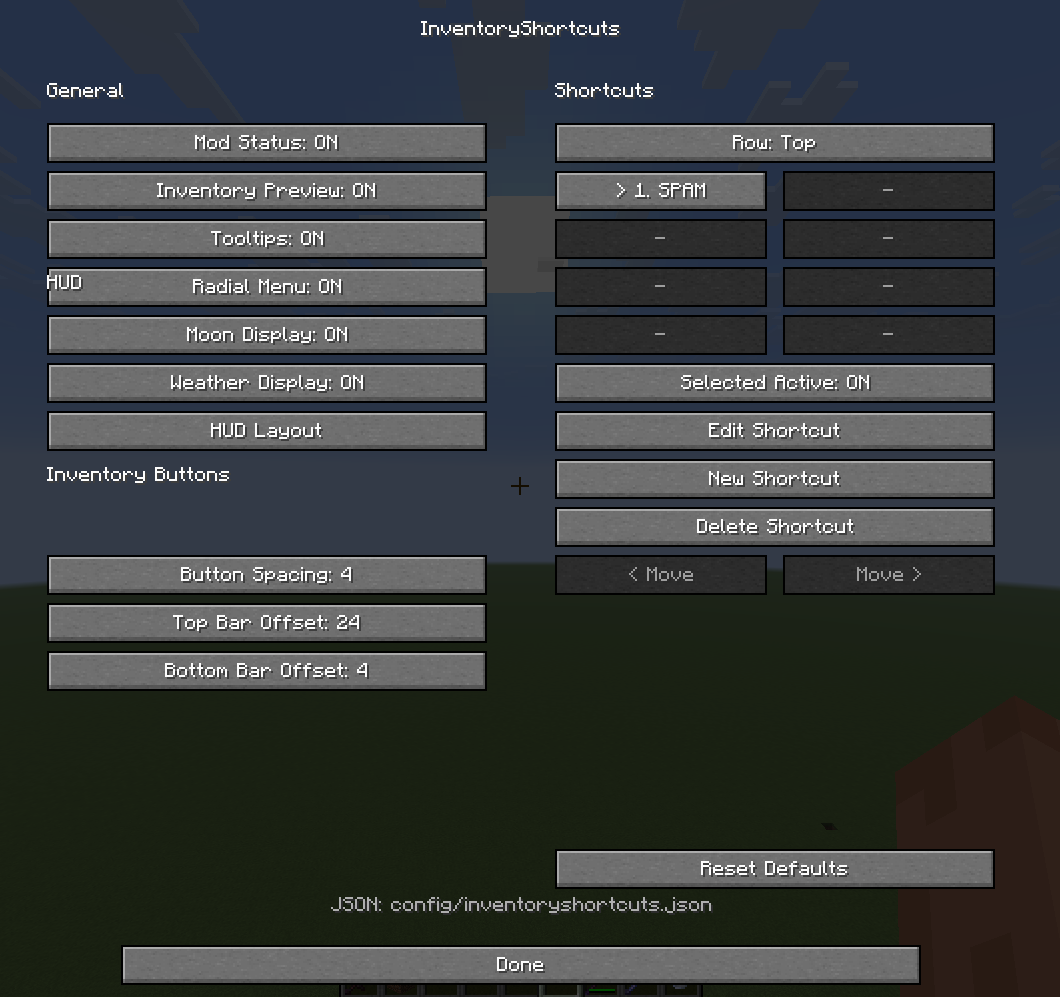
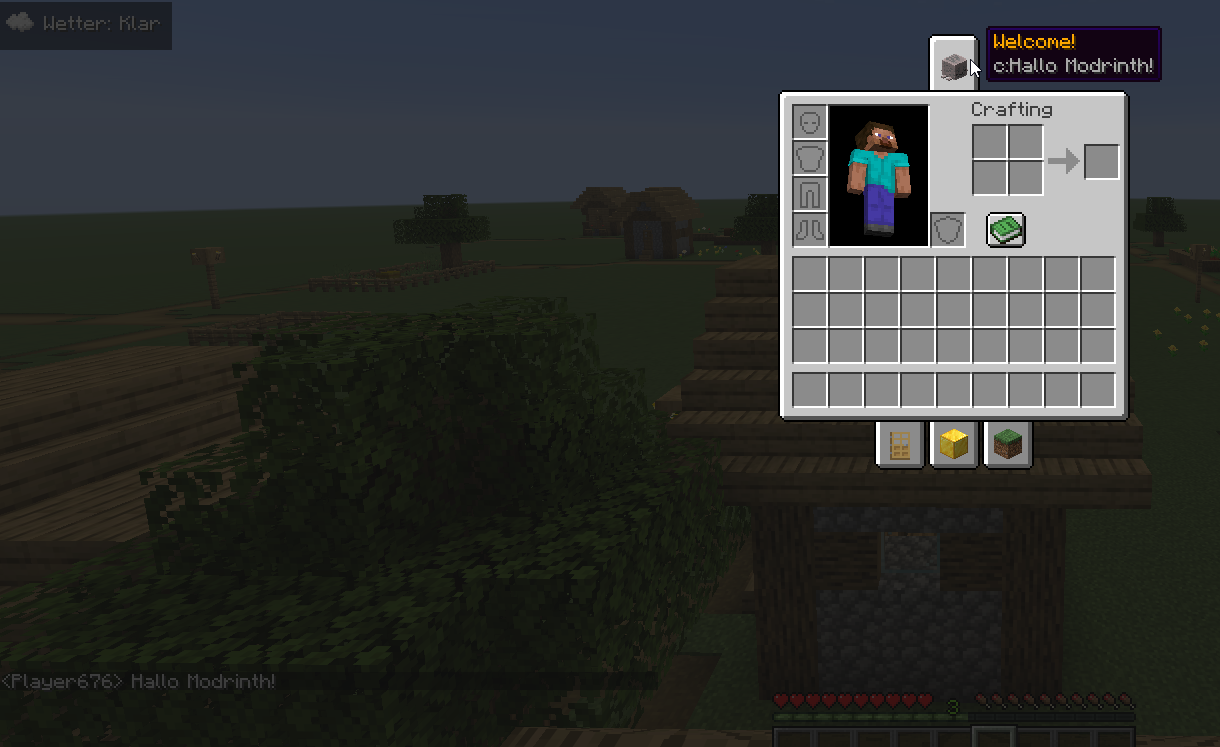
Add handy shortcut tabs to your survival inventory and execute frequently used commands with just one click.
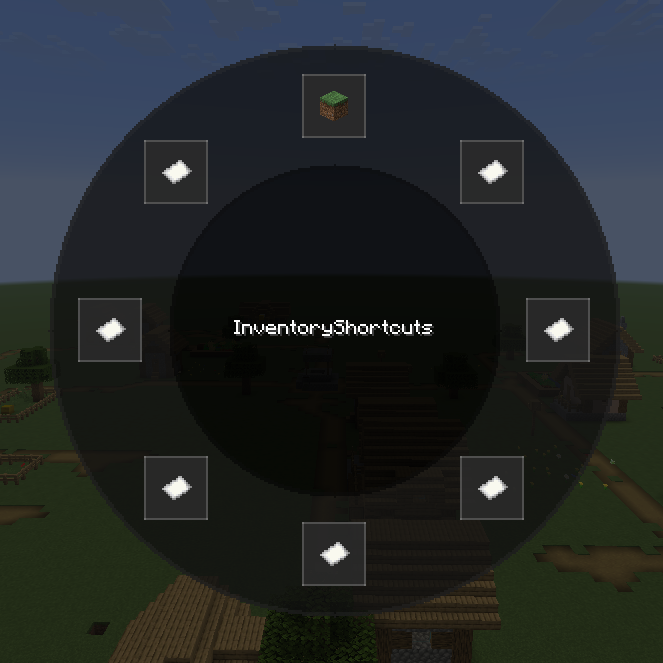
InventoryShortcuts is a client-side Fabric mod that adds freely configurable shortcut bars to your inventory. Set your own commands, labels, and item icons, and access them quickly at any time.
✨ Features
- 🖱️ Freely configurable shortcut buttons
- 📑 Top and bottom shortcut bars
- 💬 Custom commands for each button
- 🧱 Any item icon as a button thumbnail
- 🎨 Improved GUI
- 🔍 Built-in item and block picker directly in the GUI
- ⚙️ Extensive configuration
- ⌨️ Config menu via hotkey
- 📋 Support for Mod Menu (optional)
- 🌙 Optional moon phase and weather display in the bottom right corner
- 🔔 Update checker with a clickable link to Modrinth
- 🐛 Various bug fixes
- 💻 Entirely client-side
- 🧵 Developed for Fabric
⚙️ Configuration
All shortcut buttons can be customized individually.
For each button, you can specify:
- Name / Label
- Command to execute
- Item icon to display
The built-in item and block picker makes it easier to select icons directly from the GUI.
This allows you to customize the shortcut bars to suit your playstyle.
🔄 Update Checker
InventoryShortcuts automatically checks for newer releases on Modrinth.
If an update is available, you’ll receive an in-game chat message with a clickable link to the Modrinth versions page.
📋 Prerequisites
Required
- Fabric Loader
- Fabric API
Optional
- Mod Menu – for easy access to the configuration
💡 Notes
- The mod runs entirely on the client side.
- The commands to be executed must be supported by the respective server.
常见问题
InventoryShortcuts 支持哪些 Minecraft 版本?
InventoryShortcuts 支持 Minecraft Java 版 26.1–26.3,共 5 个版本,可用的加载器:Fabric。下载时注意选择和你游戏版本一致的文件。
InventoryShortcuts 怎么安装?
先用 PCL2 或 HMCL 启动器安装对应版本的 Fabric,再把下载的 .jar 文件放进游戏目录的 mods 文件夹,重新启动游戏即可。开启了版本隔离的,mods 文件夹在 versions/版本名 下面。运行环境:仅客户端。
评论
登录后评论和评分