
截图

介绍
Features
This is currently a WIP mod that slows down the player if they have too many items in their inventory. Each item has a configurable weight that adds up to a configurable maximum, and you lose speed based on the percentage of the maximum that you are carrying.
Using /setweight command:
1. Hold the item you want to adjust
2. /setweight [weight]
3. /reload
4. The item should now have a new weight
Applying this to all worlds:
1. Download the Global Packs mod.
2. If you have modified weights with /setweight, a datapack will be created in the /datapacks/ folder of your world save.
2. Follow Global Pack’s instructions instructions to apply that generated datapack to all new worlds.
Planned Features
– Jump height modification based on weight
– Hunger drain when moving based on weight
– More features as needed
Modding Discord
You can see my other mods on my Discord or on CurseForge
Hardcore Torches – Makes torches and lanterns burn out over time.
Bed of Nails – An addon for Tough as Nails to make the temperature change more gradually and realistically.
Tool and Placement Tweaks – Configure mining speed and add a hunger cost for mining or placing blocks.
常见问题
Inventory Weight 支持哪些 Minecraft 版本?
Inventory Weight 支持 Minecraft Java 版 1.18.2–1.21.1,共 4 个版本,可用的加载器:Forge / NeoForge。下载时注意选择和你游戏版本一致的文件。
Inventory Weight 怎么安装?
先用 PCL2 或 HMCL 启动器安装对应版本的 Forge / NeoForge,再把下载的 .jar 文件放进游戏目录的 mods 文件夹,重新启动游戏即可。开启了版本隔离的,mods 文件夹在 versions/版本名 下面。
wolfiewaffle 的其他作品
查看全部 →
TAN Campfire Spit
匠魂生存的附加模组

Hardcore Torches (Forge)
让火把和灯笼不再永久使用。火把可以更换,灯笼则可以加油续燃。
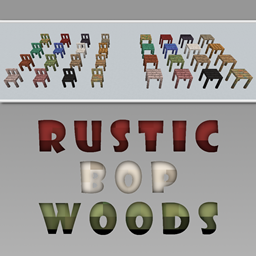
Rustic BOP Woods
这是一个 Rustic 和超多生物群系的附属模组,为所有 BOP 木材类型添加了桌子和椅子。

Tool and Placement Tweaks
Configurable hunger and durability penalties for placing and breaking blocks
评论
登录后评论和评分