
截图
介绍
The mod adds a small button inside the inventory screen that allows players to quickly sort items in a simple and predictable way.
The goal of the mod is very straightforward: make it easier to organize inventories without changing how the game works.
🔹 What the Mod Does
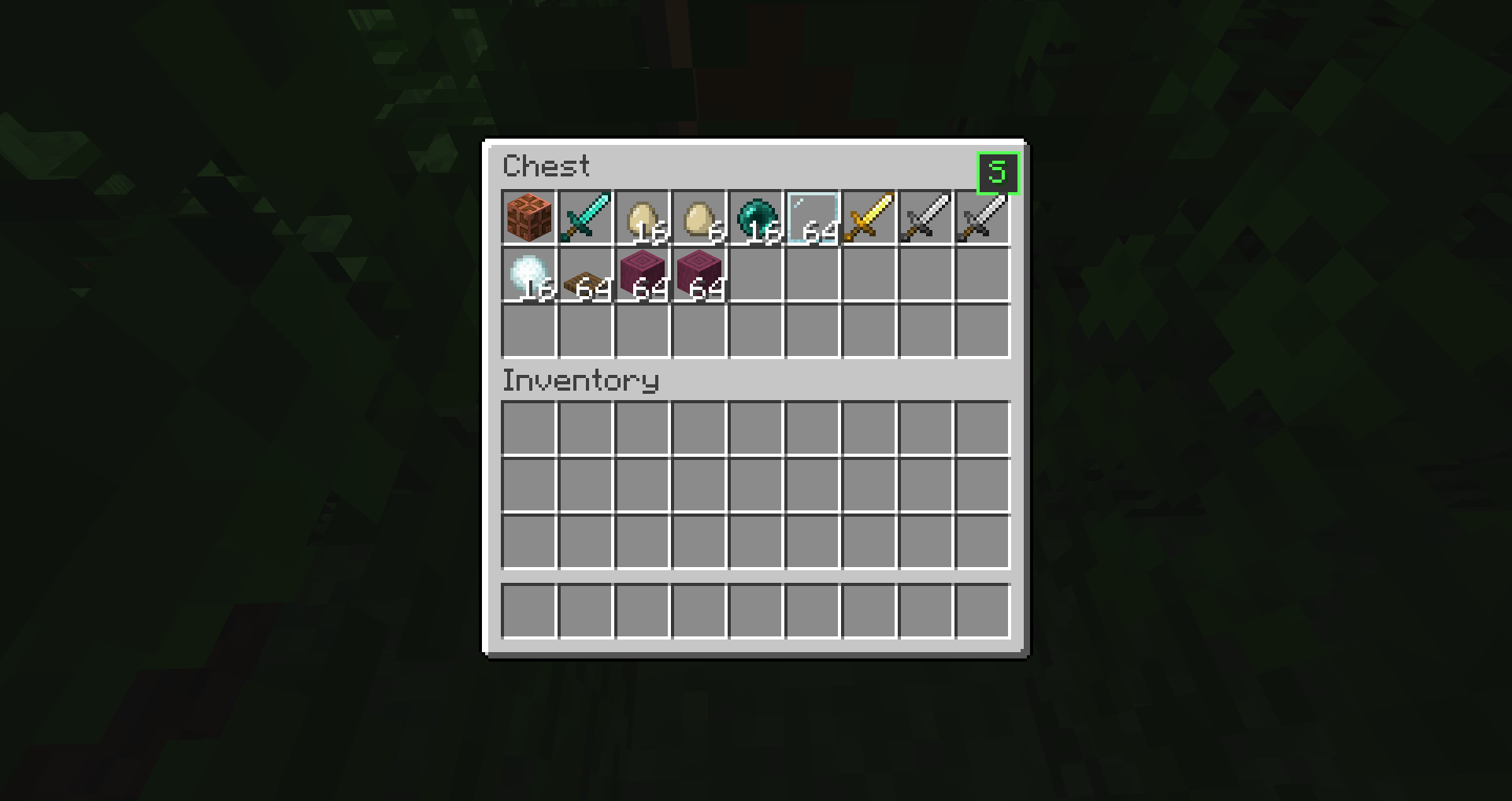
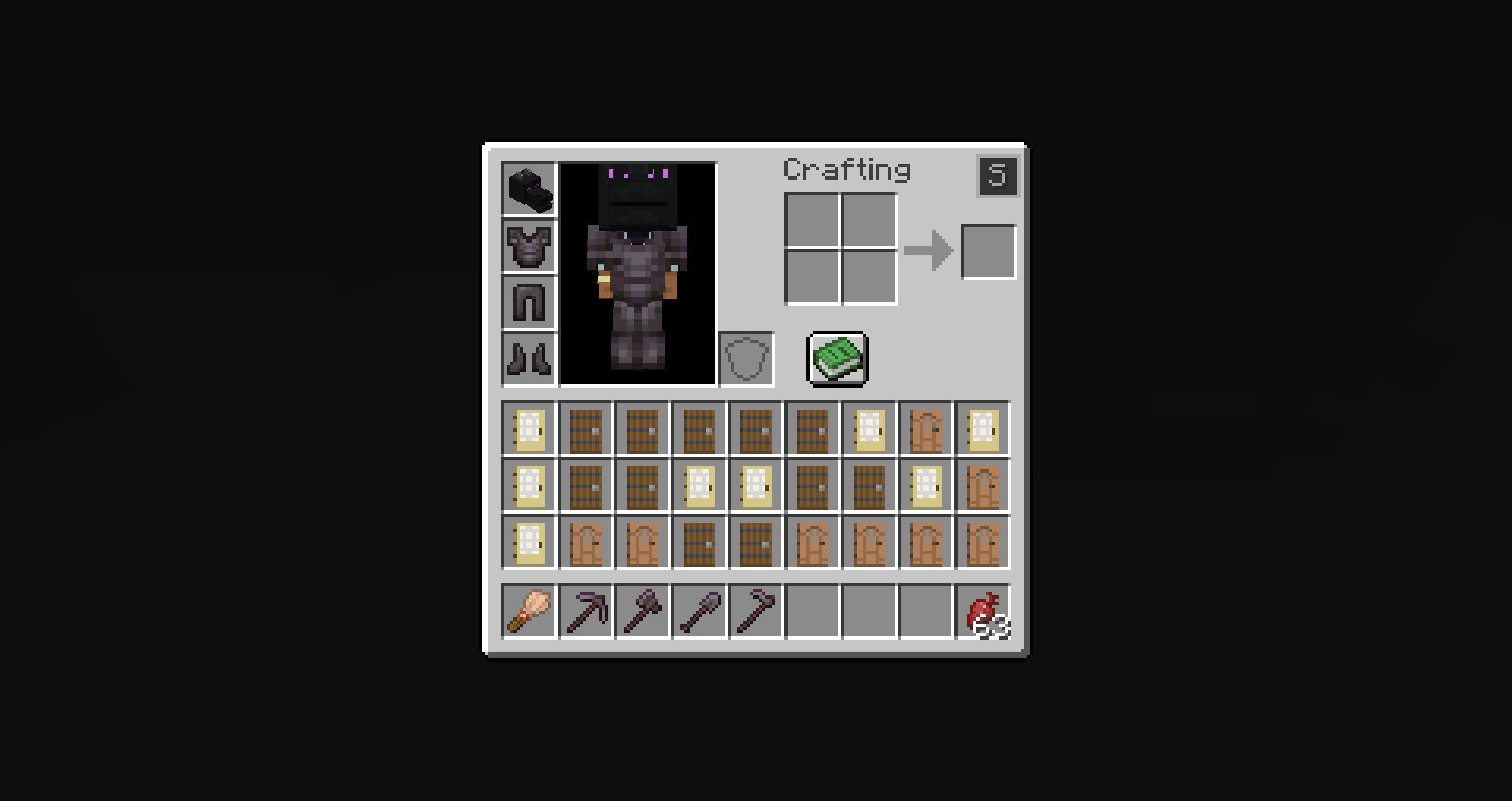
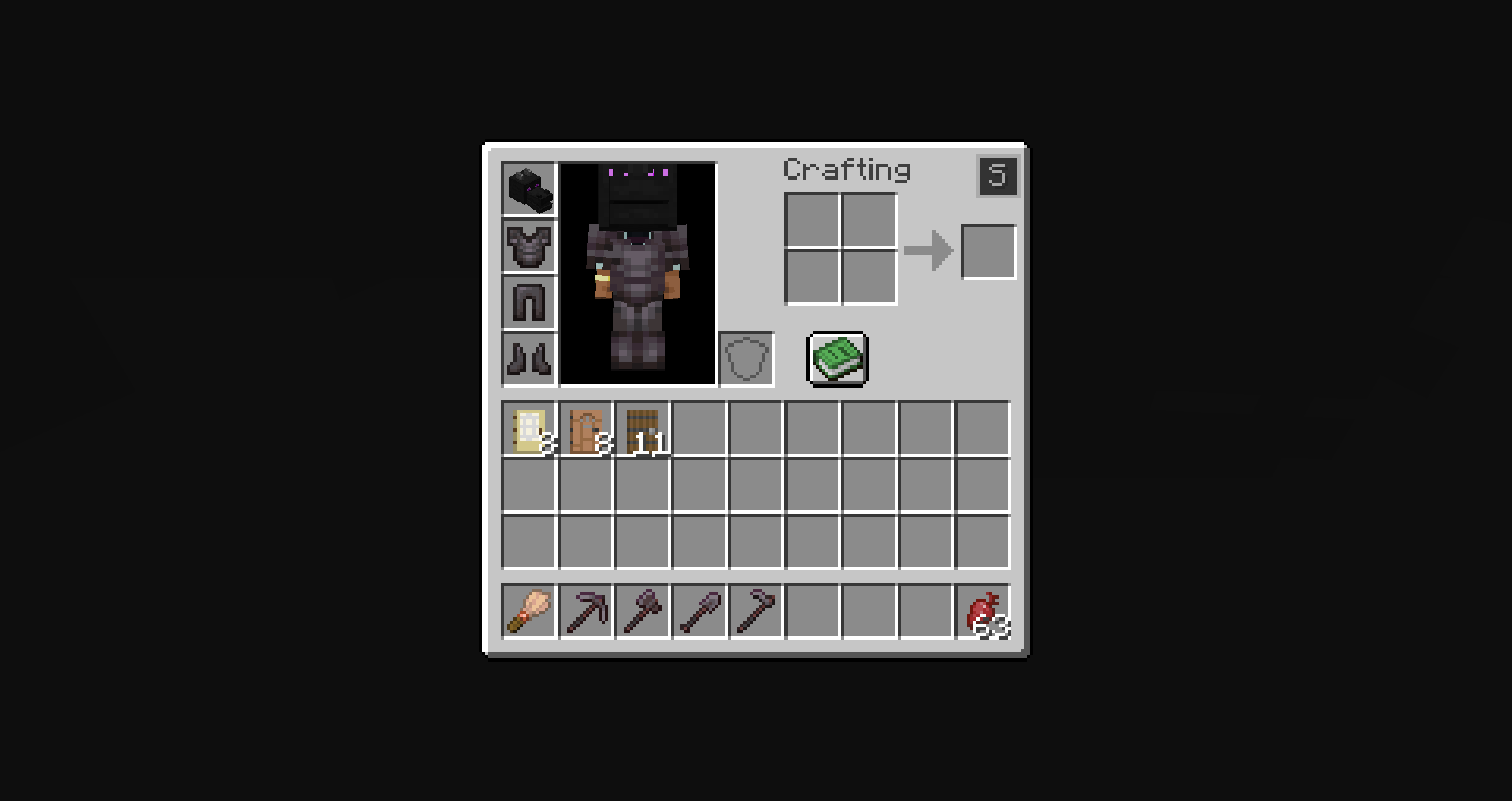
When you open your inventory or a chest, a small button appears in the top-right corner of the GUI.
When this button is clicked, the mod:
• Reads the item stacks in the inventory
• Sorts them alphabetically based on their item registry name
• Reorders the slots according to that order
The items themselves are not modified. The mod only changes where the stacks are placed inside the inventory.
📦 Supported Screens
The sorting button works in:
✔ Player inventory
✔ Chest GUI
The sorting logic only affects the inventory slots visible in the container.
⚙️ Behavior
The sorting system follows a few simple rules:
🔹 Alphabetical order
Items are sorted using their registry names.
🔹 Stacks stay intact
Item stacks are never split or merged by the mod.
🔹 Slots are only reordered
The mod does not modify NBT data, durability, enchantments, or any other item information.
🔹 Client-side only
The mod runs entirely on the client and does not add any server-side functionality.
🖥 Interface
The mod adds a small button to the inventory GUI.
It is placed in the top-right area of the inventory screen so it is accessible but does not interfere with the rest of the interface.
Clicking the button immediately triggers the sorting process.
常见问题
ISB – Inventory Sorter Button 支持哪些 Minecraft 版本?
ISB – Inventory Sorter Button 支持 Minecraft Java 版 1.16.1–1.21.11,共 29 个版本,可用的加载器:Fabric / Forge / NeoForge。下载时注意选择和你游戏版本一致的文件。
ISB – Inventory Sorter Button 怎么安装?
先用 PCL2 或 HMCL 启动器安装对应版本的 Fabric / Forge / NeoForge,再把下载的 .jar 文件放进游戏目录的 mods 文件夹,重新启动游戏即可。开启了版本隔离的,mods 文件夹在 versions/版本名 下面。运行环境:仅客户端。
ZeioDust 的其他作品
查看全部 →
Modpack Core Essentials
Change game window title and icon. Add a welcome message to the screen when you first start the game. Very light. Easy to customize. Zero bloat.

Extra More Iron Totems
60+ custom totems; all cheat death but each totem save you its own way (freeze the ground, call a storm, blast foes back, and more).

Extra More Iron Ladders
9 More ladders: many material ladders and faster climbing. For more desgining and speed. Multiple new mineral ladders with faster climbing; best for designs & speed.

AD – Advancement Disabler
Disable All Minecraft Advancements Completely 🚫
评论
登录后评论和评分