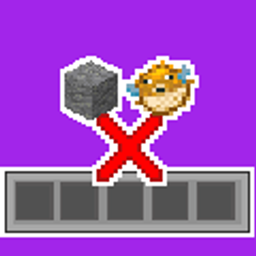
Inventory BlackListItem
Tired on being full of useless block ? Blacklist THEM with InverntoryBlacklist.
介绍

Keep your inventory clean and stop game lag with this simple pickup filter.
Tired of picking up dirt, cobblestone, or rotten flesh while mining or farming mobs? Inventory BlackList fixes that. It’s built for both players and server owners, letting you easily block items you don’t want while keeping dropped items from lagging the server.
Features
- Easy Blacklist: Search and block items using a simple, vanilla-friendly menu.
- Two Modes:
- Leave on ground: Just stops you from picking the item up.
- Delete: Destroys the item as soon as you touch it.
- Anti-Lag Stacking: Too many items on the ground slowing down the server? When items are blocked and left on the ground, the mod groups identical items together within a 5-block radius. It even ignores the usual 64-item stack limit !
- Easy Access: Open the menu with a hotkey (Default:
B), or use the handy button right in your survival inventory.
How to Use
- Press
B(you can change this in Options > Controls) or click the Hopper icon in your inventory. - Use the search bar to find items.
- Click an item to block it (you’ll see a red “X”).
- Switch between Show All and My Blacklist to manage your items.
- Set your mode to either Delete or Leave on ground.

You need this mod on BOTH the client and the server.
- Singleplayer: Just put it in your
modsfolder. - Multiplayer: Put it on the Server (to handle the item stacking) AND on the players’ Clients (so they can open the menu and choose their items).
常见问题
Inventory BlackListItem 支持哪些 Minecraft 版本?
Inventory BlackListItem 支持 Minecraft Java 版 1.21–26.2,共 16 个版本,可用的加载器:Fabric / Forge / NeoForge / Quilt。下载时注意选择和你游戏版本一致的文件。
Inventory BlackListItem 怎么安装?
先用 PCL2 或 HMCL 启动器安装对应版本的 Fabric / Forge / NeoForge / Quilt,再把下载的 .jar 文件放进游戏目录的 mods 文件夹,重新启动游戏即可。开启了版本隔离的,mods 文件夹在 versions/版本名 下面。
At0m_W 的其他作品
查看全部 →
Grab Villager
新增抓起村民的功能,方便运输,不再需要船或矿车。

MarvelOres
新增4种漫威矿石(钛、振金、艾德曼合金、乌鲁金属),以及雷神之锤、风暴战斧、美国队长之盾和黑豹盔甲等经典装备!

Better FireFlies
Better FireFlies (BFF) 是一款客户端模组,可以添加环境萤火虫。

HitMarkerEnhanced
HitMarker Enhanced (HME) is an HitMarker indicator when you hit a mob or player with throwable items (Arrow, Egg, Trident).
评论
登录后评论和评分