
Inventory Archiver
Automatically archives player inventories at configurable intervals and restore items directly from any backup via an in-game GUI.
截图


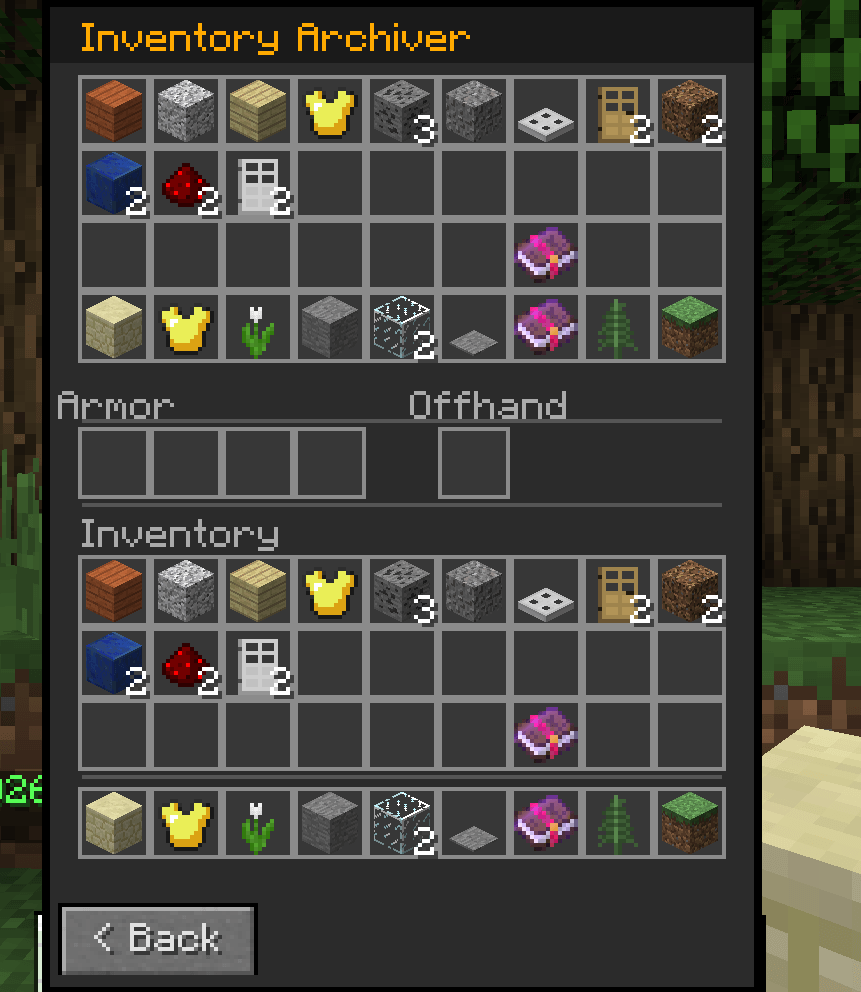
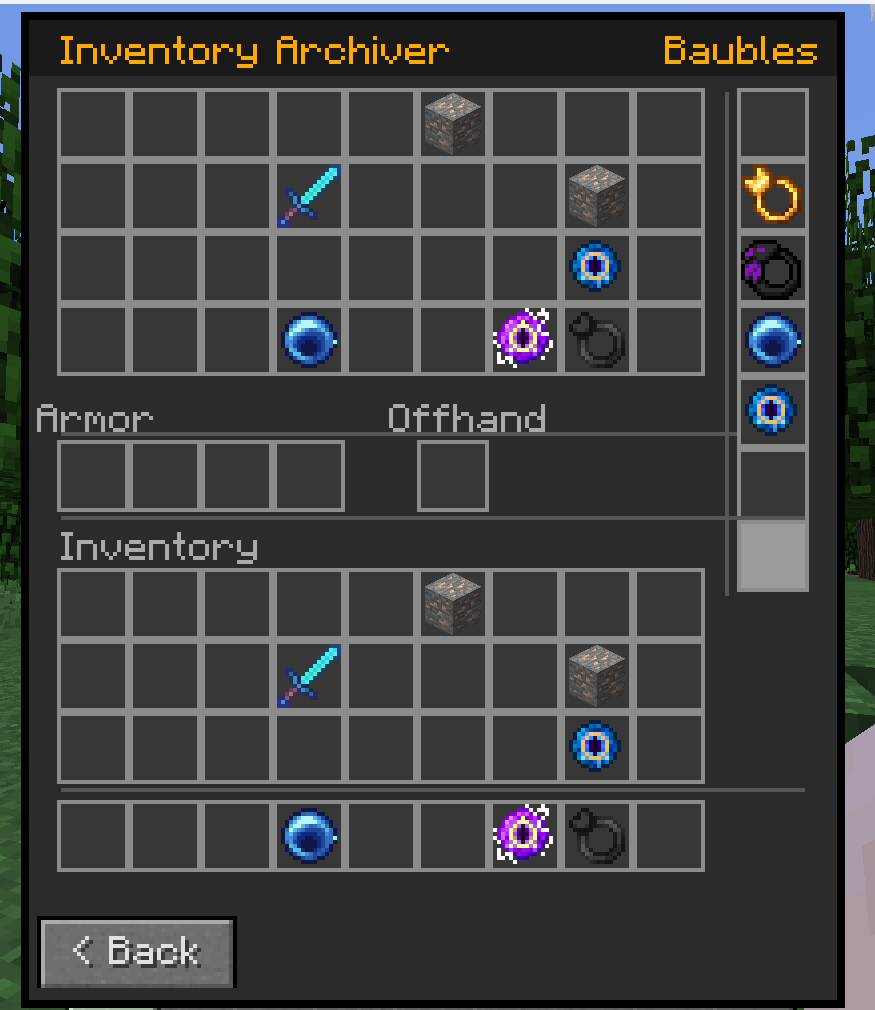
介绍
Inventory Archiver
Inventory Archiver automatically saves snapshots of every online player’s inventory at configurable intervals, storing them safely in your world folder. Admins can browse, inspect, and restore inventories directly in-game or from the server console!
Features
- Automatic backups — all online players are archived every X minutes (configurable)
- Full item fidelity — durability, enchantments, and NBT data are preserved exactly
- In-game restore GUI — browse a scrollable list of backups and pull items directly into your inventory
- Archive inspector — print the full contents of any archive to chat, grouped by Hotbar, Inventory, Armor, Offhand, and Baubles, so you know exactly what you’re restoring before you do it
- Console-compatible restore — restore any player’s inventory directly from the server console without opening any GUI
- Manual saves — any player can run
/inventoryarchive saveto permanently snapshot their own inventory at any time - Separate manual archive limit — manual and automatic backups are stored independently with their own configurable caps
- Oldest-first pruning — when the backup limit is reached, the oldest entry is removed automatically
- Baubles support — if Baubles is installed, bauble slots are archived, inspected, and restored alongside the standard inventory
Commands
| Command | Who | Description |
|---|---|---|
/inventoryarchive save |
Any player | Saves a permanent manual archive of your own inventory |
/inventoryarchive <player> |
OPs only | Opens the backup browser for the specified player (in-game only) |
/inventoryarchive list <player> <index> |
OPs only | Prints the full item contents of a specific archive to chat |
/inventoryarchive restore <player> [index] |
OPs only | Restores a player’s inventory from an archive (defaults to most recent) |
Configuration
All options are in config/inventoryarchiver.cfg:
| Option | Default | Description |
|---|---|---|
backupIntervalMinutes |
10 |
How often automatic archives are taken (1–1440) |
maxBackupsPerPlayer |
20 |
Maximum automatic archives retained per player |
maxManualBackupsPerPlayer |
5 |
Maximum manual archives retained per player |
enableLogging |
false |
Log archive save and restore events to the server console |
Inspired by Ark Survival Ascended Mod “Inventory Backup Saver” by Joehelp – https://www.curseforge.com/ark-survival-ascended/mods/inventory-backup-saver
常见问题
Inventory Archiver 支持哪些 Minecraft 版本?
Inventory Archiver 支持 Minecraft Java 版 1.12.2,可用的加载器:Forge。下载时注意选择和你游戏版本一致的文件。
Inventory Archiver 怎么安装?
先用 PCL2 或 HMCL 启动器安装对应版本的 Forge,再把下载的 .jar 文件放进游戏目录的 mods 文件夹,重新启动游戏即可。开启了版本隔离的,mods 文件夹在 versions/版本名 下面。
Nanoh 的其他作品
查看全部 →
Nanoh’s Baubles
添加各种饰品,让你的 Minecraft 体验更丰富!兼容 1.12.2、1.21.1 和 1.21.4!

Nanoh’s Additional Enchants
This is a mod that aims to add additional enchants to enhance your Minecraft experience!

Villager (Trade) Reroller
Adds a simple item that allows you to change the profession of your villagers!

Nanoh’s Additional Villager Professions
Adds new villager professions to enhance the trading lootpools!
评论
登录后评论和评分