
Invariable Paintings: Collector’s Stockbook
Keep your painting collection neatly packed in a single stack.
截图
介绍
Invariable Paintings: Collector’s Stockbook
Overview
An addon for Invariable Paintings.
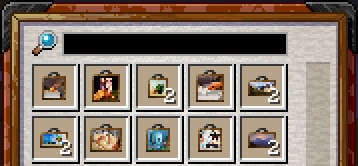
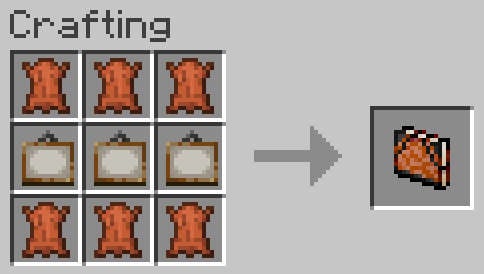
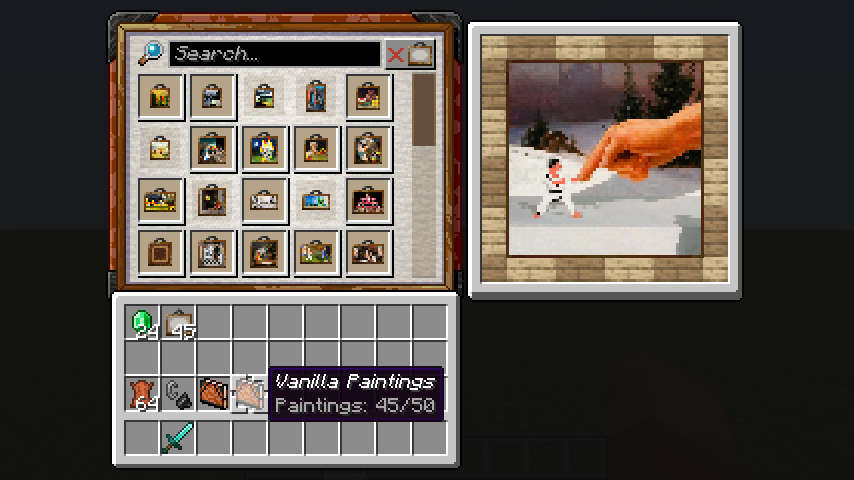
This adds a new item to help declutter the inventory: the Stockbook. A portable container somewhat similar to a bundle, but strictly limited to painting items, and with some added functionality.
This addon requires Invariable Paintings to be installed on both client and server.
Functionalities
Storage
Use the item in either hand in order to open its inventory screen.
The stockbook’s inventory can hold up to one full stack of every painting variant. Stored paintings are always sorted by id and cannot be rearranged.
Currently, no empty slots are exposed, so shift-clicking is the only way to insert new paintings into the stockbook.
Preview
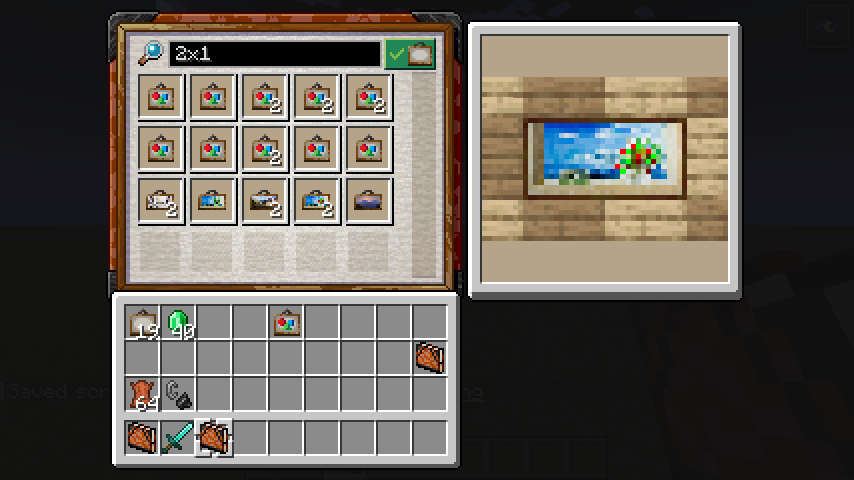
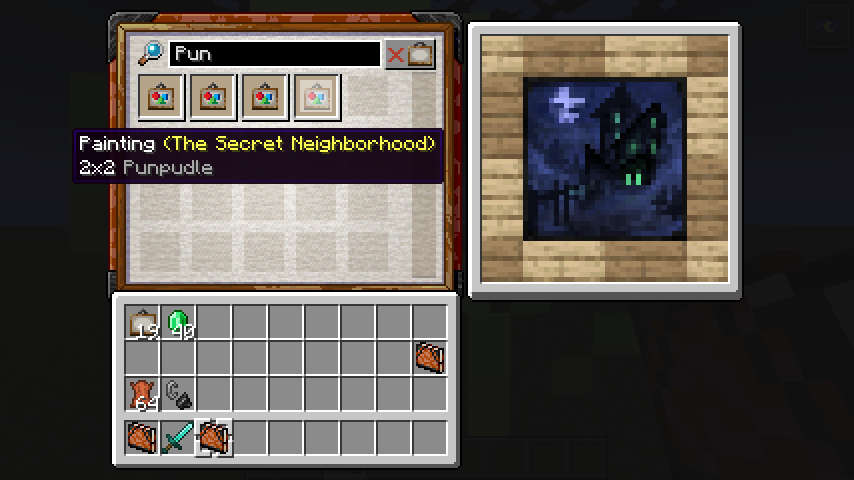
Hovering a painting item with the mouse cursor shows what the actual painting looks like when hanged.
Search
Paintings can be filtered based on title, size, id and author using the search bar at the top of the inventory. Enter and Esc can be used to quickly select and deselect the search bar without using the mouse.
Placeholders
The container keeps track of the paintings that have been discovered.
Even after a painting is removed, it will leave a placeholder behind.
Both the number of painting stored and discovered are displayed on the sotckbook’s tooltip.
Caveats
When stored into the stockbook, painting items are reduced to nothing but their variant. Any other custom data (like names) will be discarded. This behaves similarly to painting items being hanged up then dropped down in the base mod.
Related Mods
 Invariable Paintings
Turns paintings into collectibles.
常见问题
Invariable Paintings: Collector’s Stockbook 支持哪些 Minecraft 版本?
Invariable Paintings: Collector’s Stockbook 支持 Minecraft Java 版 1.19.4–26.2,共 19 个版本,可用的加载器:Fabric。下载时注意选择和你游戏版本一致的文件。
Invariable Paintings: Collector’s Stockbook 怎么安装?
先用 PCL2 或 HMCL 启动器安装对应版本的 Fabric,再把下载的 .jar 文件放进游戏目录的 mods 文件夹,重新启动游戏即可。开启了版本隔离的,mods 文件夹在 versions/版本名 下面。运行环境:客户端和服务端都要装。
Estecka 的其他作品
查看全部 →
Spyglass Astronomy
在交互性更强、经过改良的夜空中绘制属于你自己的星座。 沉浸式重制太空天空盒,加入行星和更加绚丽的星空。
Variants-CIT
用于大量重复模式变体集合的替代CIT格式。

Preferred Gamerules
Light-weight mod for changing the default values of gamerules.
Shifting Wares
Villagers will occasionally reroll their trade offers
评论
登录后评论和评分