Interaction Manager
Customize how you interact with blocks and mobs to prevent accidents and improve your Minecraft experience.
截图
介绍
Interaction Manager
Interaction Manager is a client side mod allowing you to toggle certain block and mob interactions. This mod aims to streamline the player experience, as some may find many vanilla features annoying or unnecessary. By default, vanilla behaviour is preserved.
Simply Enable or Disable
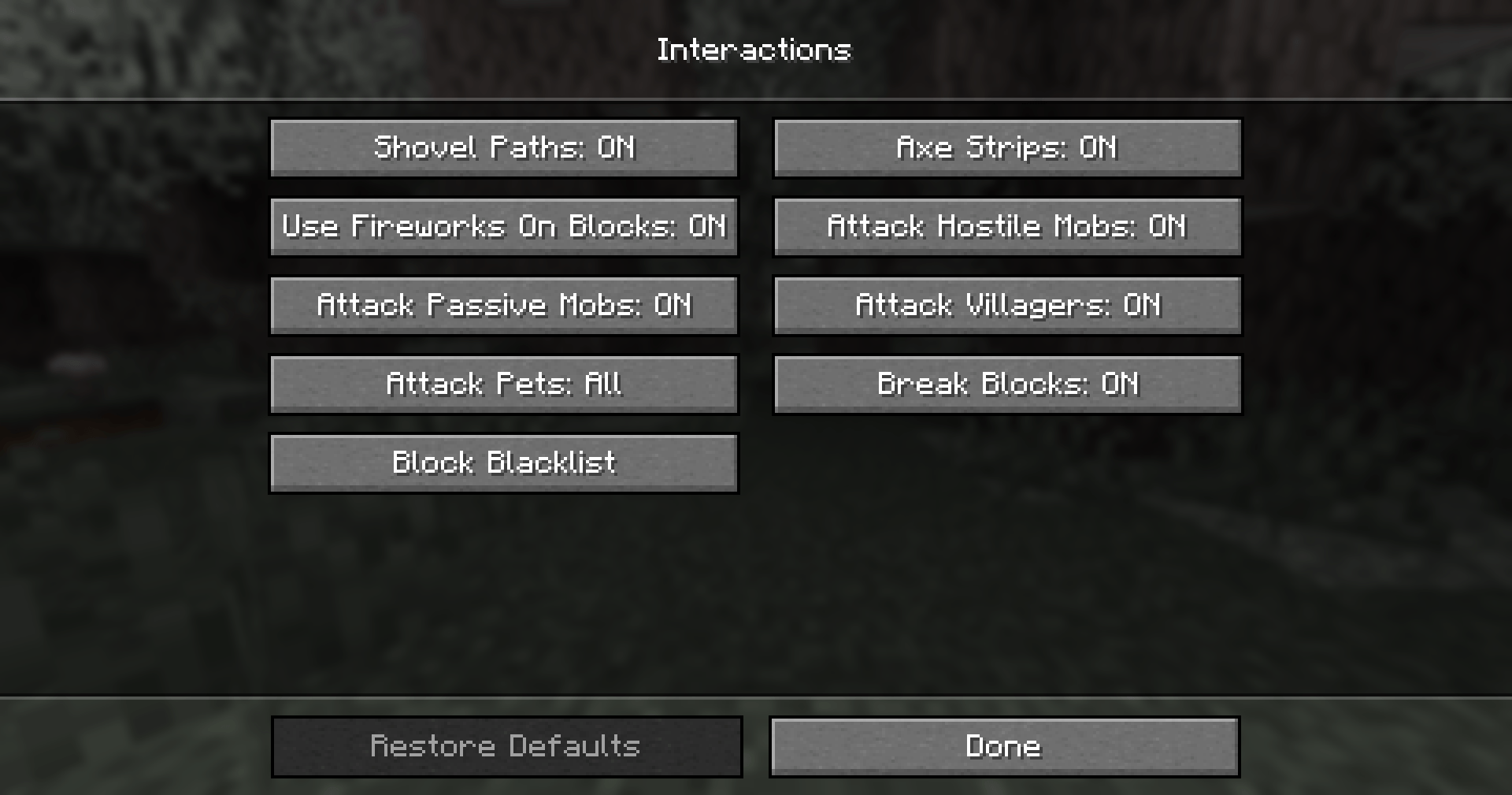
- Shovels creating paths
- Axes stripping blocks
- Fireworks working on blocks
- Attacking hostile mobs
- Attacking passive mobs
- Attacking villagers
- Breaking blocks
It also gives you the option to stop the player from attacking your pets, others’ pets or all tamable mobs. You can blacklist blocks, so that you can’t break them.
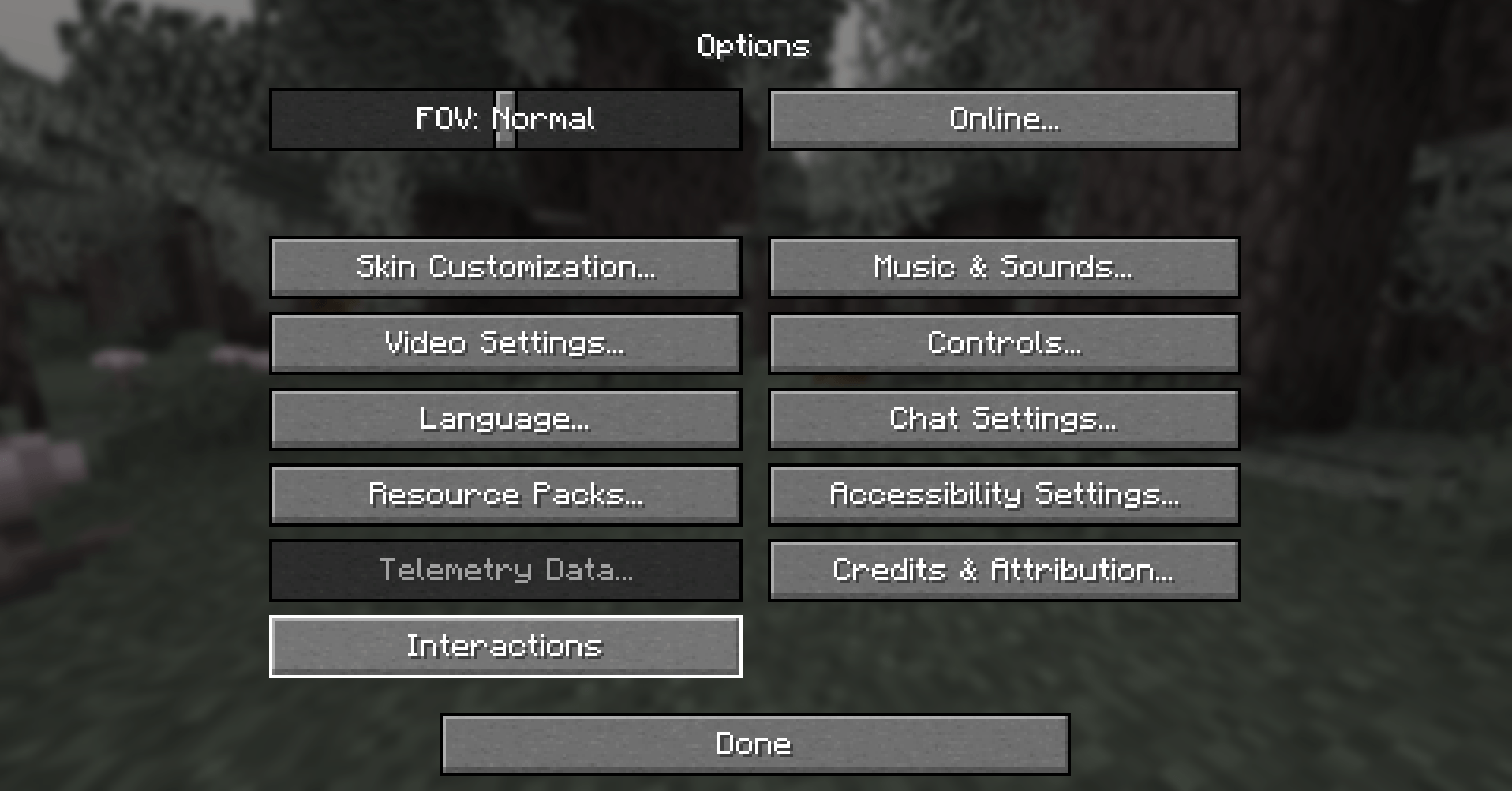
These options are easily found in the in game _Interactions_ menu. To access them go to _Options_>_Interactions_
If Mod Menu is installed, by default the Interactions button is hidden. And the settings can be accessed using Mod Menu. To show the Interacions button if Mod Menu is installed see the Config Section.
Config
If you don’t intend to change more advanced options feel free to skip this section. Options related to player behaviour (block and mob interactions) are accessible in the in game options menu. The configuration file allows for more fine-tuning and isn’t necessary to edit. It’s located in `config/interactionmanager.json`. It’s stored in JSON, which is easy to read and modify.
Options only available in the config file
- should_add_interactions_button – The mod settings can be opened using Mod Menu, as such this option controls if the button should be added.
- always – Always show the Interactions button.
- default only_if_mod_menu_is_not_installed – Hide the Interactions button if mod menu is installed.
- never – Hide the Interactions button.
See Change Log
Suggestions and Issues
If you have any suggestions or run into some issues please create a new ticket on the Issue Tracker.
Open source
This mod’s code is free to view and modify, publicly available on GitHub.
常见问题
Interaction Manager 支持哪些 Minecraft 版本?
Interaction Manager 支持 Minecraft Java 版 1.21–1.21.6,共 7 个版本,可用的加载器:Fabric。下载时注意选择和你游戏版本一致的文件。
Interaction Manager 怎么安装?
先用 PCL2 或 HMCL 启动器安装对应版本的 Fabric,再把下载的 .jar 文件放进游戏目录的 mods 文件夹,重新启动游戏即可。开启了版本隔离的,mods 文件夹在 versions/版本名 下面。


评论
登录后评论和评分