
截图
介绍
Inspect Animations
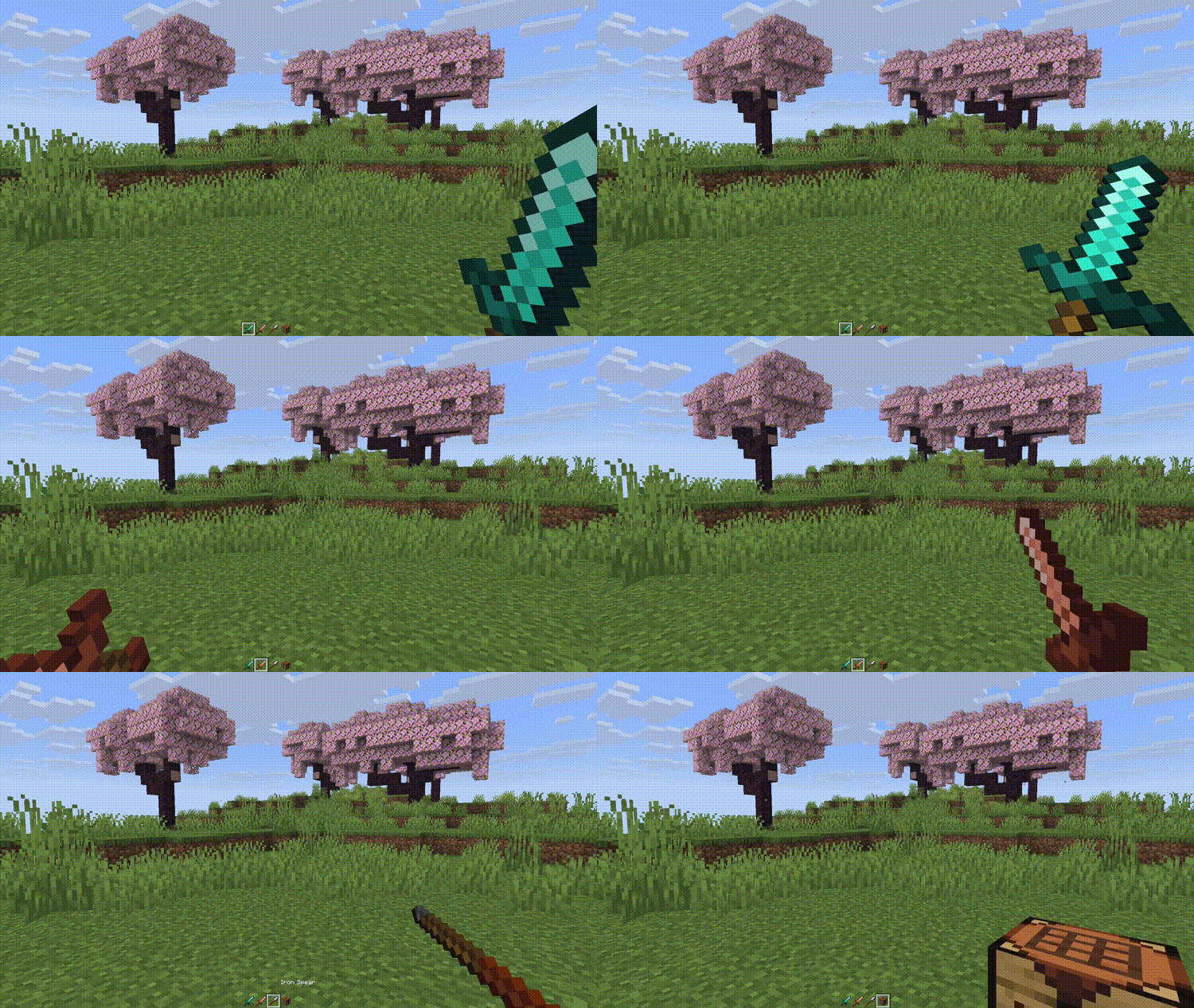
Inspect Animations adds new animations for items, inspired by the inspect feature from counterstrike.
Animations
| Animation | |
|———–|———————————————————|
| Turn | Classic counterstrike inspect animation. |
| Toss | Toss the item up in the air and catch it. |
| Flourish | Twirl the item back and forth like flourishing a sword. |
| Flip | Flip the item around in your hand. |
Keybinds
Press [R] to play the selected animation.
Hold [SHIFT] and press [R] to cycle through the available animations.
Multiplayer
Use the gamerule inspect_radius to change the distance from which other players will receive animation packets.
Use the gamerule send_inspections to enable/disable sending animations to players. When setting from false to true, players already in the server will need to re-join to apply changes.
Configuration
Use Mod Menu to configure the mod:
- Animations can be removed from the cycling option
- Animation duration can be changed
- Some animations can have their number of loops changed
There are a few experimental options:
- Select specific animations for items and item tags
- Select a specific animation for all blocks
- Maximum Delta Time: Try changing this value if the animation does not play smoothly or skips during lag spikes
Issues
You can submit issues on Codeberg or Github
Translation
Most of my downloads come from countries where English is not the primary language! If you want to help translate any of my mods to your language, you can go to https://translate.soundsofthesun.net/projects and sign in with github to contribute!

Translation Credits:
| Language | Contributor |
|————————–|————–|
| Turkish | yigitgulyurt |
| Chinese Traditional (HK) | Dogshome |
More translation history can be found on the i18n branch of the source repository.
常见问题
Inspect Animations 支持哪些 Minecraft 版本?
Inspect Animations 支持 Minecraft Java 版 1.20.1–26.3,共 10 个版本,可用的加载器:Fabric / NeoForge。下载时注意选择和你游戏版本一致的文件。
Inspect Animations 怎么安装?
先用 PCL2 或 HMCL 启动器安装对应版本的 Fabric / NeoForge,再把下载的 .jar 文件放进游戏目录的 mods 文件夹,重新启动游戏即可。开启了版本隔离的,mods 文件夹在 versions/版本名 下面。运行环境:客户端 / 服务端。
SoundsoftheSun 的其他作品
查看全部 →
Item Drops
Modify the appearance of dropped items and blocks.

Close My Screen
Close the current screen by double clicking outside the GUI.

Potion Time Stacker
Drinking a potion will add to the duration of an active effect.
Fine Sound Control
Control the volume of individual sounds.
评论
登录后评论和评分