
InGame Info Reborn
In-game HUDs and GUIs done with structure — reactive, declarative, composable, and built to handle the rest.
截图
介绍
InGame Info Reborn
“In-game HUDs and GUIs done with structure — reactive, declarative, composable, and built to handle the rest.”


This is a _Work-In-Progress_ spiritual successor of InGame-Info-XML, not a fork.
If you like this project, don’t forget to give it a star⭐!
Suggestions/PRs are welcome
Overview
This is a library mod that helps you to create in-game overlaid (or focused) GUI with ease.
(Nothing will pop up with the default configuration!)
Architectural Modules Chart
Click to Expand
| Module | Role | Status |
|——————————————|——————————————————————|—————-|
| MVVM Base | Separates logic (ViewModel) from rendering (View) | ✅ Done |
| XAML-Style DSL For View | Declarative XAML-style layout to build static UI trees | ✅ Done |
| Reactive Binding | View reacts to changes in ViewModel automatically | ✅ Done |
| Compose (Injected via Slot) | Immediate-mode UI embedded in ViewModel | ⚠️ Partially |
| Snapshot Diffing | Virtual tree diffing for Compose-based UI | ✅ Done |
| Shared Context | Shared runtime context between ViewModel and Compose blocks | ✅ Done |
| DOM-Like Event System | Input propagation and event capturing/bubbling | ✅ Done |
| Interactable Control | Captures input, intercepts propagation (works with Event System) | ✅ Done |
| Fixed / Render Update | Dual update loop for logic vs render | ✅ Done |
| Annotation Driven Auto-Interpolation | Utility for smooth interpolation during render updates | ✅ Done |
| Render Op Queue | Abstract draw commands for controls | ✅ Done |
| UI Decoration | Draw custom visuals on existing controls | ✅ Mostly Done |
| Transition API | Externally trigger view transitions | 🚧 Planned |
| Theme Manager | Global theme system (colors, font scale, etc) | ✅ Mostly Done |
| Modal Layer | Stack-based modal / dialog system | 🚧 Planned |
Example
<VerticalGroup>
    <Text uid = "fps">
    ...
</Group>
// snippet from View and ViewModel classes
@Reactive(targetUid = "fps", property = "text", initiativeSync = true)
public ReactiveObject<String> fpsText = new ReactiveObject<>(){};
EventCenter.gameFpsEvent.addListener((fps) ->
{
fpsText.set("FPS: " + fps);
});// registration entry point
@SubscribeEvent
public static void onIgiRuntimeEntryPoint(IgiRuntimeEntryPointEvent event)
{
event.runtime.initPhase
.registerMvvm("example", ExampleViewModel.class)
.openGuiOnStartup("example");
}Wiki
Implementation Todo List / Overview
Click to Expand
_Currently working on the architecture._
_Not adding controls or QoL updates._
My Detailed Todo List:
- https://trello.com/b/MTLHeyGn/ingameinfo
Implementation Overview:
- Add framebuffer to the GUI rendering life cycle (✔)
- Introduce a custom GUI container (✔)
- Maintain a list of GUI containers so that GUIs can stack together (✔)
- A GUI container can be ingame-overlaid/focused (runtime switchable) (✔)
- Introduce feature-rich GUI layout
- Pivot (✔)
- Alignment (✔)
- Padding (✔)
- Horizontal Group (stack elements horizontally) (✔)
- Vertical Group (stack elements vertically) (✔)
- Sized Group (✔)
- Nesting Groups (group in group) (✔)
- Adaptive Group (fit elements into it adaptively)
- Foldout Group
- Draggable Group
- Add controls like text, button, input field, etc.
- Text (✔)
- Sliding Text (✔)
- Anim Text (✔)
- Button (✔)
- Checkbox
- Input Field
- Image (✔)
- Url Image (✔)
- GIF
- Slide Bar
- Progress Bar (✔)
- Item (✔)
- Add CrT/Zenscript support (✔)
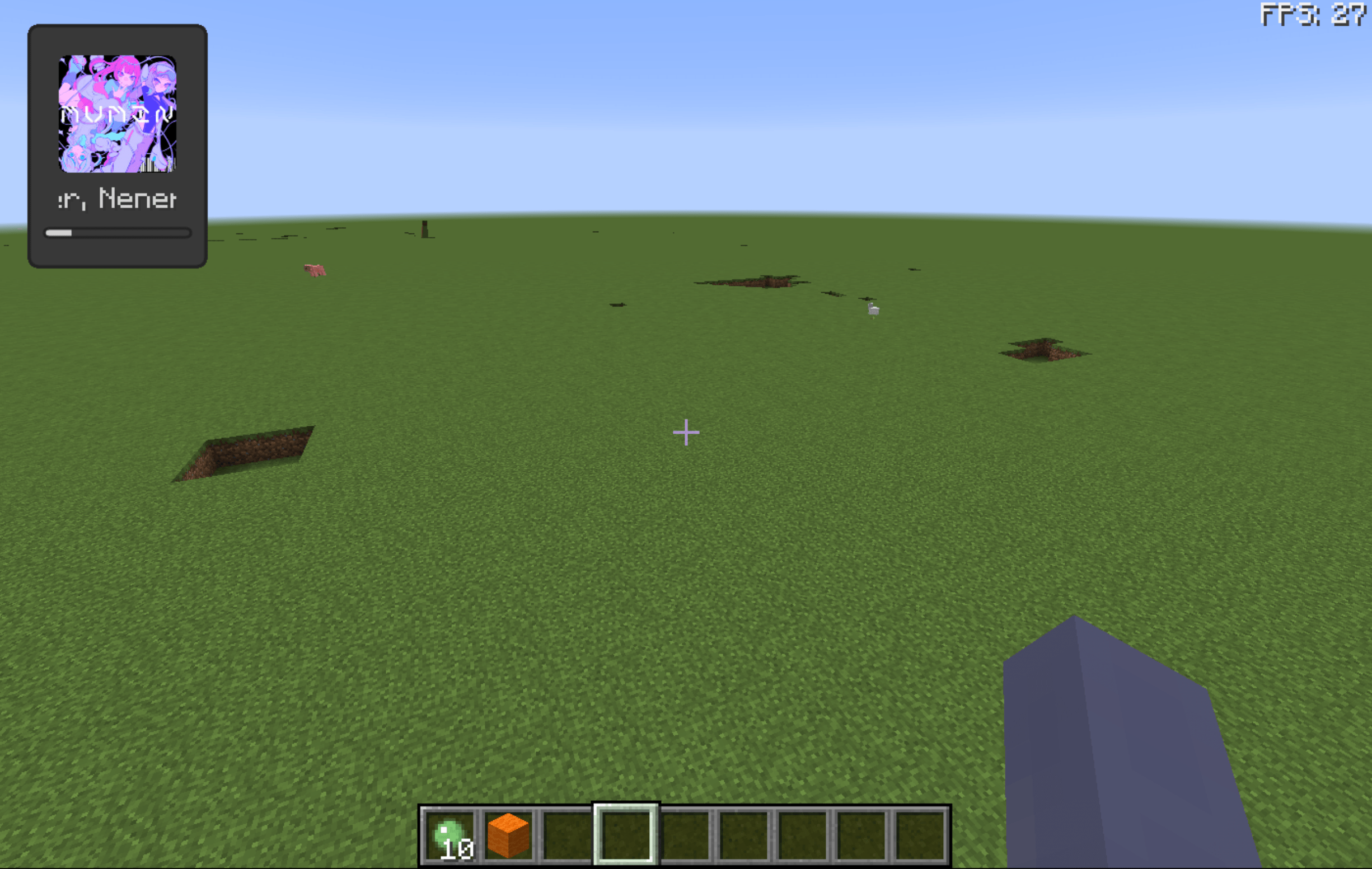
- Ingame spotify support (go to wiki for details) (✔)
Latest Build
In case you want to use the latest action build
- Go to GitHub Actions
- Click on the latest workflow
- Scroll down to the bottom and download the
Artifacts - Unzip and
ingameinfo-[version].jaris the mod file
Credits
- Created using GregTechCEu’s Buildscripts
- Inspired by InGame-Info-XML
- Bundled Configurate licensed under Apache-2.0
常见问题
InGame Info Reborn 支持哪些 Minecraft 版本?
InGame Info Reborn 支持 Minecraft Java 版 1.12–1.12.2,共 2 个版本,可用的加载器:Forge。下载时注意选择和你游戏版本一致的文件。
InGame Info Reborn 怎么安装?
先用 PCL2 或 HMCL 启动器安装对应版本的 Forge,再把下载的 .jar 文件放进游戏目录的 mods 文件夹,重新启动游戏即可。开启了版本隔离的,mods 文件夹在 versions/版本名 下面。运行环境:客户端和服务端都要装。
tttsaurus 的其他作品
查看全部 →
FluxLoading
一款实现无缝世界加载画面的模组

AnotherTips
为世界加载界面添加提示

OME Tweaks
旨在为其他模组添加一系列可配置的便利性调整

Fluid Interaction Tweaker
这是一个 CraftTweaker/GroovyScript 附属模组,可让你添加更多流体交互。
评论
登录后评论和评分