
InfoHotbar
Minimalist HUD utility displaying coordinates, time, biome, and other useful info above the hotbar.
截图

介绍
🧭 InfoHotbar
Minimalist. Customizable. Informative.
InfoHotbar is a lightweight Fabric client-side mod that displays essential player information directly above the hotbar. Stop cluttering your screen with F3 debug screens — get exactly what you need, right where you need it.

✨ Features
- Real-time Coordinates: Display X, Y, Z cleanly above your hotbar.
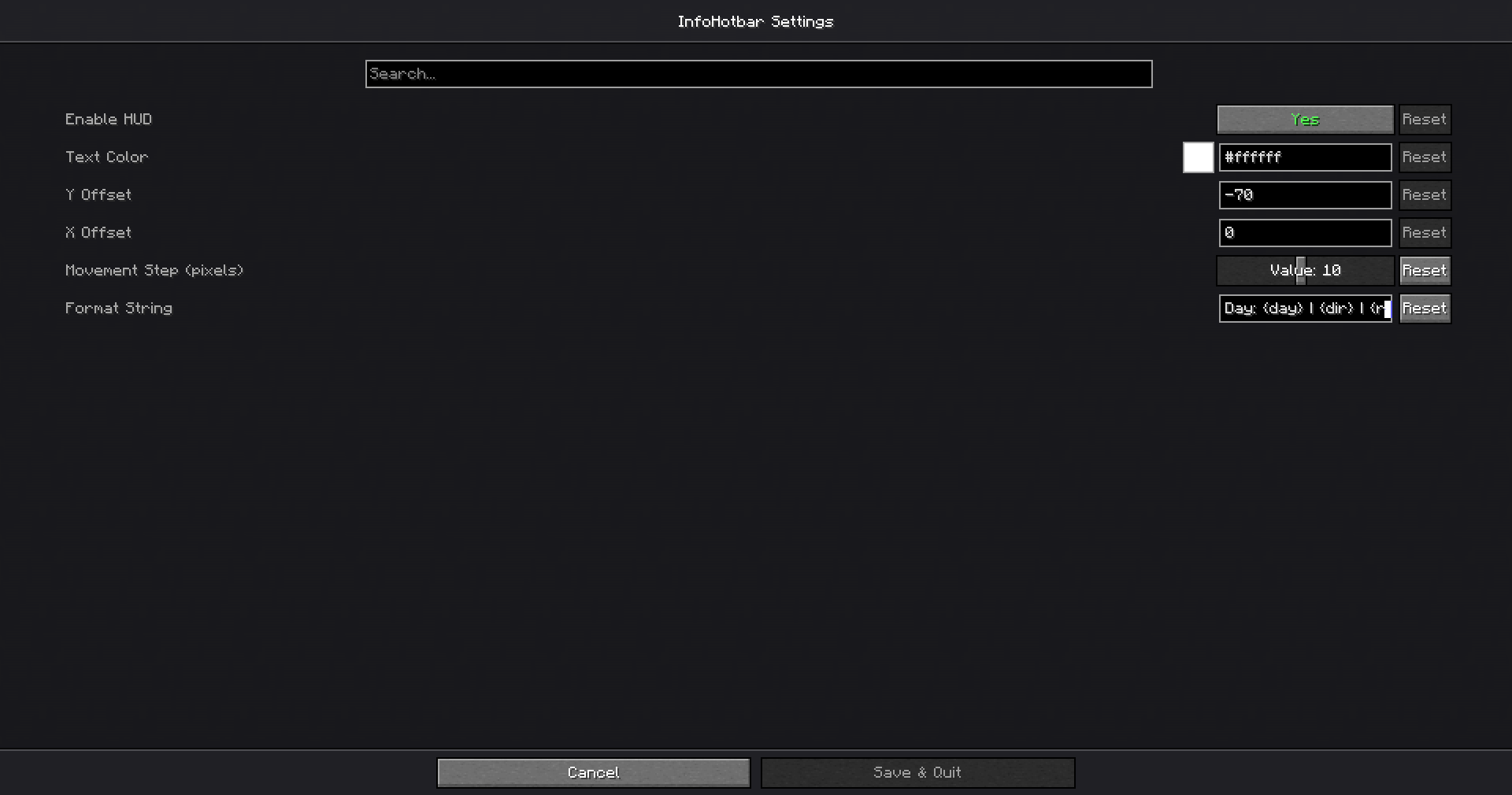
- Fully Customizable: Change text color (supports RGB & Hex), position, and format via an easy-to-use settings menu.
- Smart Placeholders: Customize the information you want to see:
{x},{y},{z}– Coordinates{dir}– Cardinal direction (N, S, E, W){biome}– Current biome name{realtime}– Your local PC time{gametime}– In-game time (HH:MM){light}– Current block light level (useful for spawn proofing!){nether}– Smart conversion (shows Nether coords in Overworld and vice versa){fps}– Player FPS Counter{day}– Current number of days lived by the player- Localization: Fully translated into English 🇺🇸 and Russian 🇷u.
⚙️ Configuration
Press your assigned key (or use Mod Menu) to open settings.
You can use the Format String field to design your own HUD.
Example formats:
XYZ: {x} {y} {z} | {dir}{realtime} | Light: {light} | {biome}
📥 Installation
- Download and install Fabric Loader.
- Download InfoHotbar.
- Required Dependencies:
- Fabric API
- Cloth Config API (For settings screen)
- Mod Menu (To access settings)
- Drop the
.jarfiles into yourmodsfolder.
📜 License
This mod is available under the MIT License. Feel free to use it in your modpacks!
常见问题
InfoHotbar 支持哪些 Minecraft 版本?
InfoHotbar 支持 Minecraft Java 版 1.20.1–1.21.11,共 17 个版本,可用的加载器:Fabric。下载时注意选择和你游戏版本一致的文件。
InfoHotbar 怎么安装?
先用 PCL2 或 HMCL 启动器安装对应版本的 Fabric,再把下载的 .jar 文件放进游戏目录的 mods 文件夹,重新启动游戏即可。开启了版本隔离的,mods 文件夹在 versions/版本名 下面。运行环境:仅客户端。
评论
登录后评论和评分