Infinity Nexus Utils – Terraformer
Terraform, Destroy, Mine or Build with this Terraforming terrain mod
介绍
Infinity Nexus Utils – Terraformer
Description
Imagine having a magical tool that can automatically transform large areas of your Minecraft world! Infinity Nexus Utils adds the Terraformer, an amazing block that does exactly that.
What does it do?
🏗️ Builds automatically: Put blocks from your inventory and the Terraformer builds entire structures by itself!
🗑️ Clears areas: Want to clear some land? The Terraformer removes all blocks from a defined area.
⛏️ Mines automatically: Let the Terraformer mine and collect blocks from large areas effortlessly.
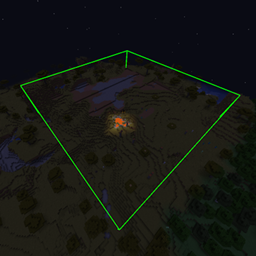
📏 Total control: Define exactly which area you want to work on – from small spaces to giant structures!
How does it work?
- Place the block in the world
- Configure the area you want to modify
- Add the upgrades you need
- Activate and relax – the Terraformer does all the work!
Available upgrades:
- Range: Increases the size of the work area
- Clear: Removes blocks automatically
- Placer: Places blocks from your inventory
- Miner: Extracts and collects blocks
- Speed: Makes the Terraformer work faster
- Energy Efficiency: Reduces energy consumption
- Muffler: Reduces or silences the Terraformer’s sound
- Pusher: Automatically pushes items to connected containers
Perfect for:
- Building giant bases quickly
- Clearing terrain for construction
- Mining large areas automatically
- Creating complex structures without manual work
Requirements:
- Minecraft 1.21.1
- NeoForge
- Infinity Nexus Core
Transform your Minecraft world easily and fun with Infinity Nexus Utils! 🚀✨
常见问题
Infinity Nexus Utils – Terraformer 支持哪些 Minecraft 版本?
Infinity Nexus Utils – Terraformer 支持 Minecraft Java 版 1.21.1–26.1.2,共 2 个版本,可用的加载器:NeoForge。下载时注意选择和你游戏版本一致的文件。
Infinity Nexus Utils – Terraformer 怎么安装?
先用 PCL2 或 HMCL 启动器安装对应版本的 NeoForge,再把下载的 .jar 文件放进游戏目录的 mods 文件夹,重新启动游戏即可。开启了版本隔离的,mods 文件夹在 versions/版本名 下面。
Reavik 的其他作品
查看全部 →
Infinity Nexus Core
Infinity 系列模组的前置库

Infinity Nexus Miner
一家能开采一切的采矿公司!

Infinity Nexus Machines
一个简单的机器模组。
Infinity Mining Dimension
一个配置完善的采矿维度。
评论
登录后评论和评分