截图
介绍
中文介绍正在准备中,下面暂时显示原文。
Client Name Changer Tutorial
Welcome to Client Name Changer!
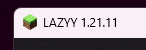
This mod lets you replace the default Minecraft client name with your own custom name. You can personalize the title screen, window title, and other supported UI text without editing any code.
How to Use
- Install the mod in your “mods” folder.
- Launch Minecraft once.
- Open the “config” folder.
- Open “customname.json”.
- Change the value of “clientName” to any name you want.
Example:
{
“clientName”: “Lazyy”
}
- Save the file.
- Restart Minecraft.
Your custom name will now appear in the supported places throughout the client.
Notes
- Client-side only.
- Does not change your Minecraft account username.
- Does not affect multiplayer compatibility.
- Works with any custom name you choose.
Enjoy customizing your Minecraft client!
常见问题
In-game-name-changer IGNC 支持哪些 Minecraft 版本?
In-game-name-changer IGNC 支持 Minecraft Java 版 1.21.11,可用的加载器:Fabric。下载时注意选择和你游戏版本一致的文件。
In-game-name-changer IGNC 怎么安装?
先用 PCL2 或 HMCL 启动器安装对应版本的 Fabric,再把下载的 .jar 文件放进游戏目录的 mods 文件夹,重新启动游戏即可。开启了版本隔离的,mods 文件夹在 versions/版本名 下面。运行环境:仅客户端。
评论
登录后评论和评分