
Improved F3
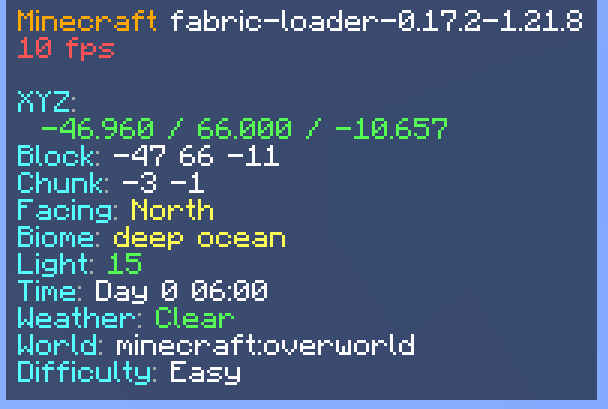
This project is an improved F3 Menu with different translations and toggles in the config.
截图
介绍

What is ImprovedF3?
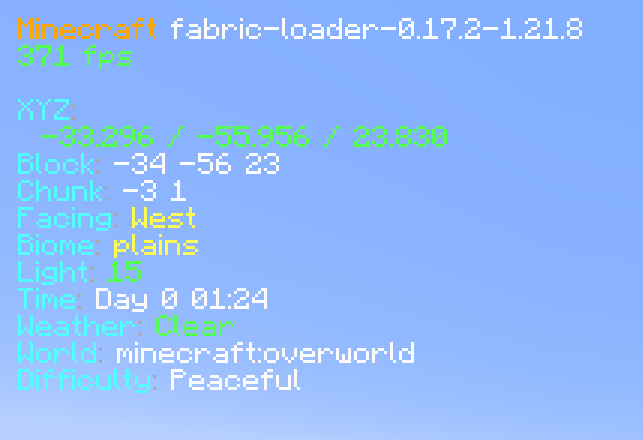
ImprovedF3 is a Fabric mod that completely transforms Minecraft’s F3 debug screen into a beautiful, organized, and highly customizable information display. Say goodbye to the cluttered vanilla F3 screen!
✨ Key Features
🎨 Visual Improvements
- Semi-transparent backgrounds for better readability
- Smart color coding for instant information recognition:
- 🟢 Green for high FPS (60+) and safe light levels
- 🟡 Yellow for medium FPS (30-59) and moderate values
- 🔴 Red for low FPS (<30) and dangerous light levels
- 🟣 Purple for memory information
- 🔵 Cyan for labels and system info
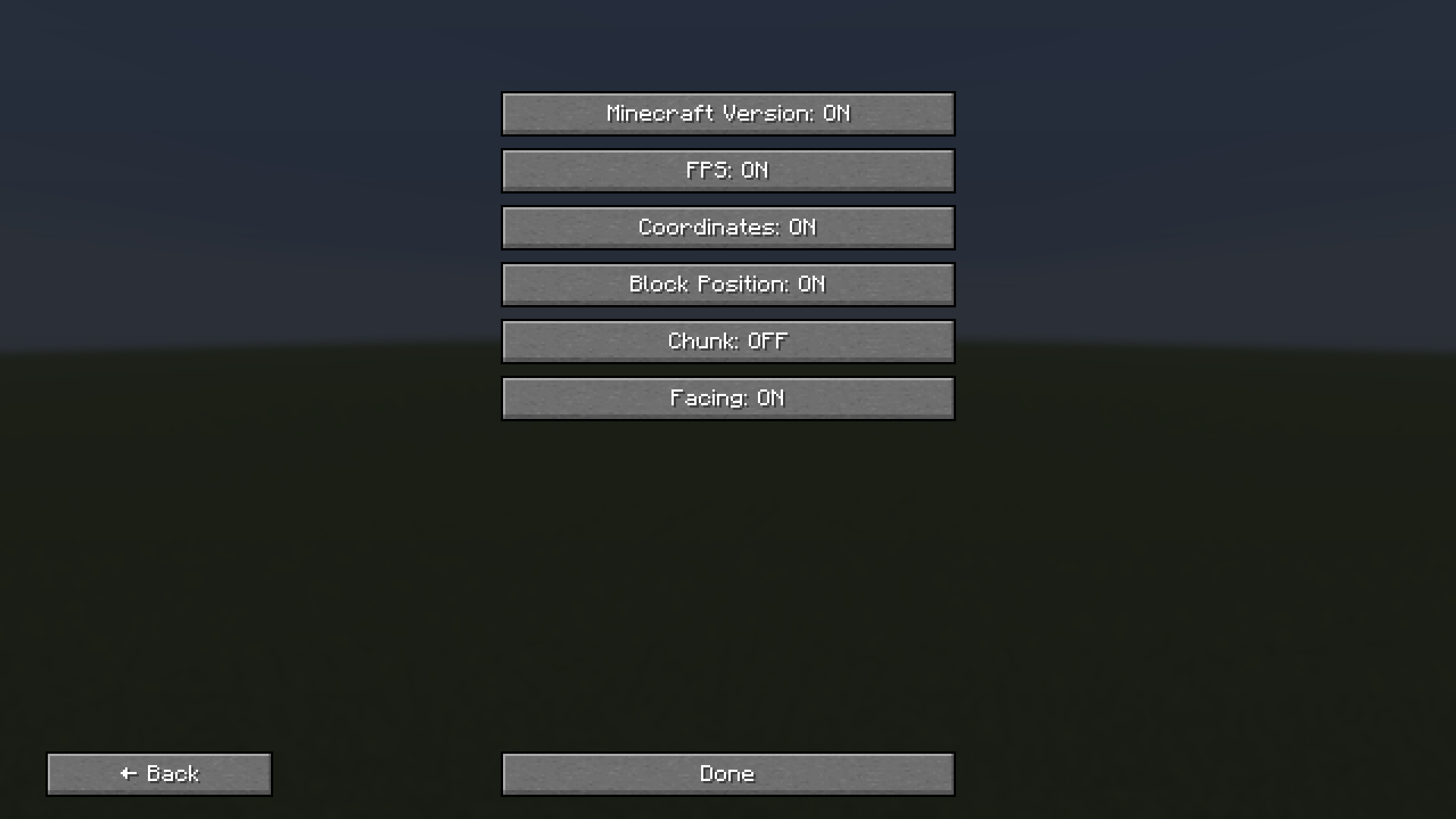
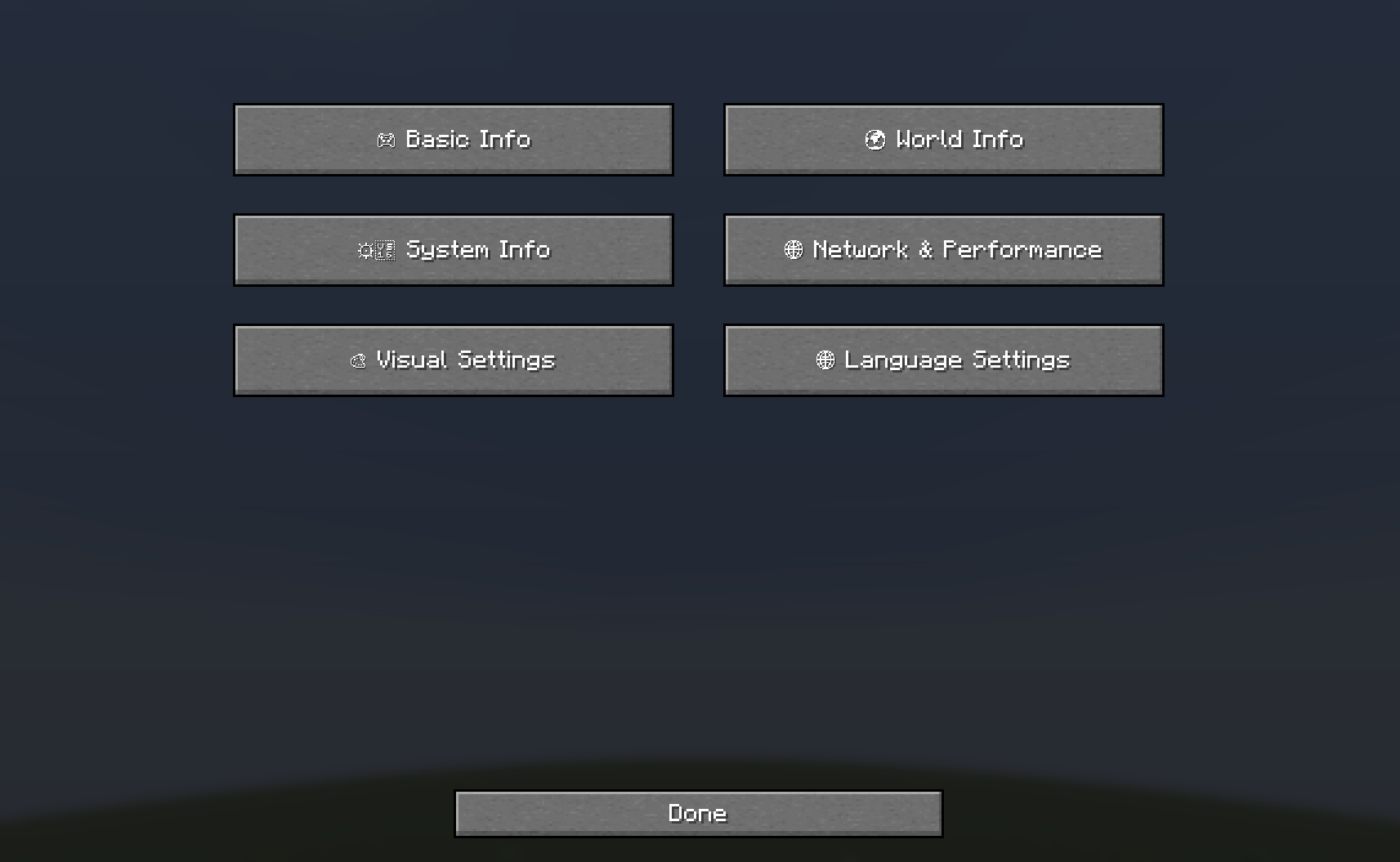
⚙️ Full Customization (Press B!)
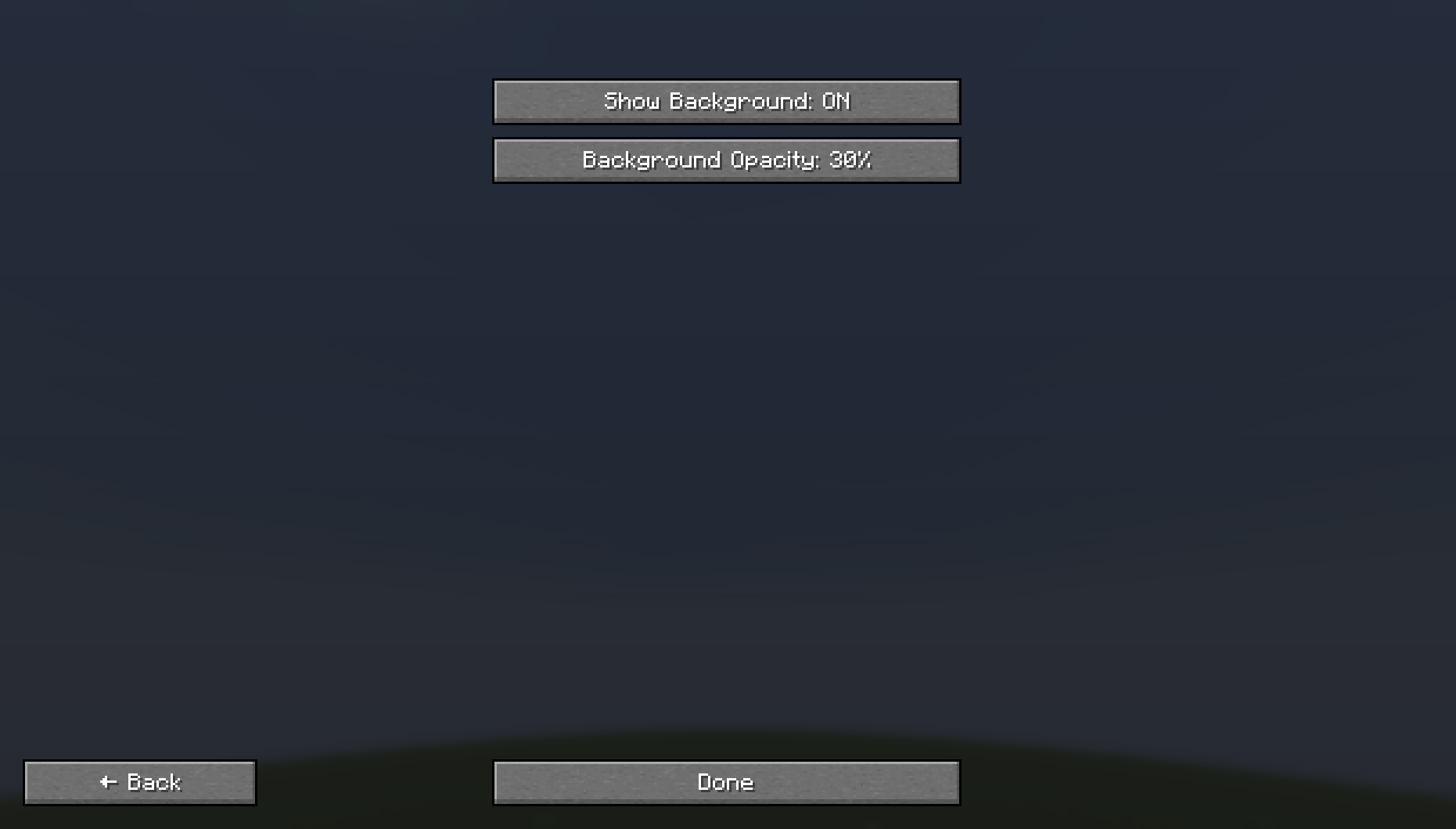
- Toggle Background – Show/hide the semi-transparent panels
- Toggle Any Module – Show/hide individual information pieces
- Many Languages Supported with full translations
- Auto-saving configuration – Your settings persist between sessions
📊 Available Information Modules
🎮 Basic Info
- Minecraft Version
- FPS (with color coding)
- Coordinates (X, Y, Z)
- Block Position
- Chunk coordinates
- Facing direction
🌍 World Info
- Biome (translated)
- Light Level (with safety colors)
- Time & Day
- Weather conditions
- World/Dimension name
- Difficulty setting
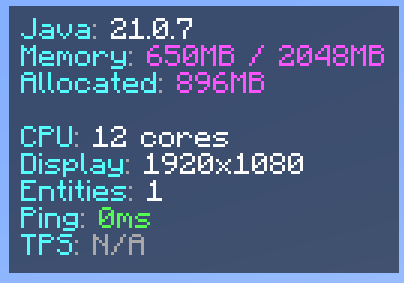
⚙️ System Info
- Java Version
- Memory usage
- Allocated memory
- CPU cores
- Display resolution
🌐 Network & Performance
- Entity count
- Ping (in multiplayer)
- TPS (server performance)
🎛️ Configuration Options
Organized Submenus:
- 🎮 Basic Info – Core game information
- 🌍 World Info – World and environment data
- ⚙️ System Info – Hardware and performance
- 🌐 Network & Performance – Multiplayer and server info
- 🎨 Visual Settings – Background and display options
- 🌐 Language Settings – Multi-language support
Supported Languages:
- English, Deutsch, Polski, Українська, Русский
- Türkçe, हिन्दी, 中文, Español, Português
- Français, اردو, Bahasa Indonesia, తెలుగు
🚀 How to Use
- Press F3 – Toggle the enhanced debug screen
- Press B – Open the configuration menu
- Navigate submenus – Choose what information to display
- Toggle modules – Show/hide specific information
- Change language – Full translation support
🎯 Perfect For
- Content Creaters – Clean, professional debug display
- Technical Players – Comprehensive system information
- Multiplayer – Network performance monitoring
- Mod Developers – Detailed debugging information
- Anyone who wants a better F3 experience!
Transform your F3 screen from cluttered chaos to organized beauty! 🎨✨
常见问题
Improved F3 支持哪些 Minecraft 版本?
Improved F3 支持 Minecraft Java 版 1.21.6–26.3,共 8 个版本,可用的加载器:Fabric。下载时注意选择和你游戏版本一致的文件。
Improved F3 怎么安装?
先用 PCL2 或 HMCL 启动器安装对应版本的 Fabric,再把下载的 .jar 文件放进游戏目录的 mods 文件夹,重新启动游戏即可。开启了版本隔离的,mods 文件夹在 versions/版本名 下面。运行环境:仅客户端。
dreamiiing 的其他作品
查看全部 →
Day/Night Progress Bar
A sleek client-side HUD mod that displays the current day/night cycle progress with beautiful sun and moon indicators. Features customizable positioning, size scaling, weather effects, and an easy F8 configuration menu.

Optimizer MAX
The only optimization modpack you really need. Perfect for performance.

Calculator
This project adds a command that allows you to complete math calculations inside your game.

Not Enough Weapons
Not Enough Weapons is a Minecraft Fabric mod that adds custom weapons to the game. The vanilla game clearly does not have enough.
评论
登录后评论和评分