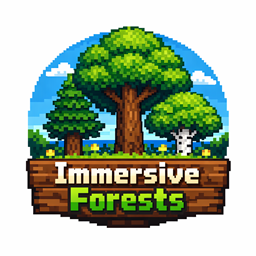
截图


介绍
ImmersiveForests
ImmersiveForests is a simple Minecraft mod that makes trees bigger, fuller, and more impressive — without changing any recipes or game mechanics.
What It Does
By default, all naturally generated trees are significantly larger than vanilla:
- Taller trunks — tree trunks grow about 2× taller, making forests feel genuinely towering
- Wider canopies — foliage spreads roughly 1.5× further horizontally, creating dense, lush treetops
- Fuller crowns — leaf layers extend higher vertically as well, for a rounder, more natural silhouette
- Extended leaf decay — when a tree is cut down, leaves decay over a wider range to match the larger canopy size
All of these values are fully configurable in the config file, so you can dial the size up or down to your preference.
Optional Features
- Transparent Leaves — a config toggle that makes leaves no longer block light, letting sunlight filter through the canopy to the forest floor
Config
The config file immersiveforests.json is generated on first launch and lets you individually adjust:
| Option | Default | Description |
|---|---|---|
TrunkBonus |
2.0 | Trunk height multiplier |
FoliageHorizontalBonus |
1.5 | Canopy width multiplier |
FoliageVerticalBonus |
1.5 | Canopy height multiplier |
FoliageDecayRangeBonus |
1.5 | Leaf decay distance multiplier |
LeavesNoLongerBlockLight |
false | Make leaves transparent to light |
Note
- The extension may cause unexpected behaviors with mods that make leaf decay faster.
- You won’t want to set TrunkBonus too high, as that will make the spruce trees look really hideous.
Accelerated Decay compatibility is already built-in. If you find issues with other mods, feel free to leave a note here.
常见问题
ImmersiveForests 支持哪些 Minecraft 版本?
ImmersiveForests 支持 Minecraft Java 版 1.16.5–1.21.11,共 4 个版本,可用的加载器:Forge / NeoForge。下载时注意选择和你游戏版本一致的文件。
ImmersiveForests 怎么安装?
先用 PCL2 或 HMCL 启动器安装对应版本的 Forge / NeoForge,再把下载的 .jar 文件放进游戏目录的 mods 文件夹,重新启动游戏即可。开启了版本隔离的,mods 文件夹在 versions/版本名 下面。
_nArUTo_ 的其他作品
查看全部 →
Redirector [Modern]
重定向代码中 Enum#values() 的内存分配,提升游戏性能。
Dimensional Sync Fixes
修复玩家切换维度时药水/经验同步问题。

Sparse Structures Reforged
让所有结构分布得更分散(本质上就是让它们更稀有),使探索更具挑战性、减少重复感。
DespawnTweaker
更好的 Let Me Despawn 优化 | 不允许刷怪笼生成的生物消失
评论
登录后评论和评分