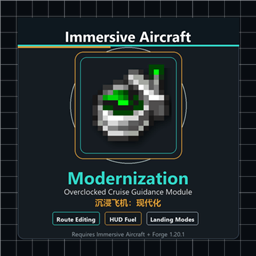
ImmersiveAircraftModernization
Immersive_Aircraft_Modernization adds the Overclocked Cruise Guidance Module for Immersive Aircraft.
介绍
沉浸飞机:现代化/Immersive_Aircraft_Modernization
核心功能
– 为沉浸式飞机增加超频巡导模块。支持全飞机全自动导航。
【航线与预加载】
– 模块可安装到沉浸飞机升级槽,也可手持模块右键编辑航线数据。
– 支持多航线编辑命名、飞行高度、多节点等,建议游戏内查看。
– 每条航线可独立设置巡航模式、路线预加载模式和降落策略。
– 路线预加载可以大幅降低高速飞行下的性能消耗。包含三种模式:不加载、直线飞行(三格宽)和 L 形飞行(单格宽)。
– 预加载模式下均有加载保护,前方必要区块未加载时自动降低速度;性能不足或高速飞行建议开启 L 形飞行预加载。
– 降落策略飞机可选正常降落和盘旋,飞艇额外有垂直降落。
– 巡航模式有超加速、加速、普通、节能四档模式。
– 各种功能已适配多人乘坐飞机,且多人乘坐飞机时,驾驶员下线会转让驾驶权。
【损毁保护】
-安装了超频模块的飞机目前可以启用2种飞机损毁保护,全局常驻或者仅限导航模式下。
-损毁保护类似飞机的不死图腾,默认充能冷却时间为200秒。
-飞机损毁时,飞机回复至满血并获得三秒无敌,并进入充能冷却。
【按键绑定】
– 模块本身会显示当前绑定的导航按钮,包含状态刷新、航线图开关和导航开关。均可自行调整。
– 其中状态刷新按钮可以强制刷新当前飞机实体,可能在异常情况下飞机卡死时有用。
– 默认绑定键位分别为:打开导航页<,>、启动导航<.>、刷新飞机状态<ALT+导航键>。
【HUD 信息】
– 显示速度、燃料数量、燃料剩余时间和飞行剩余时间。
– 飞行剩余时间按水平距离/速度估算,并显示当前航线及上下站信息。
– 支持普通燃料和液体燃料容器。
– 支持多人驾驶位权限、乘客只读信息界面、撞击保护、精细降落控制和成就进度。
【模组配置】
– 超加速、加速、普通、节能四档模式的动力加成和燃料消耗可在配置中自定义。
– 飞艇、汽艇等可悬停类的巡航水平速度上限可配置;设为 0 表示不限制。
Core Features
– Adds an overclocked cruise guidance module to Immersive Aircraft, supporting fully automatic navigation for all aircraft.
【Routes & Preloading】
– Install the module in an Immersive Aircraft upgrade slot, or edit route data while holding the module.
– Supports editing and naming multiple routes, setting flight altitude, and configuring multiple waypoints; see the in-game interface for details.
– Each route can independently configure its cruise mode, route preloading mode, and landing strategy.
– Route preloading can greatly reduce performance overhead during high-speed flight. It offers three modes: None, Three-wide flight (three chunks wide), and L-shaped flight (one chunk wide).
– All preloading modes include load protection: when the required chunks ahead are not loaded, the aircraft automatically reduces speed. L-shaped preloading is recommended when performance is limited or when flying at high speed.
– Aircraft can choose normal landing or holding pattern; airships additionally support vertical landing.
– Cruise modes include Super Acceleration, Acceleration, Normal, and Eco.
– All features are adapted for aircraft carrying multiple passengers, and when the pilot logs out of a multiplayer aircraft, pilot control is handed over to the remaining passenger.
【Damage Protection】
– Aircraft with the overclock module installed can enable 2 kinds of damage protection: always active, or only while navigation is running.
– It works like a totem of undying for the aircraft; the default recharge cooldown is 200 seconds.
– When the aircraft would be destroyed, it recovers to full health, becomes invulnerable for three seconds, and then enters the recharge cooldown.
【Key Bindings】
– The module itself shows the currently bound navigation keys, including state refresh, route screen toggle, and navigation toggle. All of them can be adjusted as you like.
– The state refresh key can force-refresh the current aircraft entity, which may help when the aircraft is stuck in abnormal situations.
– The default key bindings are: open navigation page <,>, start navigation <.>, refresh aircraft state <ALT + navigation key>.
【HUD Information】
– Displays speed, fuel amount, fuel time remaining, and flight time remaining.
– Flight time is estimated from horizontal distance and speed; the HUD also shows the current route and neighboring stops.
– Supports item fuel and liquid fuel containers.
– Includes multiplayer pilot permissions, passenger read-only information, collision protection, precise landing control, and advancements.
【Mod Configuration】
– Power bonuses and fuel consumption for the Super Acceleration, Acceleration, Normal, and Eco modes can be customized in the configuration.
– The cruise horizontal speed limit for airships, airboats, and other hovering vehicles can be configured; 0 disables the limit.
常见问题
ImmersiveAircraftModernization 支持哪些 Minecraft 版本?
ImmersiveAircraftModernization 支持 Minecraft Java 版 1.20–1.21.1,共 4 个版本,可用的加载器:Forge / NeoForge。下载时注意选择和你游戏版本一致的文件。
ImmersiveAircraftModernization 怎么安装?
先用 PCL2 或 HMCL 启动器安装对应版本的 Forge / NeoForge,再把下载的 .jar 文件放进游戏目录的 mods 文件夹,重新启动游戏即可。开启了版本隔离的,mods 文件夹在 versions/版本名 下面。
jccy 的其他作品
查看全部 →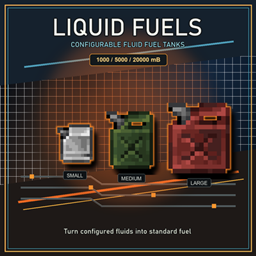
Liquid_Fuels
高度可自定义的液体转常规燃料方案,以及一款兼容其他模组的通用容器。
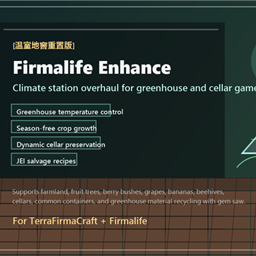
FirmalifeEnhance
Compatibility add-on for TerraFirmaCraft + Firmalife. Adds climate control for greenhouse farmland, removes seasonal growth limits in greenhouses, improves cellar preservation, and adds JEI-visible greenhouse salvage recipes.

TFCElectricCooking
The TFC advanced cooking machine based on TFC + IE + firmalife: oven and saucepan.
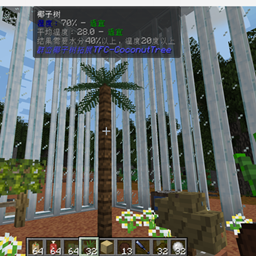
TFCCoconutTree
Coconut trees have been added to TFC.
评论
登录后评论和评分