
Immersive Enchantment
Immersive Enchantment completely overhauls the process of enchanting to make it more immersive and engaging through mini-games and more complex processes.
截图
介绍
Immersive Enchanting
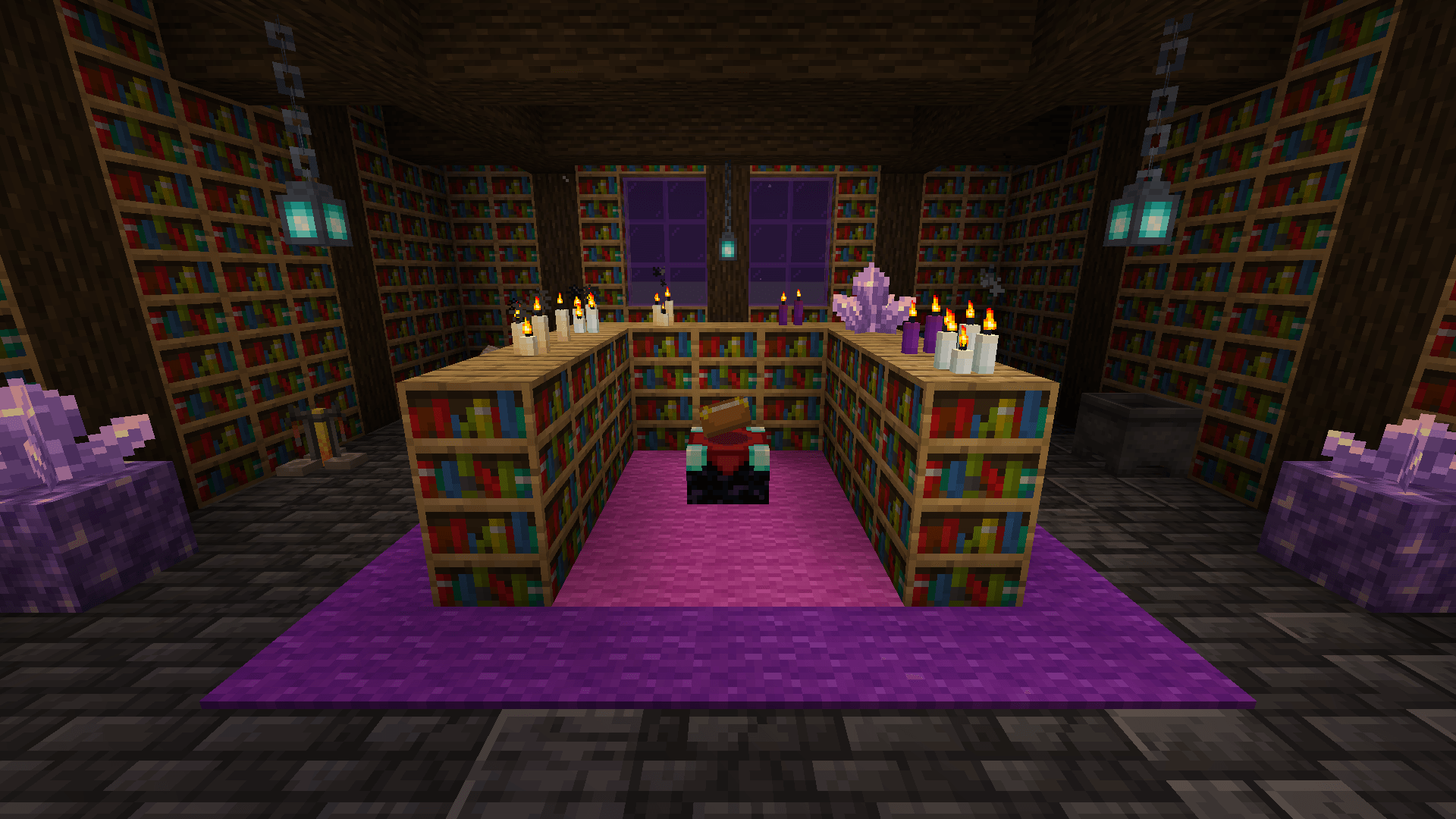
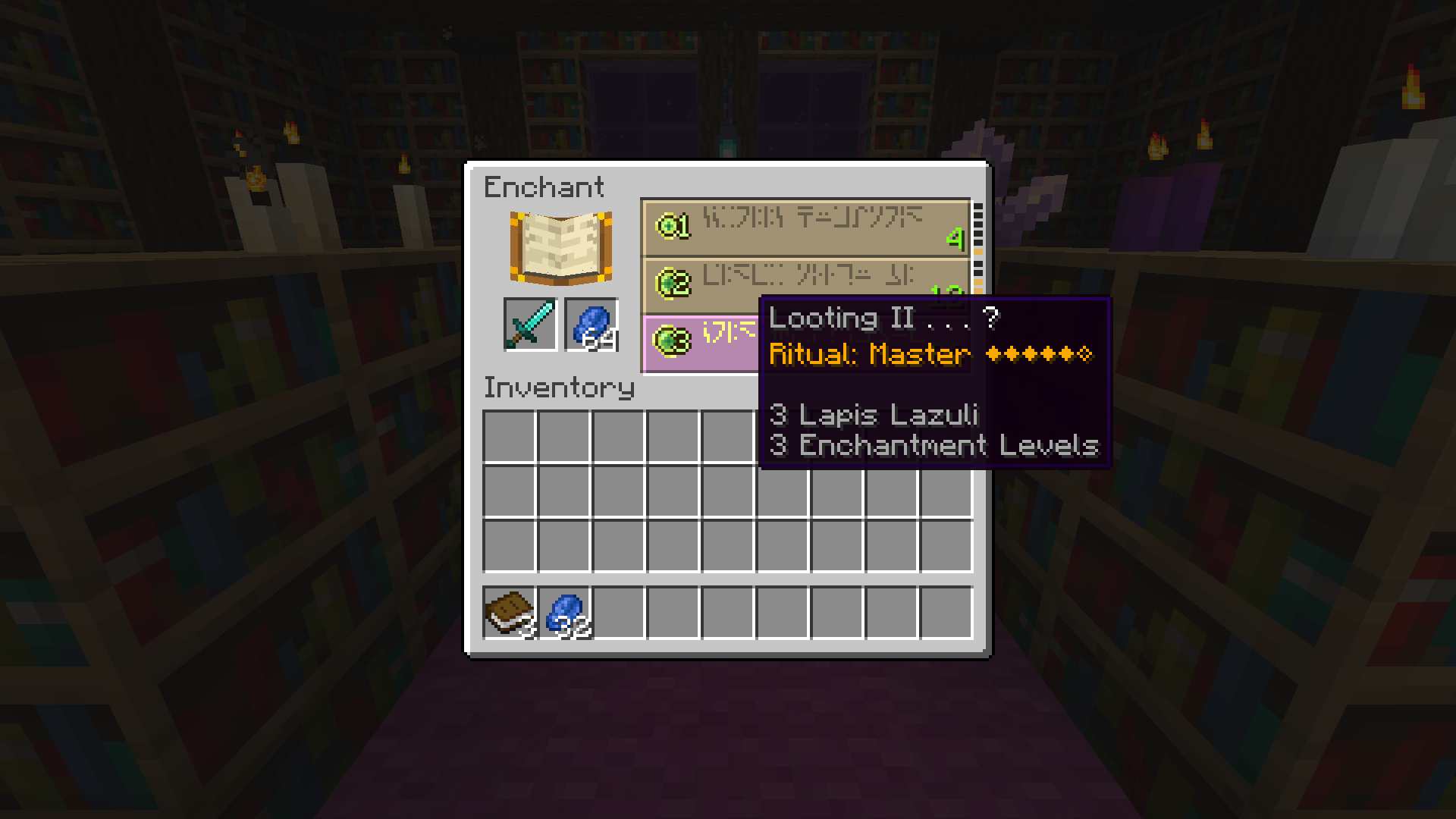
Make the magic happen yourself. Immersive Enchanting turns each enchanting table choice into a short rune-binding ritual. You still place an item or book in the table, add lapis, and choose one of the familiar three offers. Instead of enchanting instantly, that choice starts a sequence of runes that you bind with well-timed key presses. There is no new table to craft.
The table decides which enchantments you would receive. Your performance decides how much of that magic takes hold. A clean ritual preserves the full result; a rough one may weaken it or fail entirely. You cannot use the ritual to pick a different enchantment or get a higher level than the table rolled.
How to play
- Use an enchanting table as usual. Place an enchantable item or book and lapis in the table, then click an offer.
- Watch the count-in. The ritual begins after three visual beats, giving you a moment to get ready.
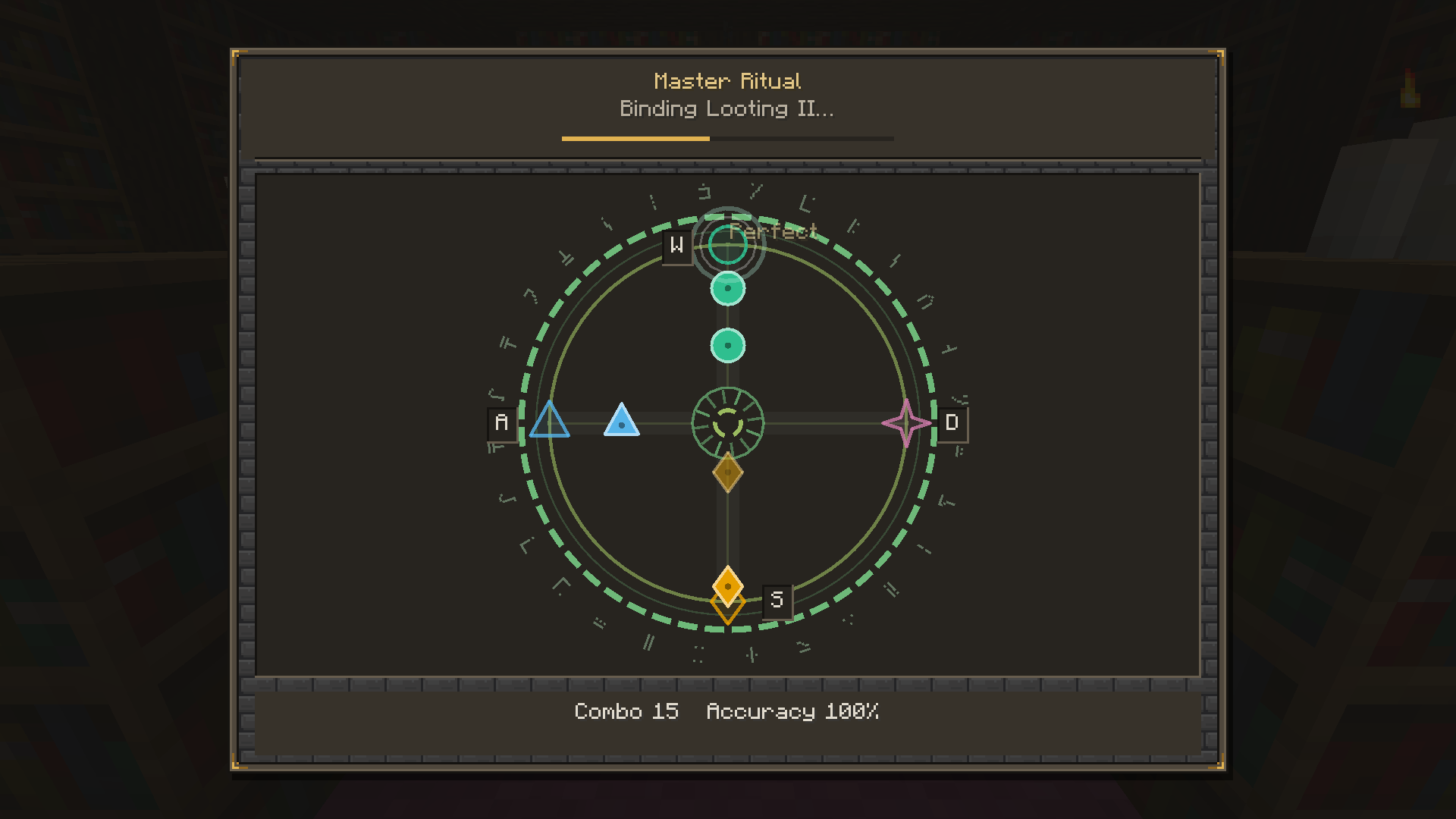
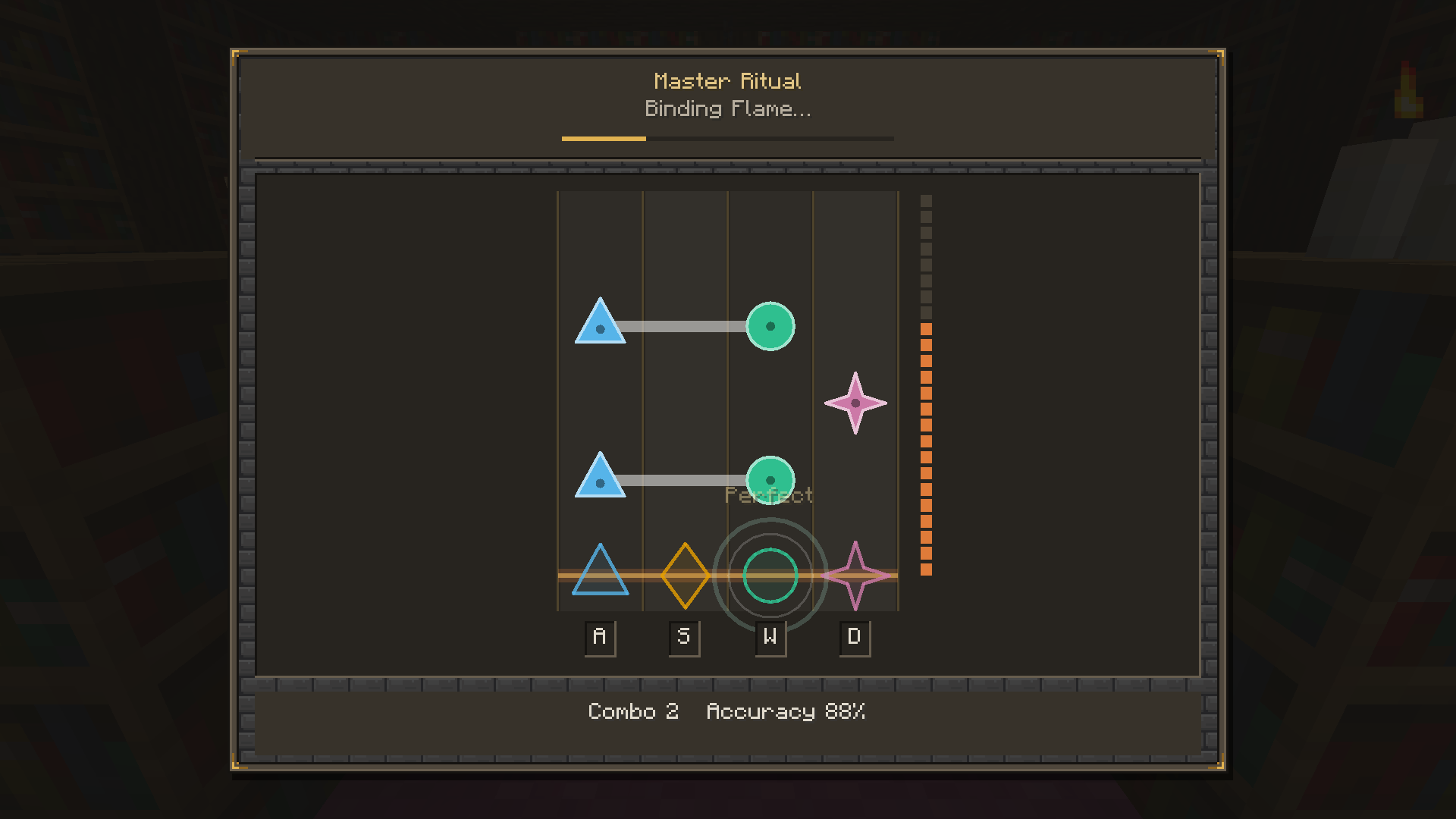
- Bind the runes. Runes move toward three or four marked positions. Press the matching key when a rune reaches its position.
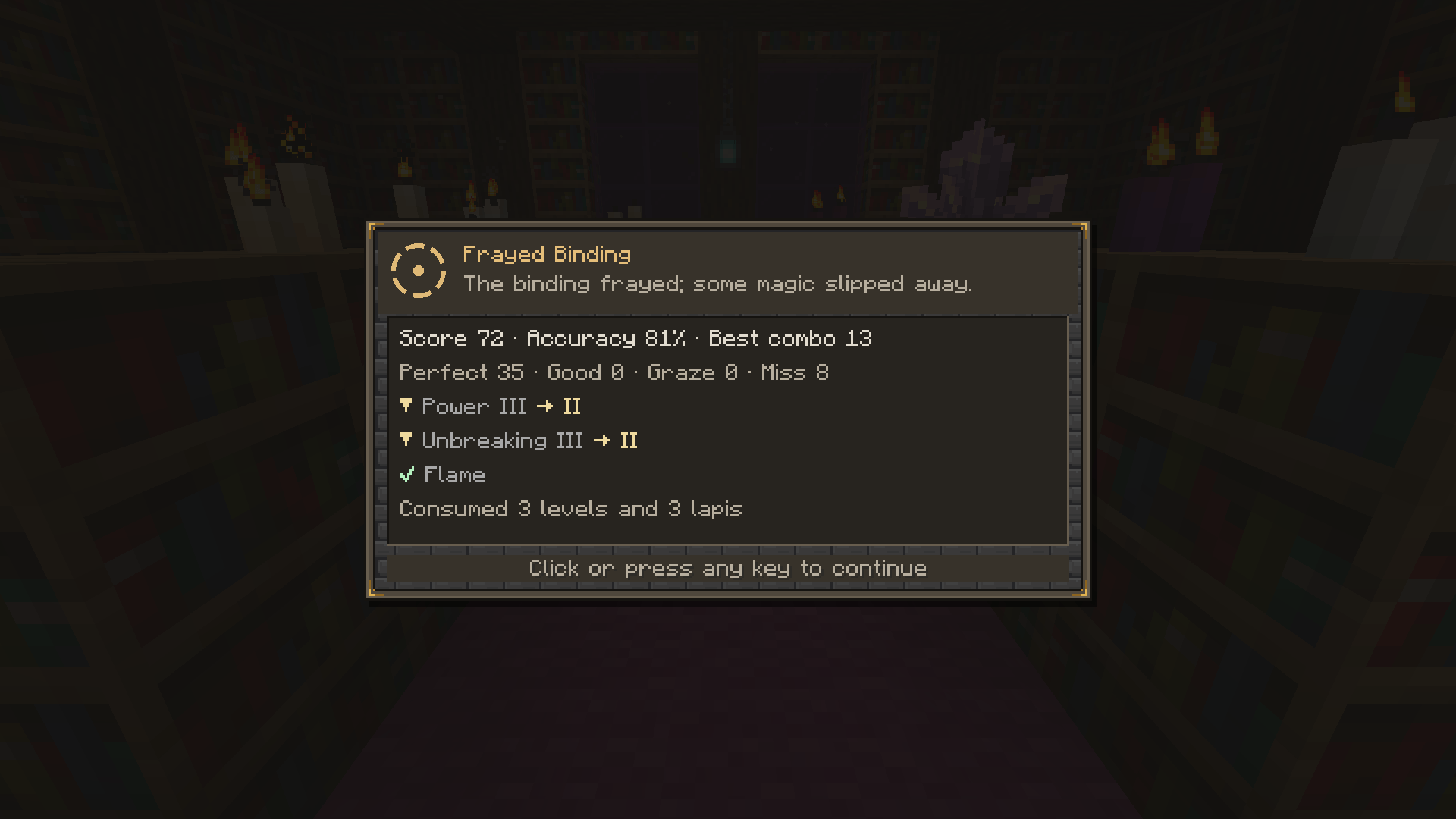
- See what happened. The result screen shows your score, which enchantments were kept or weakened, which were lost, and what you spent.
Runes ask for three kinds of input:
- Tap: Press the matching key as the rune arrives.
- Hold: Press as the rune arrives, keep the key down while its trail passes, and release at the end.
- Chord: Press the two marked keys together when their runes arrive.
The default keys are A for left, W for up, D for right, and S for down when a fourth position appears. Lower difficulty rituals use three positions and leave out S. You can change the keys under Options > Controls > Immersive Enchanting. The ritual labels each position with your current key, so you do not have to memorize the defaults.
Your timing receives a Perfect, Good, Graze, or Miss judgement. Accurate hits, a good streak, and steady play all help your final score. One missed rune does not automatically ruin the whole enchantment.
What your performance changes
Every enchantment starts with the table’s actual roll. The ritual can keep that roll, weaken it, or lose part of it, but never add a new enchantment.
- Perfect Binding, score 90 to 100: Keeps the entire roll, with extra visual and sound effects to celebrate it.
- Stable Binding, score 80 to 89: Keeps the entire roll.
- Frayed Binding, score 65 to 79: Keeps a weakened version. Some enchantment levels may drop or extra enchantments may slip away.
- Weak Binding, score 50 to 64: Keeps a smaller portion of the roll.
- Failed Binding, score 35 to 49: Nothing is enchanted.
- Shattered Binding, score below 35: Nothing is enchanted.
On a Frayed or Weak binding, the enchantment hinted at by the offer is protected until the other enchantments have been weakened or removed. It still survives at no less than its lowest available level. The result screen spells out exactly what happened to each enchantment, including any that were hidden in the offer.
These score ranges are the defaults. A server can adjust them.
Stronger magic, harder rituals
Ritual difficulty grows with the enchantments the table actually rolled. Higher enchantment levels, rarer magic, and offers containing several enchantments can lead to longer, faster patterns with tighter timing. More advanced rituals introduce holds and then chords.
There are six difficulty tiers: Initiate, Apprentice, Adept, Expert, Master, and Arcane. An Initiate ritual usually has around 12 to 16 runes, while an Arcane ritual can have around 44 to 60. Before choosing, you can see a small difficulty gauge beside each offer and its tier in the offer tooltip. This shows how demanding the ritual will be without revealing the offer’s hidden enchantments.
Costs and leaving a ritual
Successful bindings use the selected offer’s normal experience and lapis cost. At a regular enchanting table, the three offers consume one, two, or three levels and the same number of lapis. The larger level shown on an offer is the level you need to select it, not the number of levels you lose.
Failures have a cost by default. A failed or abandoned ritual consumes the offer’s normal experience and lapis, and the enchanting offers are rerolled. This keeps difficult rolls from being retried indefinitely for free. Server owners can change failed rituals to cost lapis only or nothing, and can change whether failures reroll offers.
You can press Esc before the first rune arrives to cancel for free. Once the ritual is underway, pressing Esc asks for a second press to confirm that you want to abandon it. Closing the table, disconnecting, or letting a ritual expire after it has started also counts as an abandoned binding.
Practice without spending anything
Type /ritualpractice to try a practice ritual without an enchanting table. It uses the real rune patterns and scoring, but does not enchant an item or spend experience or lapis. Add a difficulty number from 0 to 5 to choose a tier, such as /ritualpractice 0 for Initiate or /ritualpractice 5 for Arcane. Without a number, practice starts at tier 2, Adept.
Set it up your way
The default ritual shows runes moving around a circular sigil. If you prefer a familiar rhythm-game view, switch to Classic Lanes to see them fall toward a binding line. Both layouts use the same patterns and scoring.
Client settings also let you adjust how early runes appear, dim the table behind the ritual, show timing words and numeric scores, reduce motion, use high-contrast runes or a colorblind-friendly palette, adjust ritual sound volume, and turn on a beat cue. Runes have different shapes as well as colors, and the visual count-in means sound is never required. An optional timing assist widens the input windows within the limit set by the server.
For worlds and servers, the configuration can change ritual speed, length, timing, failure costs, score requirements, and whether items or books need rituals. It can also turn the system off to restore ordinary enchanting. Pack makers can customize patterns and how particular enchantments affect difficulty through data packs.
Mod compatibility
Immersive Enchanting uses the enchantments chosen by the table, including enchantments added by other mods. Their normal rules still decide what an offer can contain. You do not need an individual integration for every enchantment mod.
There is dedicated support for Easy Magic 8.x and Apotheosis 7.x. Easy Magic’s persistent table inventory and rerolls continue to work. Apotheosis keeps its own enchanting offers, costs, and table mechanics. Its item infusion recipes require a Stable or Perfect binding; a weaker result leaves the item unchanged and follows the configured failure cost.
The ritual applies to the normal enchanting table and supported enchanting menus. A separate modded enchanting block with its own menu needs its own integration.
Requirements
- Minecraft 1.20.1 with Forge 47.x.
- Install the mod on both the client and server for multiplayer.
- Easy Magic and Apotheosis are optional. Neither is needed to use Immersive Enchanting.
For updates, source code, and feedback, visit the Immersive Enchanting GitHub repository.
常见问题
Immersive Enchantment 支持哪些 Minecraft 版本?
Immersive Enchantment 支持 Minecraft Java 版 1.20.1,可用的加载器:Forge。下载时注意选择和你游戏版本一致的文件。
Immersive Enchantment 怎么安装?
先用 PCL2 或 HMCL 启动器安装对应版本的 Forge,再把下载的 .jar 文件放进游戏目录的 mods 文件夹,重新启动游戏即可。开启了版本隔离的,mods 文件夹在 versions/版本名 下面。
otectus 的其他作品
查看全部 →
Combat Toggle
Combat Toggle 是一款轻量级服务端 PvP 管理模组,要求双方主动同意后才会造成 PvP 伤害,避免意外或不想要的玩家战斗。只有双方都处于战斗模式时,战斗才会生效。

Ars ‘n Spells
Ars ’n Spells 是一款兼容模组,通过整合所有与魔力相关的系统,打通了 Ars Nouveau 和 Iron’s Spells ’n Spellbooks。

Sophisticated Tab
一个简单的模组,整合了 Sophisticated Backpacks 和 Legendary Tabs,让使用更加方便。只需点击标签页,就能从物品栏打开背包;再次点击即可返回物品栏。

Effective Instruments
Effective Instruments 为乐器类模组(Genshin Instruments、Even More Instruments、Immersive Melodies)加入了光环系统。演奏时,附近的队友会获得所选光环的效果;也可以切换为攻击型光环,对范围内所有生物施加减益效果。
评论
登录后评论和评分