
Imagict Hud
Displays the player's head, nickname, coordinates, indicators, etc. on the in-game HUD.
截图
介绍
Note
v1.5.0: The hud scale logic has changed since v1.5.0. The default is 4(or 0), so change hud_scale to 1 -> 0(Auto) or 1 -> 4.
Imagict Hud
Client-side mod that displays the player’s head, nickname, coordinates, indicators, etc. on the in-game HUD.
Please submit issues, improvements, and suggestions here.
The developer is Korean and not proficient in English. We would appreciate it if you could contribute to the translation (PR).
Installation
Note:
- v1.6.0 and above: Non Required, Some Optionals / Optional Sodium 0.6 and above
- v1.5.x and below: Required Fabric-API / Optional Sodium 0.5.x
| Type | Dependencies |
|———-|——————————————————|
| Optional | Sodium |
| Optional | YetAnotherConfigLib |
| Optional | ModMenu (Fabric) |
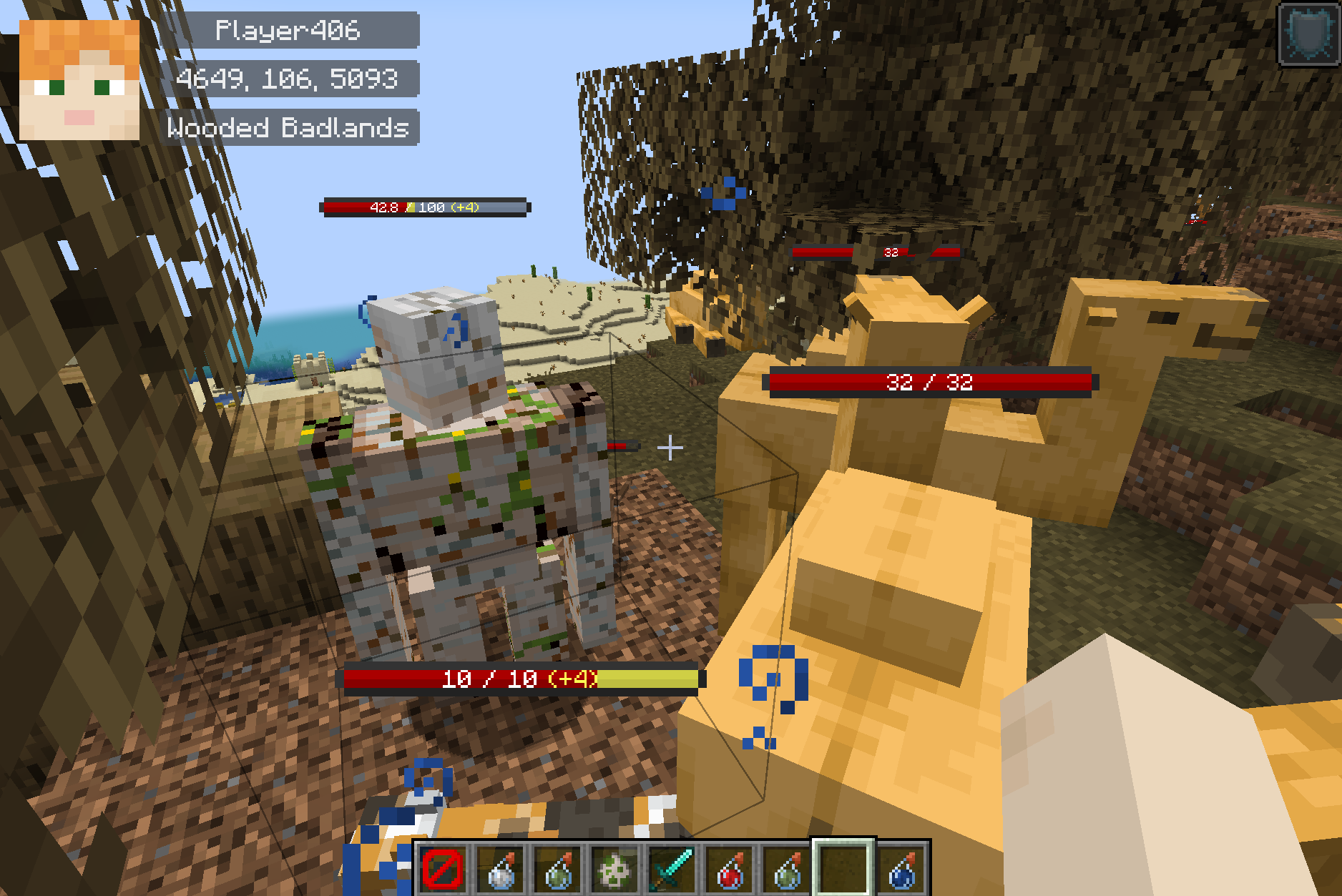
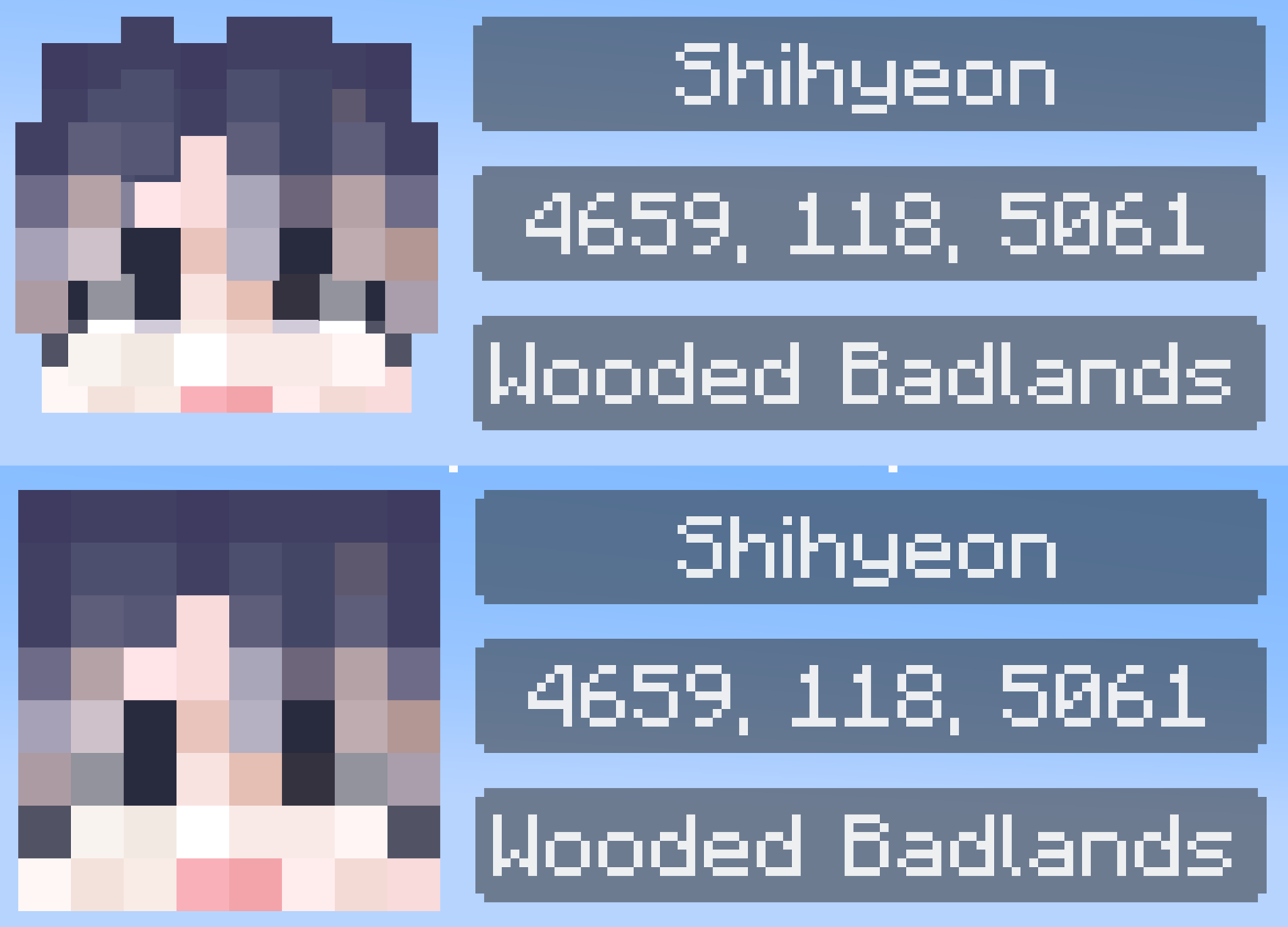
Screenshot
screen
head mode (bold/flat)
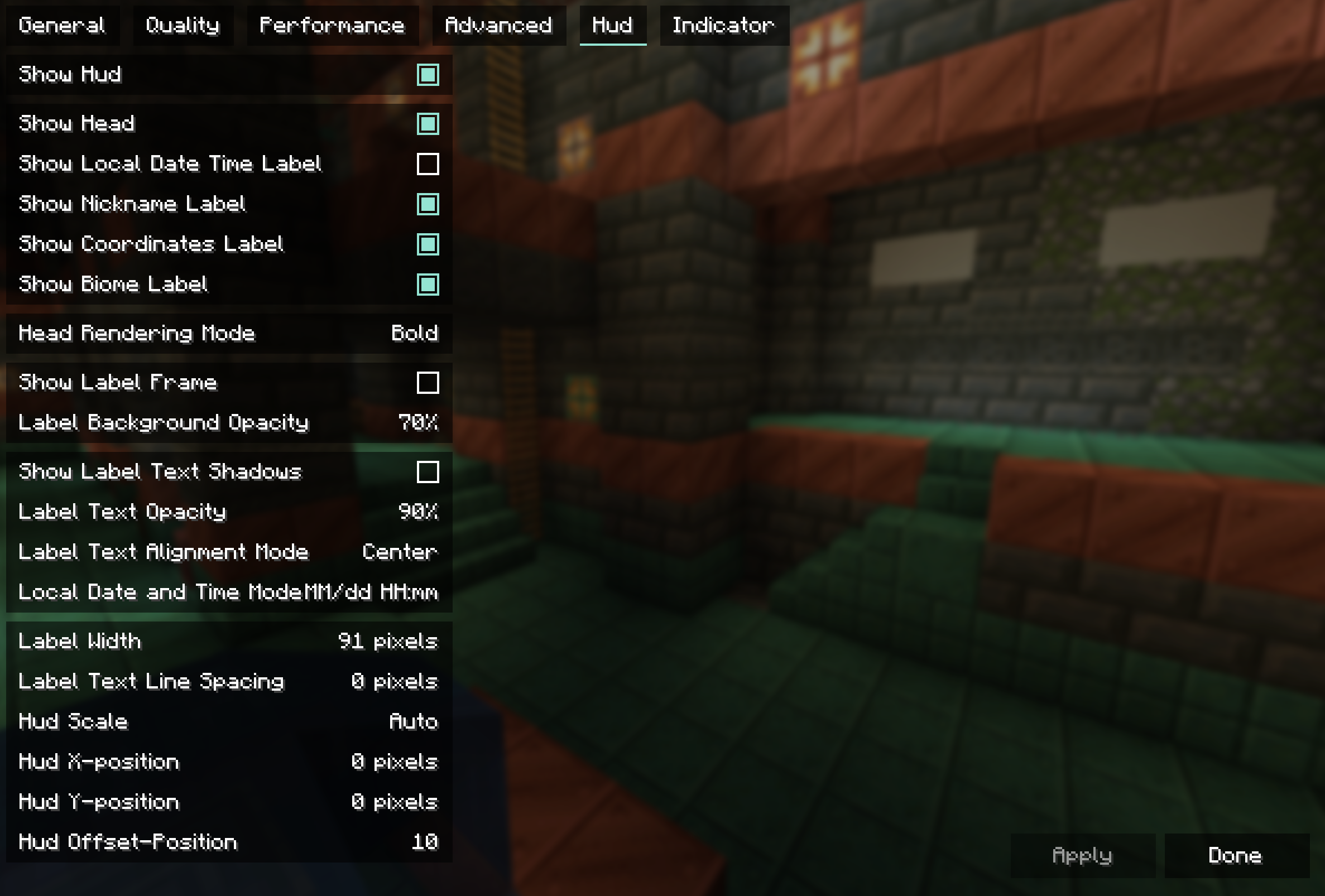
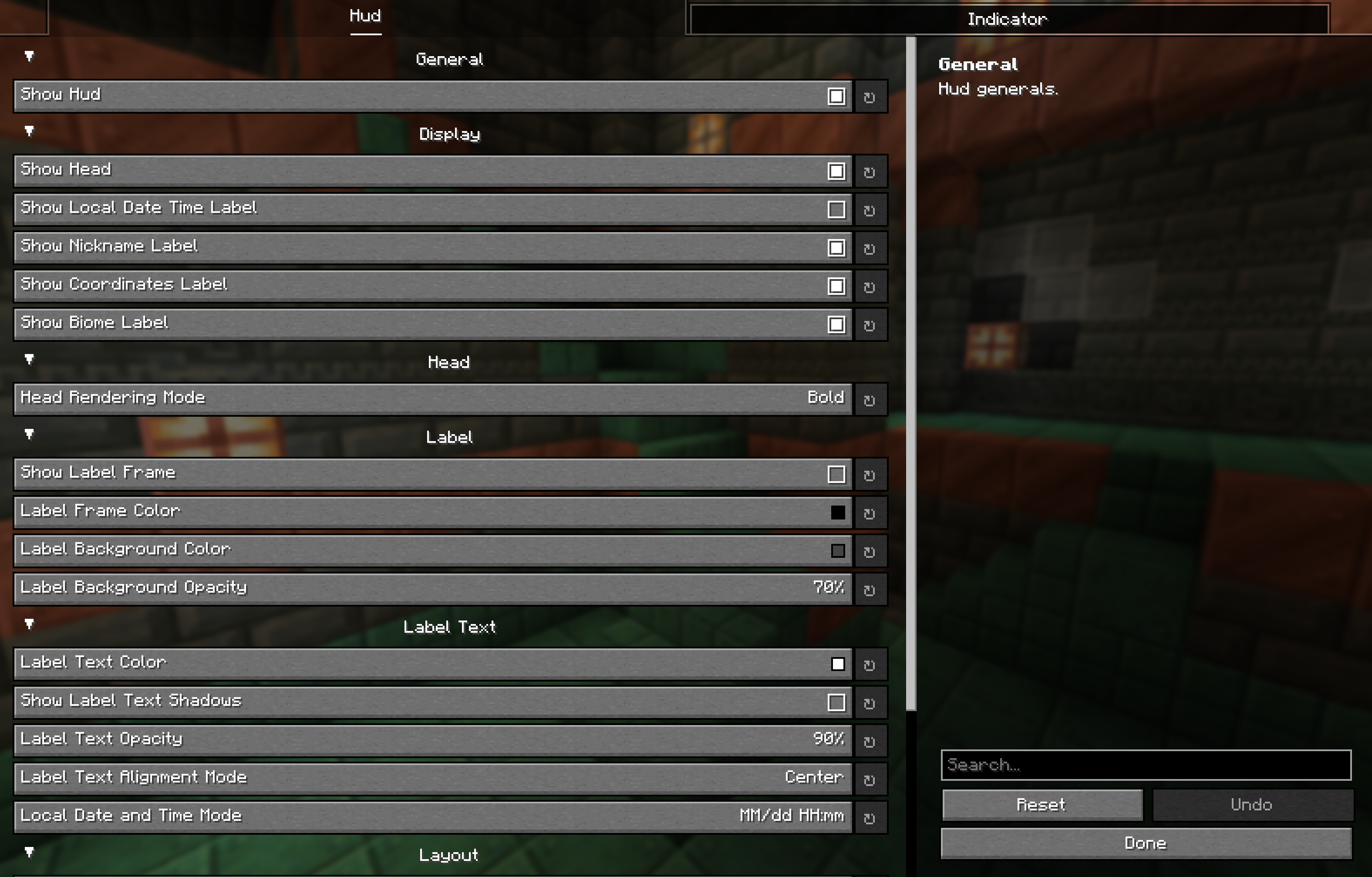
hud config
Installing ModMenu and YetAnotherConfigLib, Sodium allows you to manipulate settings from the GUI screen.
If you want to change the label color without editing the json directly, you will need YetAnotherConfigLib.
{
  "hud": {
    "general": {
      "enable_hud": true
    },
    "display": {
      "enable_head": true,
      "enable_local_date_time_label": false,
      "enable_nickname_label": true,
      "enable_coordinates_label": true,
      "enable_biome_label": true
    },
    "head": {
      "head_render_mode": "BOLD" // ["BOLD", "FLAT"]
    },
    "label": {
      "enable_label_frame": false,
      "label_frame_color": -16777216,
      "label_background_color": -12303292,
      "label_backgound_opacity": 70
    },
    "text": {
      "text_color": -1,
      "enable_text_shadows": false,
      "text_opacity": 90,
      "text_align_mode": "CENTER", // ["LEFT", "CENTER"]
      "local_date_time_mode": "DATE_AND_TIME" // ["DATE_AND_TIME", "DATE", "TIME"]
    },
    "layout": {
      "label_width": 91,
      "label_line_spacing": 0,
      "hud_scale": 0,
      "position_x": 0,
      "position_y": 0,
      "offset": 10
    }
  },
  "indicator": {
    "general": {
      "enable_indicator": true
    },
    "display": {
      "attacking_at": false,
      "looking_at": true,
      "damaged_only": false,
      "duration": 10,
      "reach": 20
    },
    "entities": {
      "player_entities": true,
      "self_player_entity": false,
      "passive_entities": true,
      "hostile_entities": true
    }
  }
}
License
常见问题
Imagict Hud 支持哪些 Minecraft 版本?
Imagict Hud 支持 Minecraft Java 版 1.20.1–1.21.4,共 8 个版本,可用的加载器:Fabric / NeoForge / Quilt。下载时注意选择和你游戏版本一致的文件。
Imagict Hud 怎么安装?
先用 PCL2 或 HMCL 启动器安装对应版本的 Fabric / NeoForge / Quilt,再把下载的 .jar 文件放进游戏目录的 mods 文件夹,重新启动游戏即可。开启了版本隔离的,mods 文件夹在 versions/版本名 下面。运行环境:仅客户端。
shihyeon 的其他作品
查看全部 →
Koreanify
Improves Korean chat and IME compatibility as a client-side utility. (mc26.1+)

Blur Server Address
Blurred Server Address. replace address to *

Tab Name Tag
A client-side mod that replaces player name tags with their tab list names.
Korean Chat Patch (backport)
korean chat(한글 채팅) patch mod. fix bug and backport to 1.20.1, 1.20.4, 1.20.6
评论
登录后评论和评分