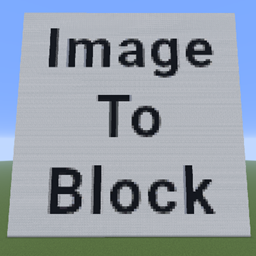
介绍
ImageToBlock lets you turn any image into a beautiful Minecraft mosaic made entirely of blocks!
Use a single command to load an image from your computer or the internet and automatically recreate it in your world.
Features
- Convert images into block mosaics directly in your Minecraft world
- Supports both local files and online URLs (e.g.
https://example.com/image.png) - Automatically matches the closest block colors for each pixel
- Scale the image proportionally
- Choose direction (NORTH, SOUTH, EAST, WEST) or flat mode — draw horizontally on the ground
Easy to use — generate any image with one simple command
Command
/image <path/url> [scaleX] [scaleY] [direction] [flat] [x] [y] [z]
📘 Examples:
/image "C:\images\cat.png"
→ Creates a mosaic from a local file./image "https://example.com/sunset.png" 128 128 SOUTH
→ Loads an image from the internet, scales it and builds on the south wall./image "C:\images\logo.png" 64 64 EAST true
→ Creates a flat (horizontal) image on the ground facing east
常见问题
ImageToBlock 支持哪些 Minecraft 版本?
ImageToBlock 支持 Minecraft Java 版 1.21.6–1.21.11,共 6 个版本,可用的加载器:Forge。下载时注意选择和你游戏版本一致的文件。
ImageToBlock 怎么安装?
先用 PCL2 或 HMCL 启动器安装对应版本的 Forge,再把下载的 .jar 文件放进游戏目录的 mods 文件夹,重新启动游戏即可。开启了版本隔离的,mods 文件夹在 versions/版本名 下面。
RedeN 的其他作品
查看全部 →
Tasty Sandwiches
Adds tasty sandwiches as a new food option to Minecraft.
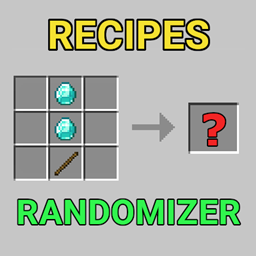
Recipes Randomizer
Recipe Randomizer – shuffle crafting recipes in your world
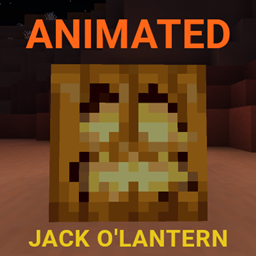
Animated Jack o’Lantern
Adds a smooth flickering animation to Jack o’Lanterns for a more lively Halloween feel.
Hyper Teleporters
Teleporters with color variants that allow fast and precise player movement.
评论
登录后评论和评分