
ILMESSIA’s italian biomes
ILMESSIA的意大利生物群系添加了三个受意大利启发的新生物群系:地中海灌木地、温带落叶林和高山。探索意大利自然景观中的多样地形、独特植被和沉浸式气候。
介绍
ILMESSIA’s Italian Biomes expands Minecraft’s world generation with a slice of Italy that somehow survived being turned into cubes.
This mod currently introduces the Mediterranean Scrubland biome, featuring dry rocky terrain, resilient vegetation, and iconic plants such as olive trees, rosemary bushes, strawberry tree, myrtle, mastic, thyme, lavender, juniper, heather, and rhododendron, each reflecting real Mediterranean plant life and enhancing biome realism.
The biome is designed to capture the warm, dry climate and unique plant life of Italy’s coastal and inland Mediterranean regions. It is also inhabited by wild boars and hedgehogs, adding more life and authenticity to the Mediterranean landscape.
The Alpine Biome has now been added, bringing cold high-altitude terrain with steep slopes, rocky peaks, and snowy landscapes. It includes characteristic mountain vegetation such as edelweiss, rhododendron, alpine shrubs, and hardy coniferous trees, creating a harsh but visually striking environment built for exploration and survival. The biome is also home to ermines, agile predators perfectly adapted to snowy mountain habitats.
The Temperate Deciduous Forest is still planned for future updates and will be added in upcoming releases.
These expansions aim to bring richer forests, seasonal environments, diverse wildlife, and unique ecosystems to further enhance exploration and world generation variety.
Future updates will continue expanding the mod’s ecosystem, improving realism, and adding new Italian-inspired environments to explore, survive in, and occasionally get lost in for no good reason.
常见问题
ILMESSIA’s italian biomes 支持哪些 Minecraft 版本?
ILMESSIA’s italian biomes 支持 Minecraft Java 版 1.20.1–1.21.1,共 2 个版本,可用的加载器:Forge / NeoForge。下载时注意选择和你游戏版本一致的文件。
ILMESSIA’s italian biomes 怎么安装?
先用 PCL2 或 HMCL 启动器安装对应版本的 Forge / NeoForge,再把下载的 .jar 文件放进游戏目录的 mods 文件夹,重新启动游戏即可。开启了版本隔离的,mods 文件夹在 versions/版本名 下面。
IL_MESSIA 的其他作品
查看全部 →
The legend of Agartha
一个添加了 Agartha 精彩维度的模组

Harvest & Kitchen
Adds olive trees, tomatoes, and a full food processing system to Minecraft. Use the Millstone to produce oil and flour, and the Cutting Stone to create ground meat. Cook ingredients, craft pasta, and prepare sauces like tomato, pesto, and ragù.

Monster Overload
Add a boost of energy to your Minecraft world with the Monster Energy Mod! This mod introduces multiple energy drink variants inspired by Monster designed to enhance the gameplay.
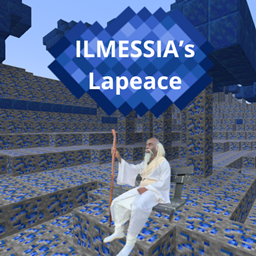
ILMESSIA’s Lapeace
ILMESSIA's Lapeace is a chaotic Lapis-themed Minecraft mod featuring new tools, items, a Lapis dimension, mysterious discoveries, unique challenges, Kai Cenat, special rewards, and a new music disc. Explore, summon, fight, and embrace the Lapis!
评论
登录后评论和评分