
ID’s questwright
Automatically writes a complete Quest book for any modpack, with a chapter for every mod built from its own recipes, guidebooks and achievements
介绍
Questwright
I kept making my own modpacks and then forgetting what half the mods did, or where you’re even supposed to start. Big packs fix that with a quest book, but whenever I added more mods or custom content, I still felt like I wasn’t getting everything the mods have to offer. I didn’t want to write a quest book by hand every time I added a mod, so I made a mod that writes it for me.
Questwright looks at the mods in your pack and builds a quest book from them. It works from the real recipes, so the order makes sense: if an item is made in a machine, its quest comes after the quest for that machine. You never get asked to craft something before you can make the thing that crafts it. It also reads the pack maker’s changes, like KubeJS scripts, and orders the quests around them. 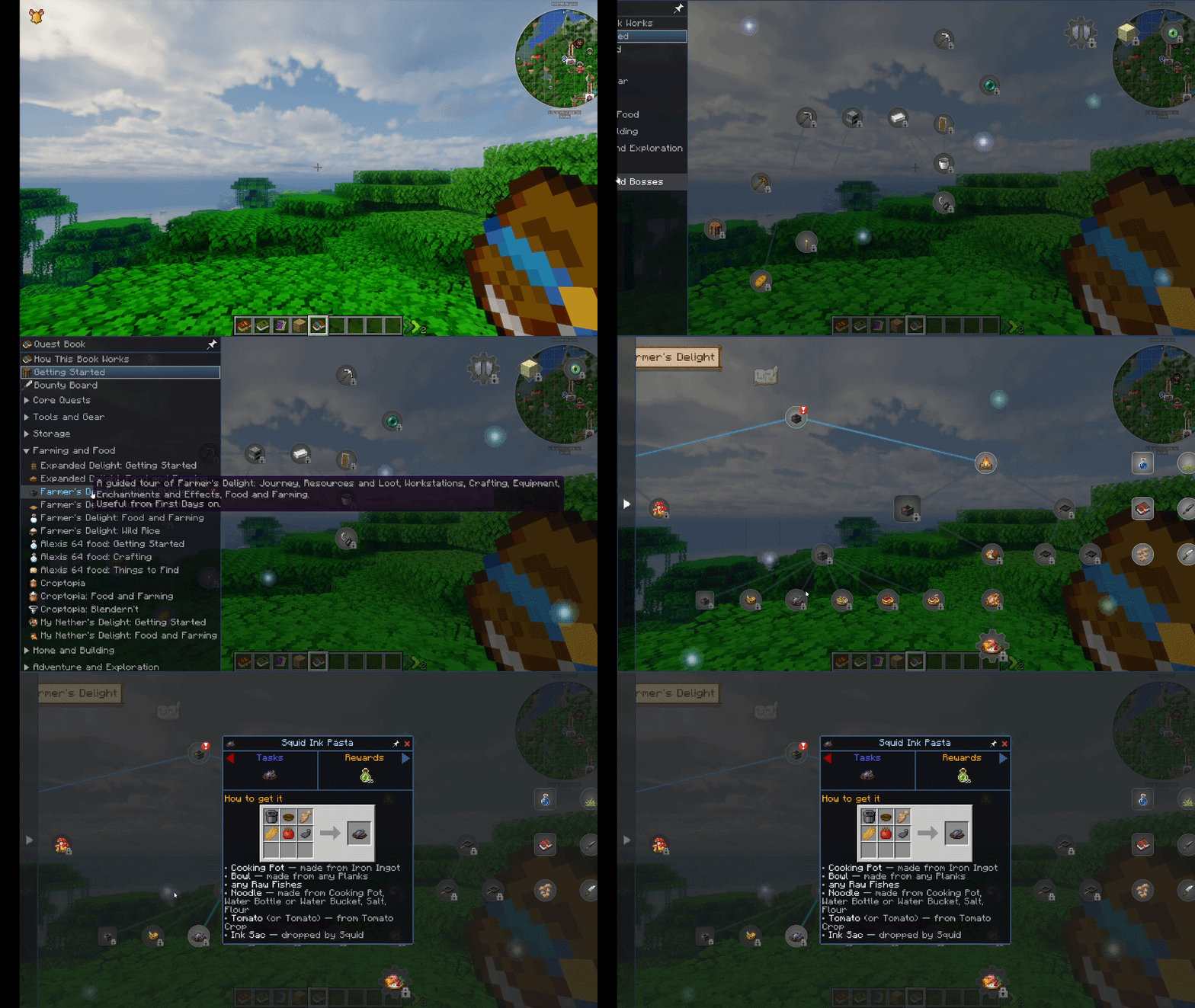
What you get
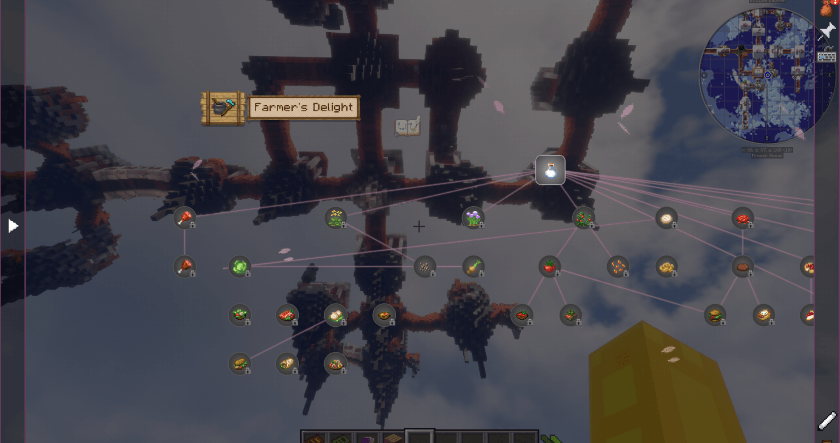
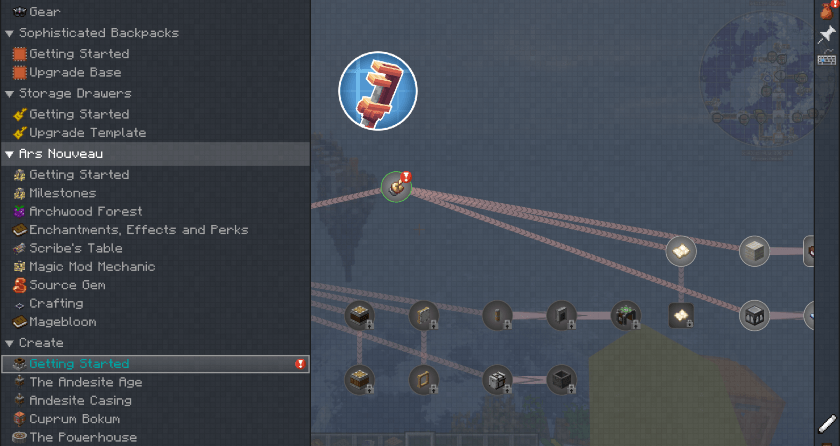
- Two ways to lay out the book. By mod (one or more chapters per mod, plus a vanilla chapter to start you off), or a journey like the big packs have: a main path through the whole game, then every mod sorted into categories like Tools and Gear, Farming and Food, Technology, Magic, and Creatures and Bosses.
- More than crafting. Quests for advancements, structures and dimensions to find, mobs to fight and bosses to beat. A boss quest tells you how to summon it and where to find it.
- Quests that read like a guide. Each one says what the thing is, how to get it, what it’s for and what it unlocks. If a mod has a Patchouli or Citadel guidebook, Questwright uses it for the quest text.
- Recipes in the quest. Recipes show up as pictures, with every ingredient explained underneath. If a picture can’t load, the recipe is written out in words. On 1.21 and up, with JEI or REI and FTB XMod Compat, clicking a picture opens that item’s recipes.
- Looks for the book. Five themes besides FTB’s own, each with its own colours, lines and something moving on the pages: soft drifting lights, rising sparks, falling petals, bubbles or glowing runes. The pages are see-through, so you can see your game behind the book. FTB’s own look is the default.
- No broken items. Items that show up as the purple and black “missing” square in your game get left out, so you don’t get quests you can’t even see.
- Works with existing quest books. If the pack already has a quest book, Questwright can fill the gaps by adding chapters for the mods that book skips.
How it works
- It builds the book while the world loads and only rebuilds it when your mods or settings change. Your progress stays.
- If you edit the generated book yourself, Questwright leaves your edits alone.
- If your pack already has its own quest book, Questwright won’t touch it. It can add chapters for the mods that book skips, but only if you say yes, and it backs everything up first. Changed your mind? Run
/questwright fillgaps undo. - Recipe pictures only exist on your computer, so if you open your world to LAN, it asks whether to write recipes out in words for your friends.
Commands
/questwright status: shows what it’s doing/questwright settings: changes settings in game, like book layout, quest order, rewards, which mods are included and more/questwright theme: picks the book’s look/questwright fillgaps: adds missing chapters to an existing quest book/questwright pictures: switches recipes between pictures and words/questwright logos: turns the mod logos on the chapter pages on or off/questwright language: picks the language for quest text
Config
Everything is in config/questwright.json. You can:
- leave out specific mods or items
- pick the book layout and its look
- set how big chapters get
- choose whether quests take your items
- set the rewards
- and more
Quest text comes in English, German, Spanish, French, Japanese, Korean, Polish, Portuguese, Russian and Chinese.
Requirements
- FTB Quests (required)
- Fabric, Quilt, Forge or NeoForge, Minecraft 1.20.1 and up
- The server and client don’t need matching copies
A heads-up!
Some mods get better quests than others, depending on how many recipes and guide pages they come with. If a chapter looks wrong, please open an issue and include your mod list. That helps me fix it a lot faster.
Modpacks
You can use it in modpacks, no need to ask.
If you’d like to support it, I have a Ko-fi. Thanks for checking it out!
常见问题
ID’s questwright 支持哪些 Minecraft 版本?
ID’s questwright 支持 Minecraft Java 版 1.20.1–26.3,共 23 个版本,可用的加载器:Fabric / Forge / NeoForge / Quilt。下载时注意选择和你游戏版本一致的文件。
ID’s questwright 怎么安装?
先用 PCL2 或 HMCL 启动器安装对应版本的 Fabric / Forge / NeoForge / Quilt,再把下载的 .jar 文件放进游戏目录的 mods 文件夹,重新启动游戏即可。开启了版本隔离的,mods 文件夹在 versions/版本名 下面。
评论
登录后评论和评分