
Identity Alias
Lets each player pick an alias that replaces their username in chat, head name, books and more!
截图
介绍
Identity Alias
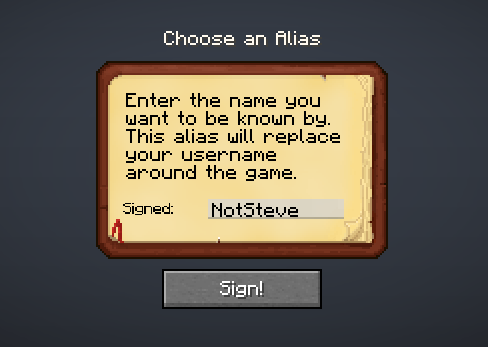
Identity Alias lets every player choose an alias that replaces their Minecraft username across the UI without touching the account’s real identity. All gameplay logic, permissions, item ownership, etc. keep working on the real username. Only what players see changes.
Join Us on Discord
How it works
- The server owns the alias registry. On first join, a player is greeted with an alias-selection screen (customizable via config); once set, the alias is broadcast to all clients.
- The client receives a synced alias list and swaps real names for aliases at render time (chat, above head names, books, tooltips, and supported mod screens).
Features
- Overhead names: show the alias above players’ heads. Server admins can hide overhead names entirely by config (
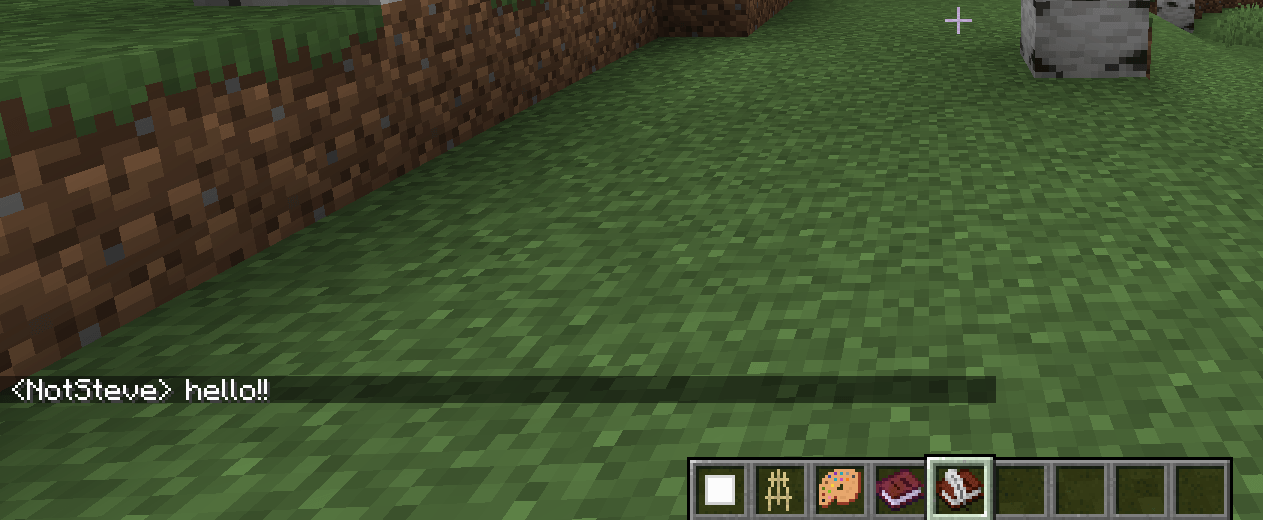
show_overhead_names), and operators can toggle their own view with a command. - Chat messages: player names in chat are replaced, including death messages.
- Player list (Tab): regular players see aliases; server operators see both alias and real nickname so administration stays easy.
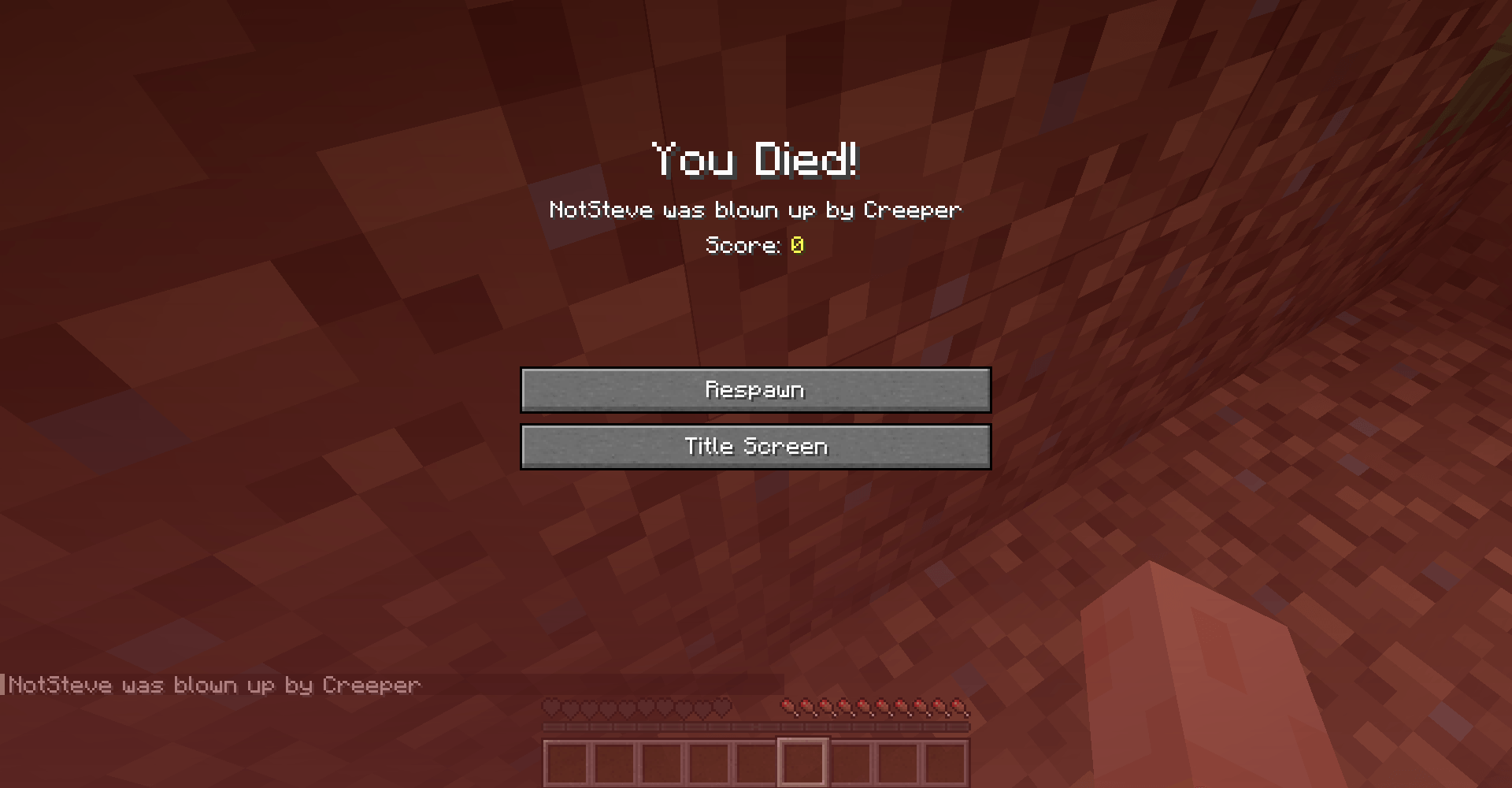
- Death screen: in the “You died!” screen and the death message in chat are shown with the alias.
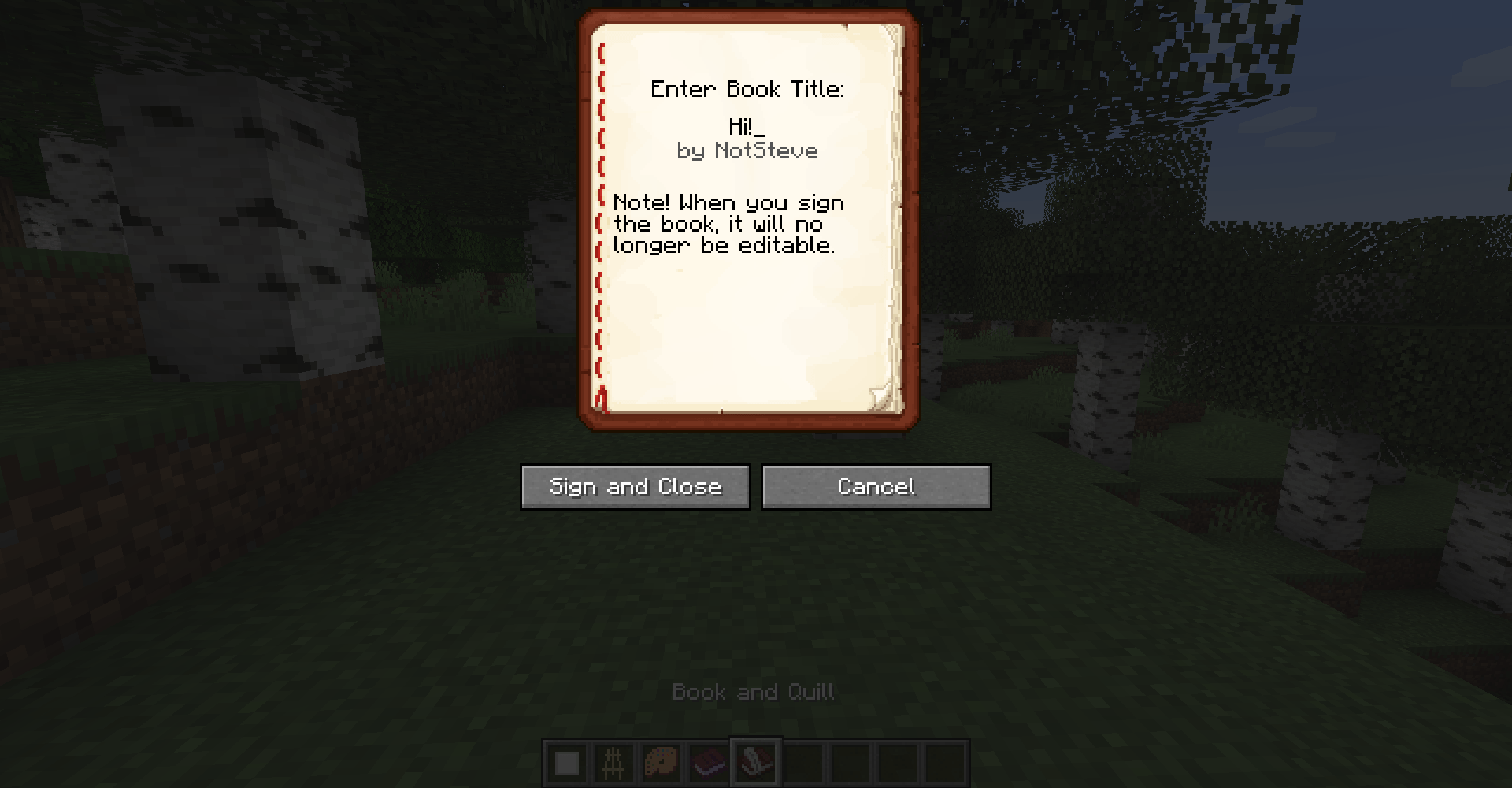
- Written & writable books: author names on the signing screen and item tooltip.
- Actionbar messages: names inside actionbar/overlay text (e.g. claim boundary announcements and other mods that might use this).
- Configurable selection screen: First login, players see a themed alias-selection screen. The title, body text, and input prefix right before the signature field are all server-configurable.
Optional mod compatibility
All can be toggled independently in the config.
| Mod | What gets aliased |
|---|---|
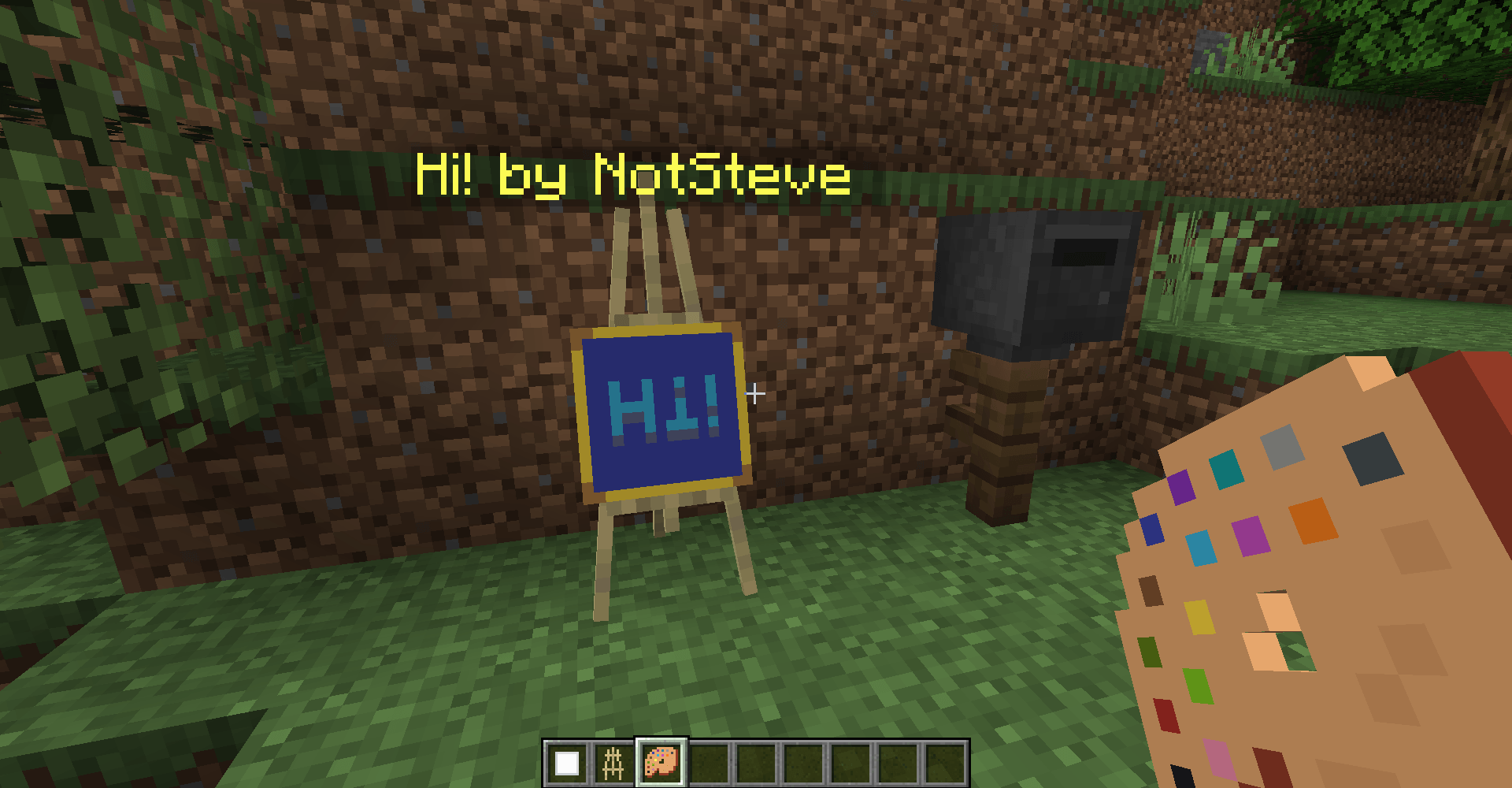
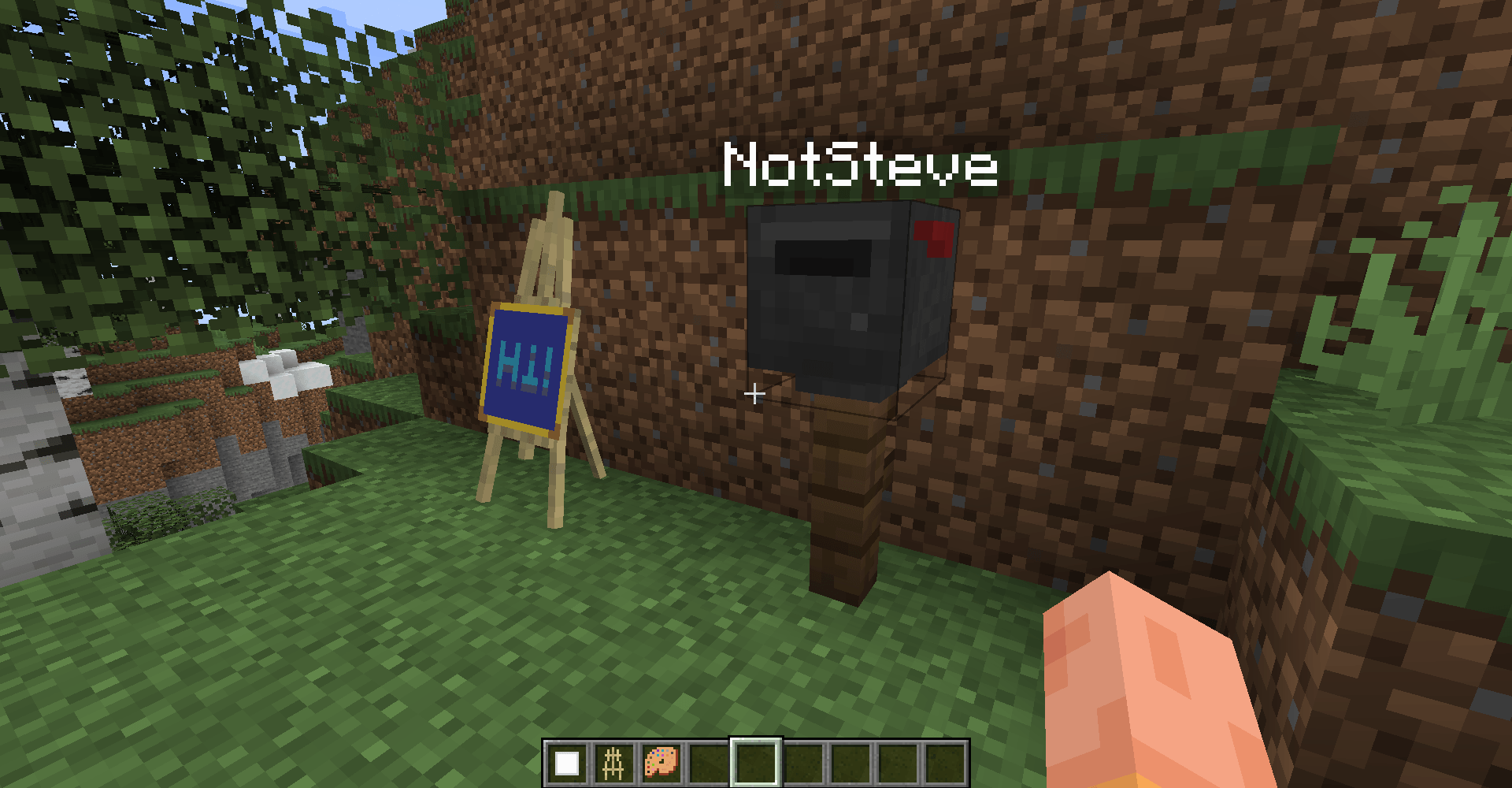
| Joy of Painting | Canvas author tooltips, signing screen, viewing screen, easel floating name |
| Furnish | Letter author tooltips, mailbox owner name tags |
| Extradeinary | Order owner names in the market screen |
| Four Sides | Player names in the playmat lobby |
| Claimorous! | Player names in the claim permission screen |
Server administration
All commands live under /id-alias and require operator permissions (level 2):
| Command | Description |
|---|---|
/id-alias reload |
Reloads the config file without restarting the server |
/id-alias create <nickname> <alias> |
Assign an alias to a player |
/id-alias edit <current_alias> <new_alias> |
Change an existing alias |
/id-alias remove <alias> |
Delete an alias entry |
/id-alias get_alias <nickname> |
Returns a player’s alias |
/id-alias get_nickname <alias> |
Returns the original nickname from an alias |
/id-alias show_all [page] |
Paginated list of all alias mappings |
/id-alias toggleOverheadNames |
Toggle the display of overhead names for yourself only |
Configuration
The server configuration file is located at config/identity-alias.toml.
It is generated on first start and synced to clients automatically: clients cannot override it. The command /id-alias reload applies config changes live.
Every feature surface has its own toggle (the master switch enabled, followed by enable_chat_aliases, enable_overhead_names, show_overhead_names, enable_book_tooltip, enable_actionbar_names, plus one per mod integration), and GUI text customization (gui_title, gui_text, sign_prefix).
Check config file for detailed descriptions of each option.
常见问题
Identity Alias 支持哪些 Minecraft 版本?
Identity Alias 支持 Minecraft Java 版 1.20.1,可用的加载器:Fabric。下载时注意选择和你游戏版本一致的文件。
Identity Alias 怎么安装?
先用 PCL2 或 HMCL 启动器安装对应版本的 Fabric,再把下载的 .jar 文件放进游戏目录的 mods 文件夹,重新启动游戏即可。开启了版本隔离的,mods 文件夹在 versions/版本名 下面。
SurfingBlockhead 的其他作品
查看全部 →
Crops Need Sky
这个模组要求作物和植物必须能直接照到天空才能生长。

Lazy Recipes Editor
帮助整合包和服务器作者通过精美的自定义 GUI 在游戏内创建、编辑和禁用合成配方,无需手动编写 JSON 文件!

Fabulocks!
一个为 Minecraft 添加完整锁具与开锁系统的模组,包含钥匙、开锁器,以及《上古卷轴5:天际》风格的开锁小游戏。

Claimorous!
为多人游戏添加领地认领机制。
评论
登录后评论和评分