
介绍
Custom instance Icon


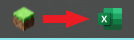
What does this mod do?
Custom Logo replaces the default Minecraft window icon — the one shown in your taskbar and title bar — with your own custom image.
No config files. No commands. Just drop a logo.png in your .minecraft folder and launch the game.
How it works
This mod uses a Mixin that intercepts Minecraft’s internal Window.setIcon() method before the vanilla icon is applied.
At startup, the mod:
- Looks for
logo.pngin your.minecraft/directory (or insidemods/as a fallback) - Decodes the image using STBImage (already bundled with Minecraft via LWJGL — no extra dependencies)
- Passes the image to GLFW to set the OS window icon
- Cancels the vanilla icon so only your custom one is shown
Installation
- Download the
.jarand place it in yourmods/folder - Place
logo.pngdirectly in your.minecraft/folder
.minecraft/
├── mods/
│   └── custom-logo-x.x.x.jar
├── logo.png        <- here!
├── saves/
└── options.txt
Tip: You can also place
logo.pnginside themods/folder itself as an alternative.
Image requirements
| Property | Recommendation |
|———-|—————-|
| Format | PNG with transparency (RGBA) |
| Size | 32×32 or 64×64 px |
| Name | Must be exactly logo.png |
Windows uses 16×16 and 32×32 for taskbar icons. A 32×32 or 64×64 image will be scaled automatically.
Requirements
- Minecraft 1.21.1
- Fabric Loader 0.16.9+
- Fabric API
Made by IamSboby
常见问题
icon modifier 支持哪些 Minecraft 版本?
icon modifier 支持 Minecraft Java 版 1.21.1–1.21.11,共 11 个版本,可用的加载器:Fabric。下载时注意选择和你游戏版本一致的文件。
icon modifier 怎么安装?
先用 PCL2 或 HMCL 启动器安装对应版本的 Fabric,再把下载的 .jar 文件放进游戏目录的 mods 文件夹,重新启动游戏即可。开启了版本隔离的,mods 文件夹在 versions/版本名 下面。运行环境:仅客户端。
Reversal 的其他作品
查看全部 →
Modrinth Themed Mojang Loading Screen
Change your mc loading screen to a modrinth themed one just like the one showed on the Modrinth homepage

Bean blaster calculator
Calculate easily the amount of windcharges needed to travel to your destination with the Iddiebean pearl Launcher
评论
登录后评论和评分