截图

介绍
中文介绍正在准备中,下面暂时显示原文。
Import items from external programs/generators.
For Players:
Click the IAPI import option in whatever program you’re using.
Make sure you are in creative.
For Developers:
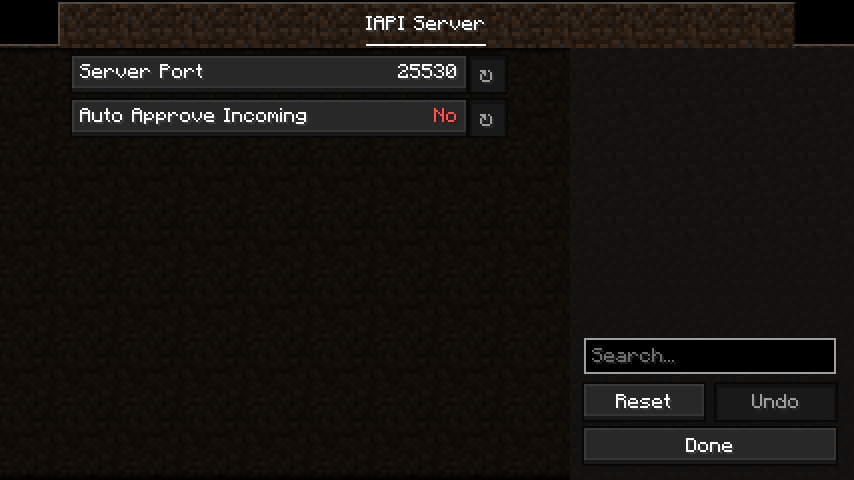
Send a POST request to the local device (127.0.0.1), with a port.
The default port is 25530.
// Web Javascript Example

port = 25530; // It is recommended that you provide an option to change this.

// Most webbrowsers do not allow getting data back from this request.
// Game logs will indicate what went wrong.
// If you are using a desktop application, this is not a problem.
fetch("http://127.0.0.1:" + port, {
  method : "POST",
  headers : {
    "Content-Type" : "text/plain"
  },
  body : "minecraft:stone{display:{Name:'\\'Happy Stone\\''},Enchantments:[{}]}"
});
常见问题
IAPI 支持哪些 Minecraft 版本?
IAPI 支持 Minecraft Java 版 1.20.4,可用的加载器:Fabric。下载时注意选择和你游戏版本一致的文件。
IAPI 怎么安装?
先用 PCL2 或 HMCL 启动器安装对应版本的 Fabric,再把下载的 .jar 文件放进游戏目录的 mods 文件夹,重新启动游戏即可。开启了版本隔离的,mods 文件夹在 versions/版本名 下面。运行环境:仅客户端。
Totobird-Creations 的其他作品
查看全部 →
Mob Boss Bars
by Totobird-Creations
Configurable boss bars for every entity type.
3.5万
2 年前
Modrinth

Better Totems
by Totobird-Creations
Allows totems of undying to save players from the void, and when anywhere in the inventory.
2,634
2 年前
Modrinth

Configurable Nether Portals
by Totobird-Creations
Nether portals are more customisable.
2,418
2 年前
Modrinth
Configurable Nether Portals
by Totobird-Creations
Nether portals are more customisable.
2,418
2 年前
Modrinth
评论
登录后评论和评分