介绍
What does it do? It adds a simple server command: iam <targetPlayerName> [customName]
After used on a player, the mod replaces everything he says through the chat with “I am” followed by any text you entered as customName.
(Althought you can change the “I am” text for something else or even disable it via config file)
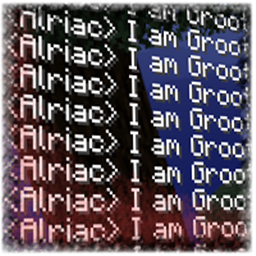
For exapmple, if you use the command “/iam Steve Groot”, everything he types in the chat will turn into “I am Groot”. It can be really frustating!
Do you have any trolls or undesired chat spammers in your server? Don’t ban them, use this mod! It will be funny!!
The usage is: iam <targetPlayerName> [customName]
Where “targetPlayerName” is the player who will suffer the effects of the command and the “customName” is what they will say after “I am”.
If you don’t write any custom name parameter, the player name will be used as customName parameter.
To remove the command effects from a player, just write the command “iam” followed with the player name without a customName: iam <targetPlayerName>
To remove the command effects from all the players you ever added, write the command “iam clear all”.
To list all the affected players use: “iam -list”
Examples:
- Command: iam Steve
- Chat output: <Steve> I am Steve
- Command: iam SteveGroot
- Chat output: <Steve> I am Groot
- Command: iam SteveBATMAN
- Chat output: <Steve> I am BATMAN
Since version 1.1, there is a config option to enable or diasble the addition of the “I am” text at the beginning of the replaced chat text. If disabled, you can always write it manually like “iam Player1 I am ME”.
Also, from version 1.2, you can change the “I am” text for whatever you want via config option.
I have tested this mod on my private server along with other 50 mods and was working fine. Please let me know if you find any incompatibility or bug!
Minecraftforum thread: http://www.minecraftforum.net/forums/mapping-and-modding/minecraft-mods/2762699-i-am-funny-chat-messages-replacement
常见问题
I AM, Funny chat replacement 支持哪些 Minecraft 版本?
I AM, Funny chat replacement 支持 Minecraft Java 版 1.7.10–1.10.2,共 2 个版本,可用的加载器:Forge。下载时注意选择和你游戏版本一致的文件。
I AM, Funny chat replacement 怎么安装?
先用 PCL2 或 HMCL 启动器安装对应版本的 Forge,再把下载的 .jar 文件放进游戏目录的 mods 文件夹,重新启动游戏即可。开启了版本隔离的,mods 文件夹在 versions/版本名 下面。
评论
登录后评论和评分