
[Hypixel] DailyRewards
DailyRewards allow you to claim Hypixel's Daily Rewards fully in game. (Also bypass the mandatory ads for unranked players but shh keep this secret)
截图


介绍
🎁 [Hypixel] DailyRewards


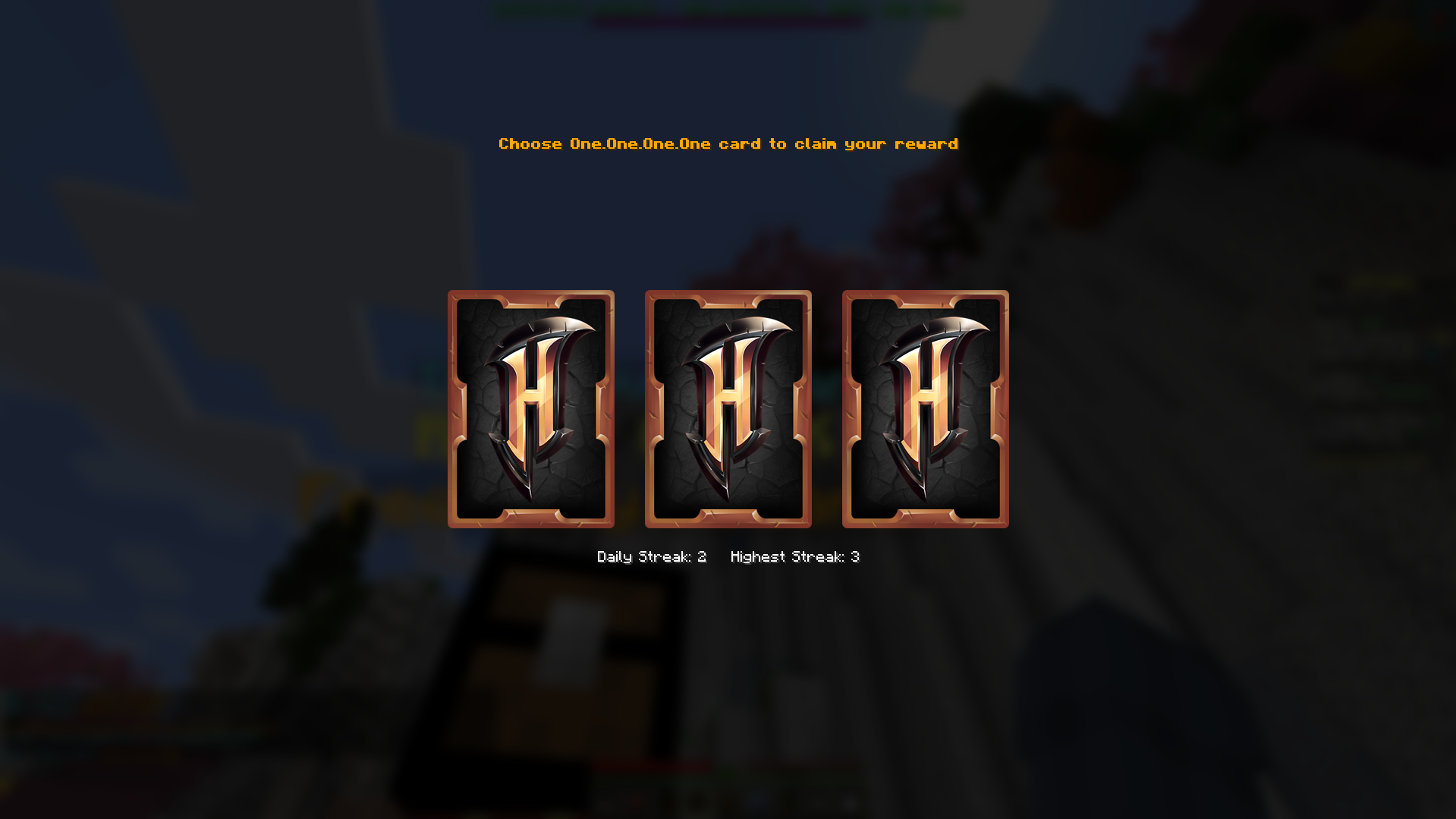
🎁 Automate Hypixel Skyblock daily rewards with beautiful card animations and a single click claim
✨ Features
🎯 Automated Reward System
- 🔗 Smart Link Detection – Automatically detects Hypixel reward links in chat
- ⚡ One-Click Claiming – Claims rewards instantly with a single click
- 🎮 In-Game Integration – Seamless Minecraft experience
🎨 Beautiful Interactive UI
- 🃏 Card-Based Reward Selection – Choose from beautifully animated reward cards
- 🌈 Rarity-Based Colors – Visual distinction for different reward rarities:
- 🟫 Common – Gray
- 🔵 Rare – Aqua
- 🟣 Epic – Light Purple
- 🟡 Legendary – Gold
- 🔄 Smooth Flip Animations – Satisfying card reveal animations
- 📱 Modern Interface – Clean, responsive design
⚙️ Customizable Configuration
- 🎭 Animation Settings – Toggle flip animations and adjust speed
- 💾 Persistent Settings – Configuration saves automatically
🔧 Technical Features
- 🌐 HTTP Integration – Secure communication with Hypixel’s reward system
- 🎵 Sound Effects – Audio feedback for reward claiming
- 📊 Error Handling – Robust error management and user feedback
- 🔄 Auto-Retry – Automatic retry on network failures (coming-soon)
🚀 Installation
📱 Easy Installation (Recommended)
- Install via Modrinth App or your favorite launcher
- Search for “[Hypixel] DailyRewards” or use this link: Download on Modrinth
- Click Install – all dependencies will be handled automatically!
🛠️ Manual Installation
Prerequisites
- Minecraft 1.21.2 – 1.21.10
- Fabric Loader 0.17.3
- Java 21+
Required Dependencies
- 📚 Fabric API
1.21.2-1.21.10 - 🌐 Fabric Language Kotlin
1.13.6+kotlin.2.2.20
Optional Dependencies
- ⚙️ Cloth Config
1.21.2-1.21.10– For in-game configuration (Required if you want the config GUI) - 📋 ModMenu
1.21.2-1.21.10
Steps
- Download the latest version from Modrinth
- Install all required dependencies listed above
- Place all
.jarfiles in yourmodsfolder - Launch Minecraft with Fabric
- Join Hypixel and wait for reward links to appear in chat
- Choose a reward to claim it
🎮 Commands
| Command | Description | Example |
|———|————-|———|
| /dailyrewards | Open the daily rewards configuration interface | /dailyrewards config* |
| /dailyrewards status | A daily reminder with smart timezone translator | /dailyrewards status |
⚙️ Configuration
Access the configuration menu via /dailyrewards or through Mod Menu.
🎛️ Available Settings
🎭 Animation Settings
- Flip Animation – Enable/disable card flip animations
- Flip Speed – Adjust animation speed (0.1x – 3.0x)
🎨 Screenshots
🃏 Interactive Reward Cards
🎨 Rarity-Based UI

🖼️ Gallery
| Feature | Preview |
|———|———-|
| 🃏 Card Selection | Beautiful animated cards with rarity colors |
| ⚡ Quick Claim | One-click reward claiming from chat |
| 📆 Reminder | A smart reminder that adapt to your local timezone for easy clock reading |
| 🌈 Visual Feedback | Clear success/error indicators |
| 🔊 Sound Effects | Satisfying audio feedback |
View more screenshots on the Modrinth Gallery
🎯 How It Works
🔄 Reward Flow
- Detection – Mod monitors chat for Hypixel reward links
- Parsing – Extracts reward tokens from URLs
- Fetching – Retrieves reward data from Hypixel API
- Display – Shows beautiful card-based selection interface
- Claiming – Submits selection and receives rewards
🎮 User Experience
- Zero Configuration – Works out of the box
- Non-Intrusive – Only appears when rewards are available
- Fast Claims – Minimal clicks to claim rewards
- Visual Feedback – Clear success/error indicators
📊 Compatibility & Integration
✅ Tested Environments
| Environment | Status | Notes |
|————-|——–|——-|
| 🌎 Hypixel Network | ✅ Full Support | Primary target – all features work |
| 💻 Other Servers | ❌ Not Applicable | Hypixel-specific features |
🔧 Mod Compatibility
✅ Fully Compatible
- ⚙️ Cloth Config – Configuration menus
- 📋 ModMenu – In-game mod management
⚠️ May Have Issues
- Optifine – Potential rendering conflicts with overlays
- Sodium + Iris – Generally works, test thoroughly
- Canvas/Other Renderers – Not extensively tested
🎮 Launcher Support
- ✅ Modrinth App (Recommended – Automatic)
- ✅ CurseForge App (Recommended – Automatic)
- ✅ MultiMC/PolyMC/Prism (Manual install)
- ✅ ATLauncher (Manual install)
- ✅ Vanilla Launcher (Manual install)
- ✅ PojavLauncher (Yes i tested it 😭🫣)
🔗 Links & Community
📱 Official Platforms
- 🟢 Modrinth – Download & Updates
- 📊 Modrinth Versions – Version History
- 📝 Changelog – Release Notes
- 🖼️ Gallery – Screenshots
🚀 Development & Support
- 🤖 GitHub Repository – Source Code
- 🐛 Bug Reports – GitHub Issues
- 💬 Discord Support – Join Community
- 📊 Project Stats – Modrinth Analytics
🐛 Bug Reports
Please use the GitHub Issues tab to report bugs.
Include:
- Minecraft version
- Mod version
- Steps to reproduce
- Error logs (if any)
📜 License
This project is licensed under the LGPL-3.0-only License – see the LICENSE file for details.
🙏 Credits & Acknowledgments
👥 Development Team
- Cqseur – Lead Developer
- Claude 4.0 🤖 – Author of this beautiful description
🎯 Special Thanks
- Hypixel Team – For the amazing reward system and API
- Fabric Community – For the excellent modding framework
- Kotlin Community – For the beautiful programming language
- Modrinth Team – For the best mod distribution platform
🛠️ Built With
- Fabric – Minecraft Modding Framework
- Kotlin – Primary Programming Language
- OkHttp – HTTP Client for reward API
- Jsoup – HTML parsing for link detection
- Cloth Config – Configuration system
- Minecraft Yarn – Minecraft Mappings
🌟 Support the Project!


Made with ❤️ for the Hypixel community
🟢 Download on Modrinth • 🌟 Star on GitHub • 💬 Join Discord
📊 Project Statistics:
- Version:
1.2.1 - License:
LGPL-3.0-only - Target:
Minecraft 1.21.2-1.21.10 - Framework:
Fabric - Language:
Kotlin
常见问题
[Hypixel] DailyRewards 支持哪些 Minecraft 版本?
[Hypixel] DailyRewards 支持 Minecraft Java 版 1.21.2–26.2,共 14 个版本,可用的加载器:Fabric。下载时注意选择和你游戏版本一致的文件。
[Hypixel] DailyRewards 怎么安装?
先用 PCL2 或 HMCL 启动器安装对应版本的 Fabric,再把下载的 .jar 文件放进游戏目录的 mods 文件夹,重新启动游戏即可。开启了版本隔离的,mods 文件夹在 versions/版本名 下面。运行环境:仅客户端。

评论
登录后评论和评分