
Hullspark Biome Title
A big title the first time you enter a biome or dimension in a world. Remembered per world.
截图
介绍
You walk into a desert, a cherry grove or the Nether, and the screen says nothing. The game gives no sign that you have arrived somewhere new, so a long trip blurs together and it is easy to cross a biome without noticing.
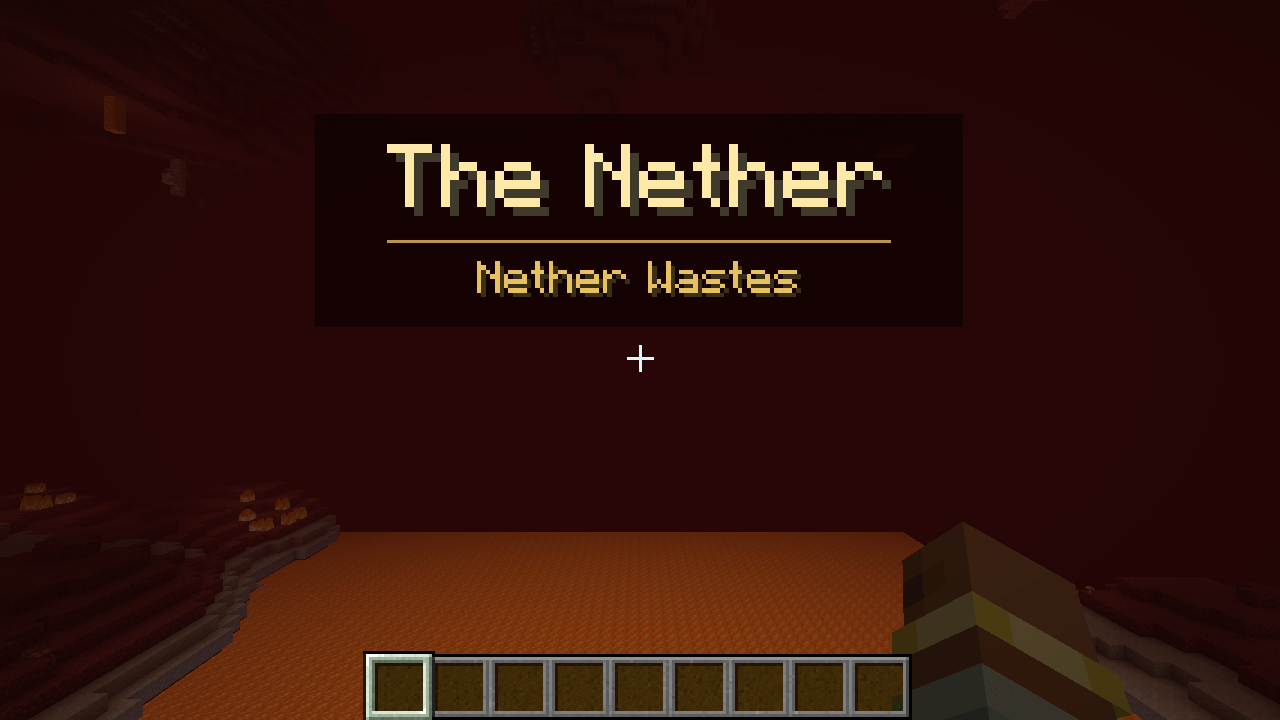
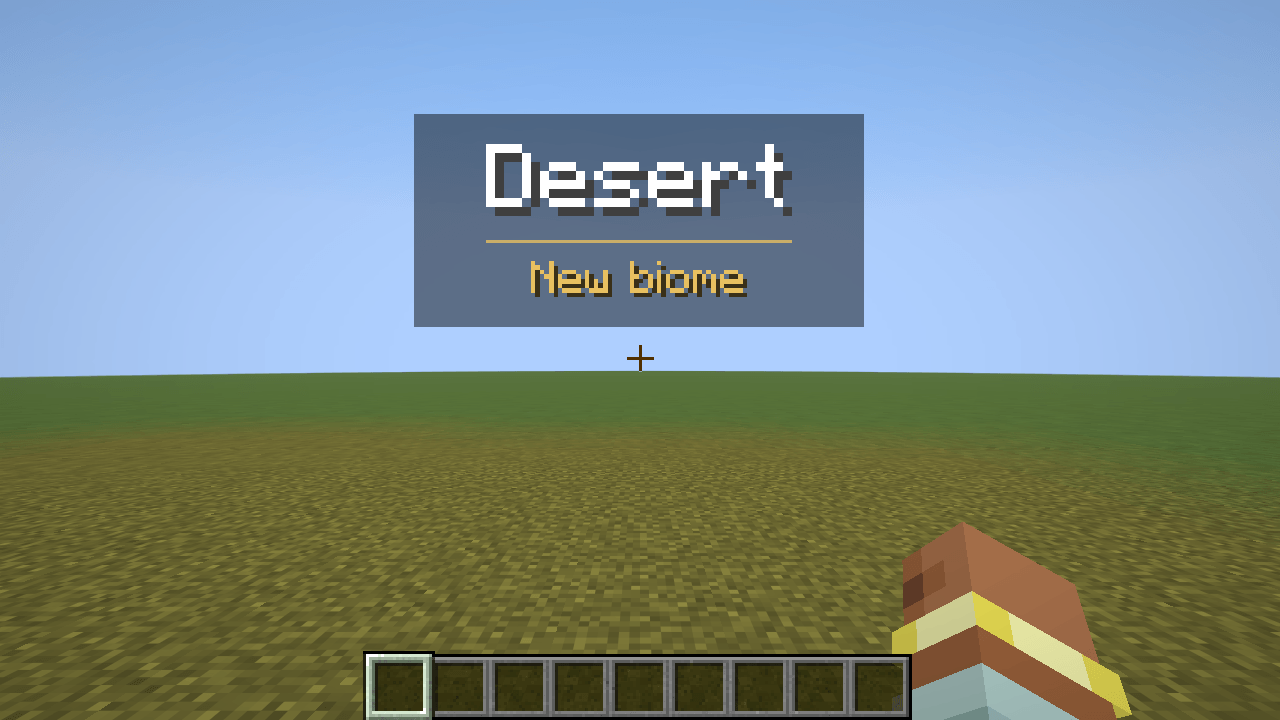
Where on screen: upper middle, above the crosshair. A dark band with the name in large letters, a thin gold line, and a small caption under it. It fades in, stays for a few seconds and fades out.
What you can do: nothing, it just happens, once per place per world.
A new dimension (first time in this world): its name is the title (The Overworld, The Nether, The End; a dimension from another mod gets a tidied-up version of its id), and the biome you are standing in is the caption.
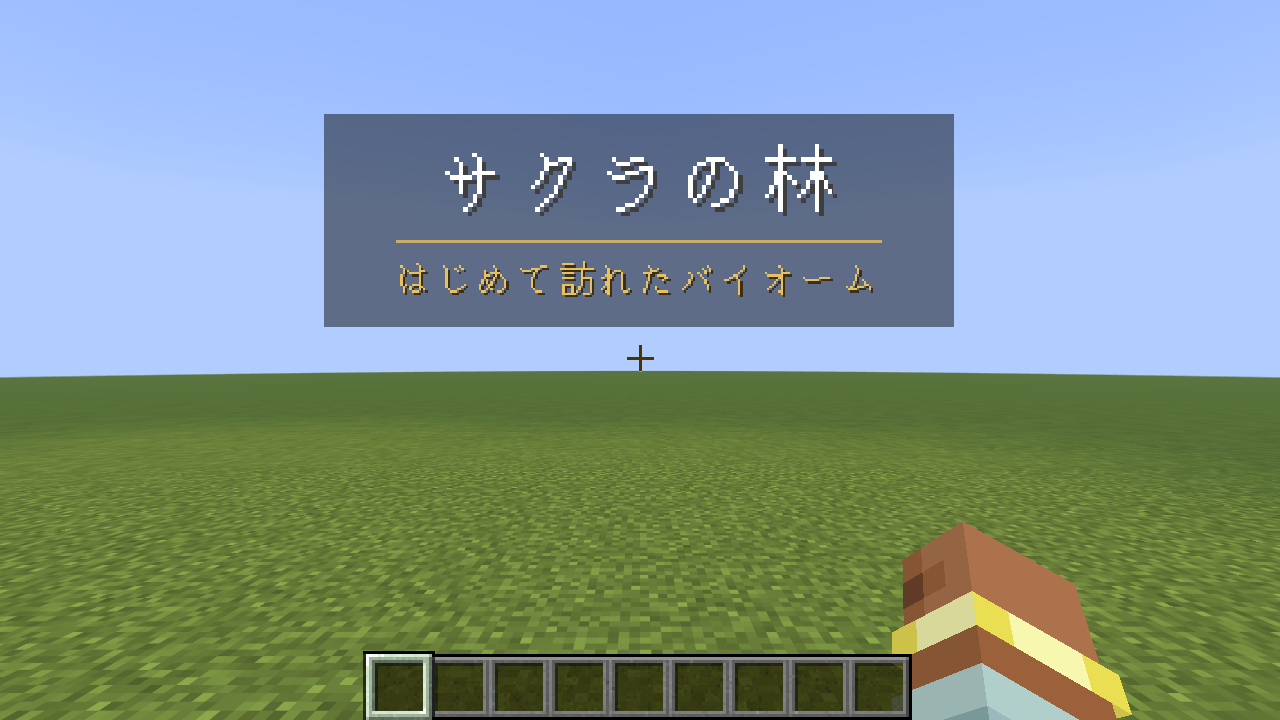
A new biome in a dimension you already know: the biome’s name is the title and the caption says "New biome". Names come from the game’s own translations, so it follows your language.
"First time" is per world. A small text file per world, config/biometitle/seen/<world>.txt, remembers what that world has shown. The world folders are never opened or written. A second world starts fresh. Delete the file (or run /biometitle reset) to see a world’s titles again.
You stay in control: /biometitle sets it up (client-side only, nothing is sent to a server): on / off, biomes true|false (false = dimensions only), dimensions true|false, seconds 1-10 (how long it stays fully visible), preview (show the title for where you stand), reset. The settings are saved in config/biometitle.properties.
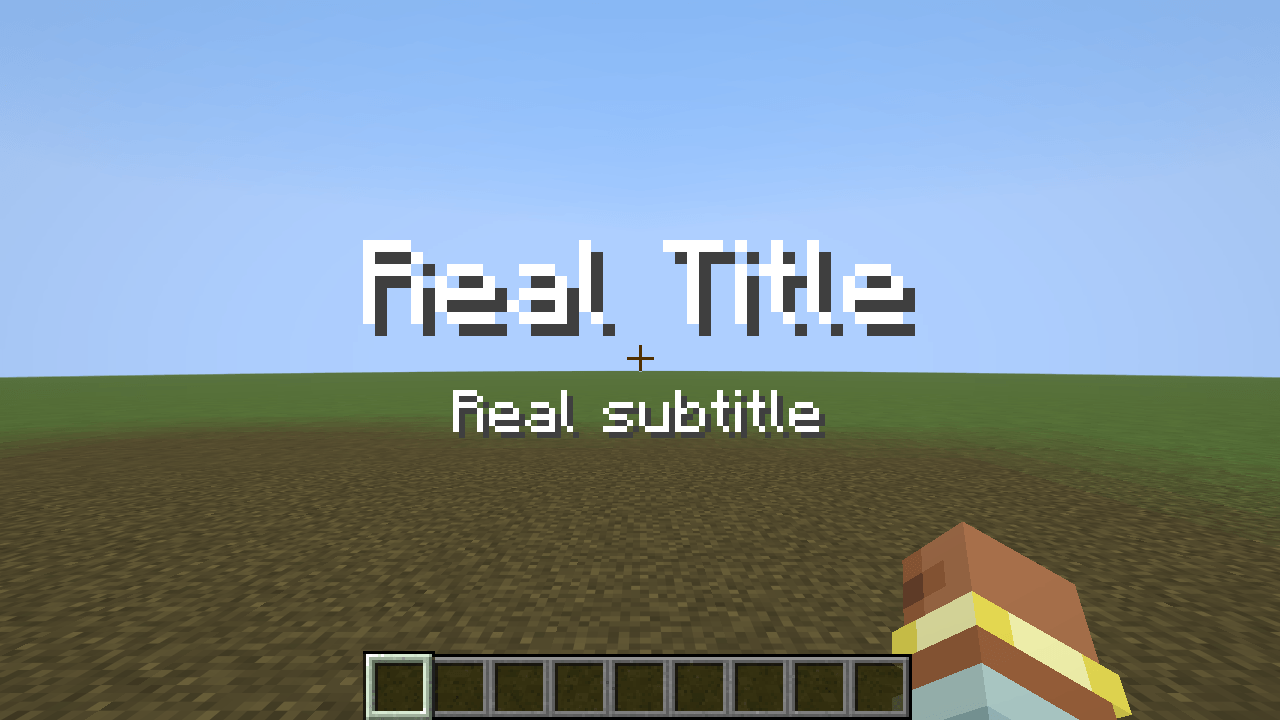
It never draws over the game’s own /title. While a real title or subtitle is on screen the mod waits and draws nothing, and shows its own title when the game’s is gone. It also waits while the HUD is hidden (F1) or a menu is open.
A place counts after you have stayed in it for one second, so crossing a border, a teleport that has not loaded or running along an edge does not fire titles. Several titles in a row wait their turn (at most two wait).
Result: in the automated test (a real game window, real singleplayer worlds, the biome under the player changed with the game’s own /fillbiome, teleports between the Overworld, the Nether and the End, the real /title command, the mod’s own /biometitle commands), the title appeared with the right name and caption each time, only the first time (going back to a biome or dimension showed nothing), was gone after it faded, was not drawn while a real /title was on screen, was remembered after leaving and reopening the world, was independent in a second world, showed Japanese names with the language set to Japanese, and a damaged list file was read as "nothing seen yet" without an error. With the mod switched off, the same test fails.
常见问题
Hullspark Biome Title 支持哪些 Minecraft 版本?
Hullspark Biome Title 支持 Minecraft Java 版 26.3,可用的加载器:Fabric。下载时注意选择和你游戏版本一致的文件。
Hullspark Biome Title 怎么安装?
先用 PCL2 或 HMCL 启动器安装对应版本的 Fabric,再把下载的 .jar 文件放进游戏目录的 mods 文件夹,重新启动游戏即可。开启了版本隔离的,mods 文件夹在 versions/版本名 下面。
Hullspark 的其他作品
查看全部 →
Death Point Marker
After you die, one HUD line keeps pointing you back to your loot: direction, distance and coordinates. No chat spam to scroll back to.

Hullspark Cat Dance
Cats near a playing jukebox hop, lean and swish their tails to the beat. Draw-only, client-side.

LastView
Your loading screen shows the place you left. Rejoin a world and its loading screen has your last view behind it instead of the menu panorama.

Hullspark Coordinate HUD
Always see where you are and how far you are from spawn. One line at the top of the screen, no minimap, no F3.
评论
登录后评论和评分