
截图
介绍
HoYoI (Aka. HoYo UI, HoUI)
Introduction
This mod simply adds miHoYo/HoYoVerse games UI for Minecraft (like Genshin Impact, Honkai: Star Rial) with vanilla-like style.
Now HoYoI only implemented Genshin Style, Star Rail Style is still working in progress.
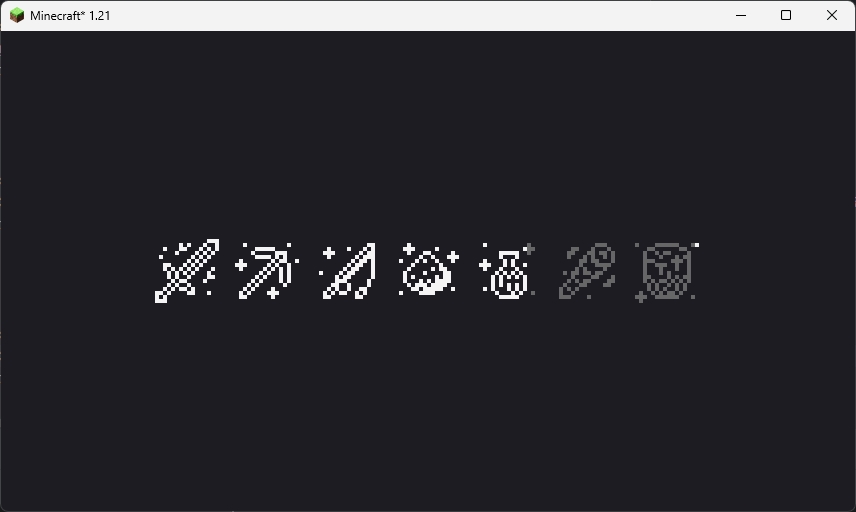
Genshin style loading screen has two theme: light and dark. In reallife time 19:00 ~ 7:00 next day the ui will be dark theme.
Screenshots
Genshin Style
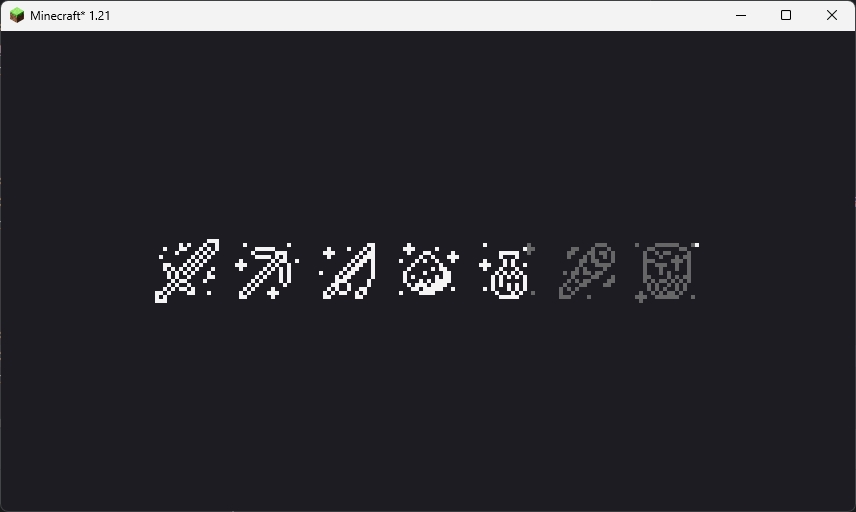
This loading screen will only show once when the game starting. Because NeoForge has an early display, so this feature is broken on NeoForge platform.
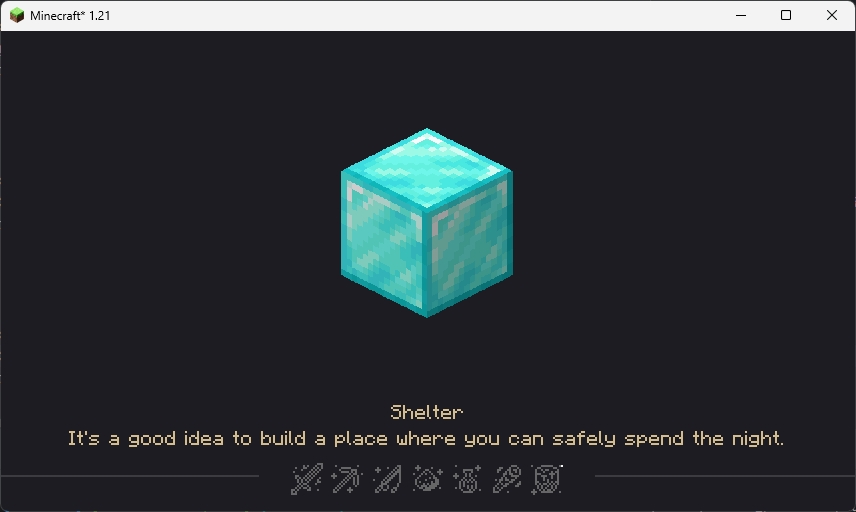
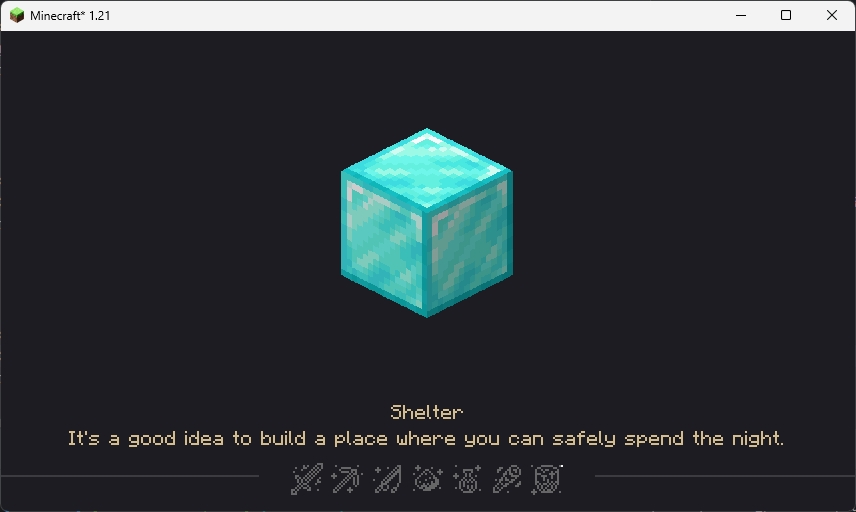
This loading screen will be normally seen in the game, the picture in the center and the tips at the bottom are all random, customizable and localized (I’ll talk about how to customize below).
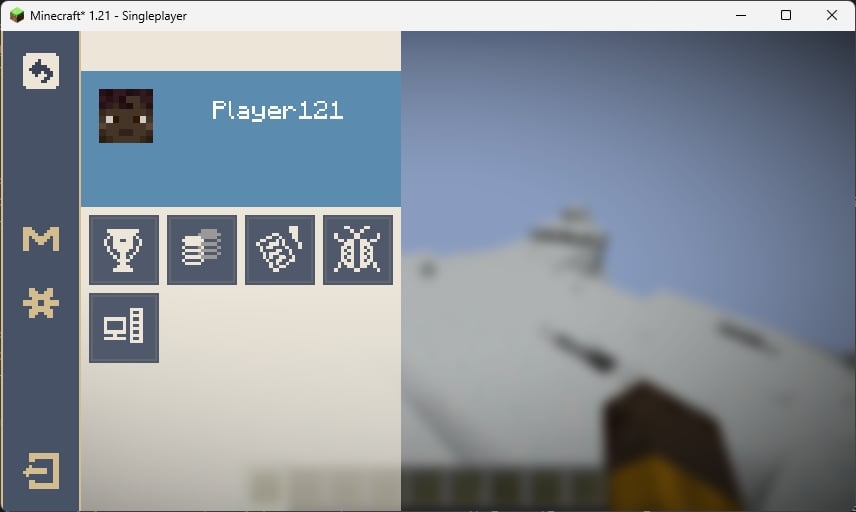
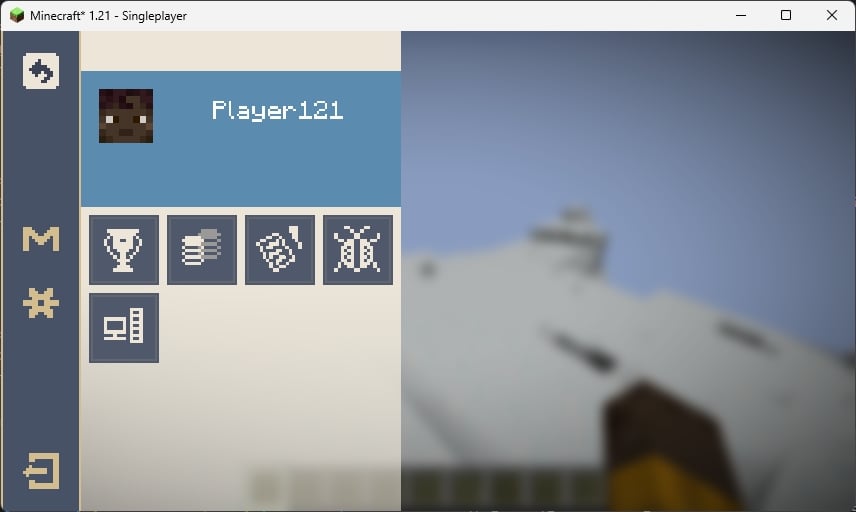
The ESC pause screen in the game, the “M” button in the sidebar is Mod List button, for Fabric, you need install Mod Menu to open the Mod List screen.
Star Rail Style
WIP
Customization
You can customize the center picture and bottom tips in loading screen.
FIRST: Create a resource pack (Check Minecraft Wiki)
Tips
SECOND: Create a file in assets/{yourpack}/tips folder with name {languageCode}.json like “en_us.json”
THIRD: Edit the file like the example shown below
[
  {
    "title": "Example Tip 1",
    "desc": [
      "Line 1",
      "Line 2"
    ]
  },
  {
    "title": "Example Tip 2",
    "desc": [
      "Line 1",
      "Line 2",
      "Line 3",
      "Line 4" // I don't suggest over 4 lines
    ]
  },
  ...
]FOURTH: Load your resource pack
Center picture
SECOND: Put pictures with png format in assets/{yourpack}/textures/ui/regions folder with any filename you like
THIRD: Load your resource pack
Credits
- 7777777_4547, loading screen ui textures.
- DeeChael, programming and pause screen ui textures. Some tips.
常见问题
HoYoI 支持哪些 Minecraft 版本?
HoYoI 支持 Minecraft Java 版 1.21,可用的加载器:Fabric / NeoForge。下载时注意选择和你游戏版本一致的文件。
HoYoI 怎么安装?
先用 PCL2 或 HMCL 启动器安装对应版本的 Fabric / NeoForge,再把下载的 .jar 文件放进游戏目录的 mods 文件夹,重新启动游戏即可。开启了版本隔离的,mods 文件夹在 versions/版本名 下面。运行环境:仅客户端。
DeeChael 的其他作品
查看全部 →
Concentration
Borderless fullscreen support for Minecraft 1.20.6+

EmbeddiumUI
Adds embeddium options for a lot of mods

Higher Nether
Increase nether height to 384

Sand Filter
Add Thirst Was Taken sand filter to Legendary Survival Overhaul mod
评论
登录后评论和评分